AI agent for musicians
Live Show Prep and Setlist Agent
Every show ready: confirmed details, timed setlist and complete gear
What it does
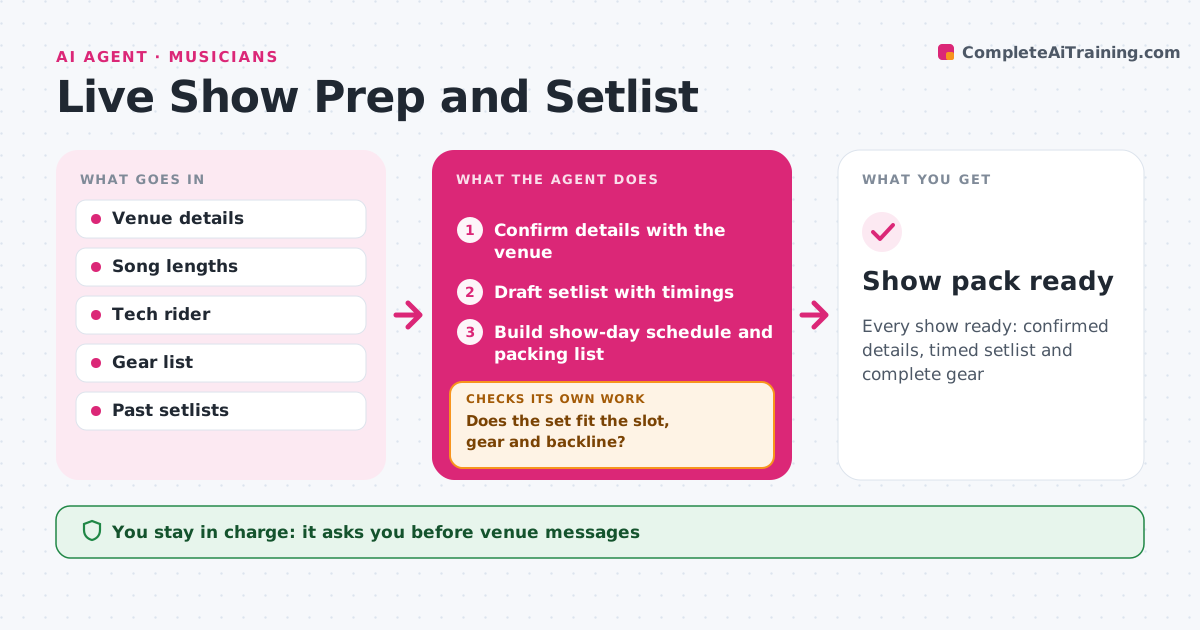
Show-day problems, like a set that runs long or a missing amp, are usually avoidable with a little prep. Two weeks before a show, this agent confirms the details with the venue: set length, load-in, soundcheck, backline and contacts. It sends the tech rider and stage plot after approval. It drafts a setlist that fits the slot, using song lengths, transitions and past crowd response. Then it checks the setlist time, the key and tuning changes, and the gear list against the backline. If the set runs long, it suggests songs to cut and checks again. It builds a show-day schedule and packing list. The musician approves the setlist and every message. Edge case: a venue without a bass amp is caught from the backline list.
How it works
Follow the arrows from top to bottom. The orange dashed arrow is the loop: when a check fails, the agent goes back and tries again.
Read the steps as a list
- Show two weeks away
- Confirm details with the venue
- Musician approves rider and messagesThe agent waits here for your OK.
- Draft setlist with timings
- Does the set fit the slot, gear and backline?If not: cut songs or add gear to the list. Back to step 4.
- Build show-day schedule and packing list
- Musician approves the setlistThe agent waits here for your OK.
- Show pack ready
How it decides
It fits the set to the slot with a buffer and reduces tuning changes.
- Leave a 3-minute buffer
- Group songs by tuning
- Check backline against needs
Make it yours
Every agent is a starting point. You choose these settings for your own situation.
- Time buffer
- Setlist rules
- Packing list base
- Prep lead time
What keeps you in control
It always asks you first
- Venue messages
- Setlist
Hard limits
- Never confirms anything with the venue without approval
- Never changes fees
It stops when
- Done: show pack ready
- Stop: show cancelled
Set it up
We guide you through the set-up, step by step
Members get the full set-up guide for this agent. No technical skills needed: you copy, paste and upload.
- One set of instructions to paste into your AI, with the clicks for ChatGPT, Claude, Microsoft 365 Copilot, Gemini and Grok
- The agent then walks you through connecting your own data, one source at a time
- A downloadable copy with the flow chart, the rules and the full guide