AI agent for audio engineers
Live Sound Check Fault Finder Agent
The probable cause of a soundcheck fault identified through a short chain of tests, with a fix the engineer can apply
What it does
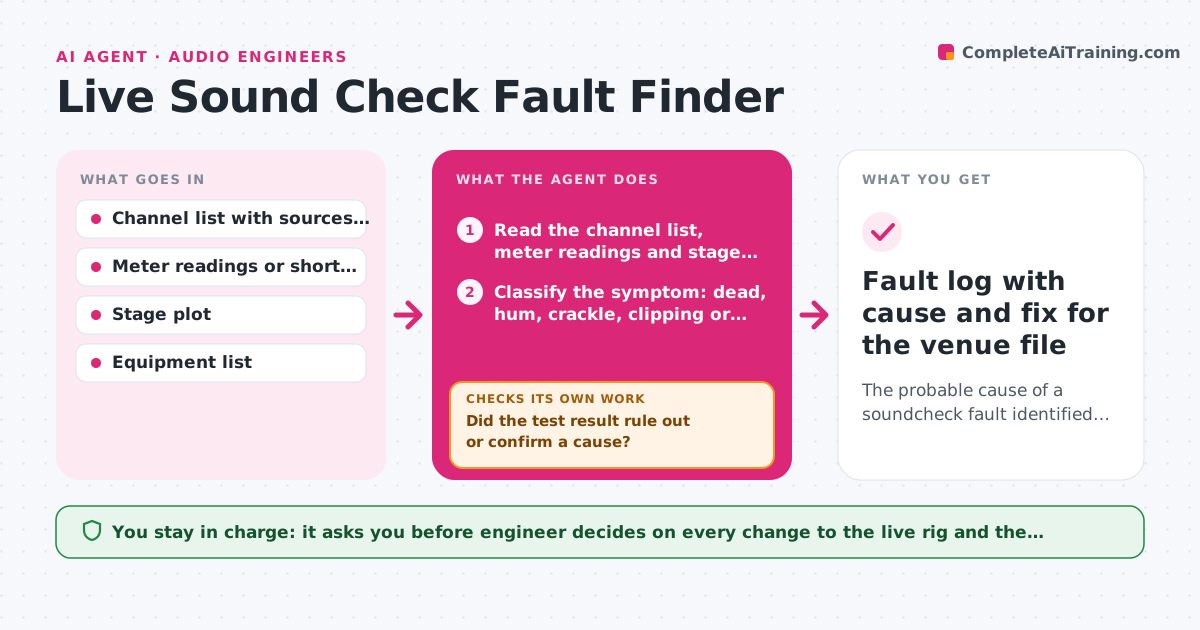
At 5:40 pm, with doors at 7, channel 12 hums and nobody knows whether it is the mic, the cable, the stage box, the DI or the console. This agent runs the fault-finding process the engineer already follows but keeps track while the engineer is busy. It reads the channel list and test signal readings for each input, flags dead channels, hum, clipping or wrong gain, and then walks through isolation steps from source to console: swap the cable, try another input, mute the effects, check phantom power. After each step the engineer reports the result and the agent narrows down the cause, removing what has been ruled out, and suggests the next fastest test. The engineer decides what to change on the live rig. Edge case: a hum that disappears when the lighting dimmer is off points the agent toward power or grounding, not the cable.
How it works
Follow the arrows from top to bottom. The orange dashed arrow is the loop: when a check fails, the agent goes back and tries again.
Read the steps as a list
- Fault found at soundcheck
- Read the channel list, meter readings and stage plot for the affected channels
- Classify the symptom: dead, hum, crackle, clipping or wrong level
- List possible causes from source to console, ordered by speed of testing
- Give the engineer the next test
- Did the test result rule out or confirm a cause?If not: Pick a different test that separates the remaining causes and ask again. Back to step 4.
- Is the fault gone after the suspected cause was swapped or fixed?If not: Remove the cause from the list and continue with the next most likely. Back to step 4.
- Re-read the channel meters after the fix
- Engineer decides what stays changed on the live rigThe agent waits here for your OK.
- Fault log with cause and fix for the venue file
How it decides
It keeps a list of possible causes for the symptom, orders tests by speed and by how much each one rules out, and removes causes as each result comes back.
- Test the cheapest swap first: cable, then input, then stage box
- Treat hum that changes with lighting or power as a grounding problem
- Stop narrowing after 6 tests and suggest a full source-to-console swap
- Always log what was ruled out
Make it yours
Every agent is a starting point. You choose these settings for your own situation.
- Equipment list and the usual stage layout
- Order of tests for each symptom
- Time limit before suggesting a workaround
- Where fault logs are saved
- Hum or noise threshold (default minus 60 dB)
What keeps you in control
It always asks you first
- Engineer decides on every change to the live rig and the final fix
Hard limits
- Never make changes to the console or rig itself
- Keep suggestions inside the venue's safety rules for power and phantom
It stops when
- Done: The channel is clean after the fix and the cause is logged
- Stop: Doors open before the cause is found, so the agent suggests a backup channel or source
Set it up
We guide you through the set-up, step by step
Members get the full set-up guide for this agent. No technical skills needed: you copy, paste and upload.
- One set of instructions to paste into your AI, with the clicks for ChatGPT, Claude, Microsoft 365 Copilot, Gemini and Grok
- The agent then walks you through connecting your own data, one source at a time
- A downloadable copy with the flow chart, the rules and the full guide