AI agent for audio engineers
Audio Dialogue Cleanup Agent
Clean, even dialogue at the target loudness, without damaging speech.
What it does
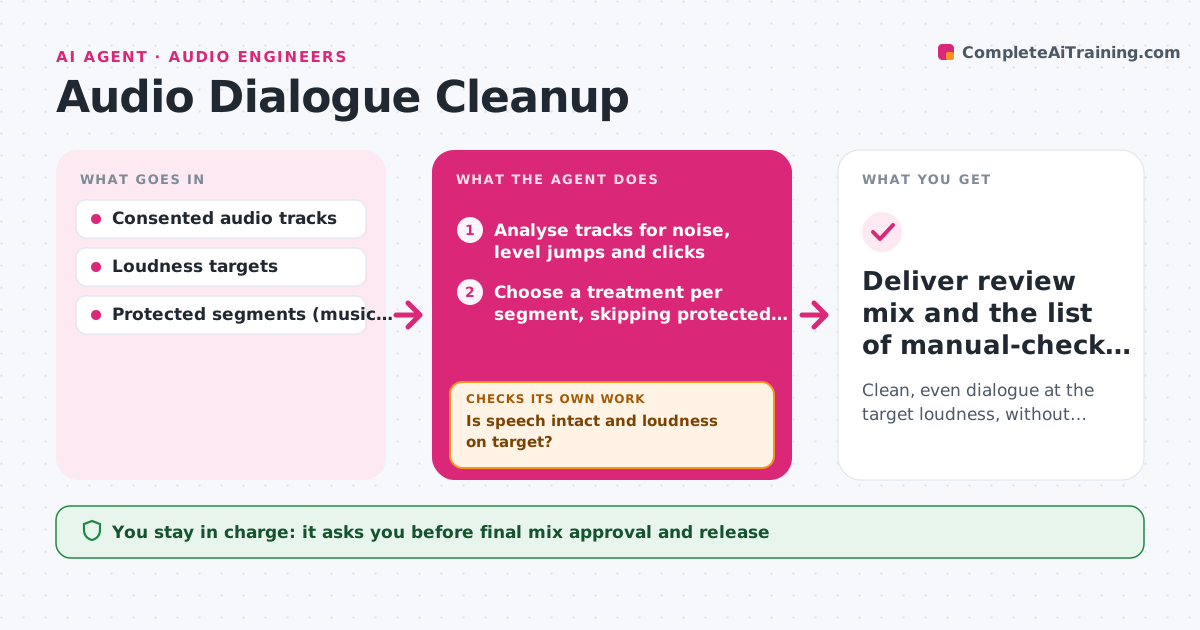
Podcast editors spend a lot of time cleaning dialogue: background hum, uneven volume between speakers and mouth clicks. Over-processing makes voices sound robotic. This agent analyzes each track for noise, level jumps and clicks, and chooses the lightest treatment per segment, skipping segments the editor marked as protected. It applies reversible processing to working tracks, then measures loudness and speech quality segment by segment. When processing damages speech, it reduces the setting or restores that segment and flags it. The editor listens to the cleaned review mix and approves it before anything is published. Edge case: a laugh or a dramatic pause can look like a defect, so segments the editor protected are never touched.
How it works
Follow the arrows from top to bottom. The orange dashed arrow is the loop: when a check fails, the agent goes back and tries again.
Read the steps as a list
- Raw episode uploaded
- Analyse tracks for noise, level jumps and clicks
- Choose a treatment per segment, skipping protected segments
- Apply reversible processing to working tracks
- Measure loudness and speech quality
- Is speech intact and loudness on target?If not: reduce the setting or restore the segment. Back to step 3.
- Editor listens and approves the review mixThe agent waits here for your OK.
- Deliver review mix and the list of manual-check segments
How it decides
It classifies defects per segment (noise, level, clicks) and chooses the lightest effective treatment. After each pass it measures speech quality and loudness; if speech quality drops, it backs off that treatment for that segment.
- Treatment strength: the lightest that removes the defect.
- Back off or keep: back off when speech quality drops.
- Flag for a human: segments where any treatment damages speech.
Make it yours
Every agent is a starting point. You choose these settings for your own situation.
- Loudness target (default -16 LUFS for stereo podcast)
- Maximum treatment strength for noise reduction (default moderate)
- Segments marked as protected (laughter, music beds, ambient scenes)
- Number of tries before a segment is flagged for a human (default 2)
- Output format for the review mix (default WAV plus a timestamped notes list)
What keeps you in control
It always asks you first
- Final mix approval and release
Hard limits
- Only works on consented recordings.
- Processing is reversible; originals kept.
It stops when
- Done: all segments meet targets or are flagged.
- Blocked: missing consent or corrupted files.
Set it up
We guide you through the set-up, step by step
Members get the full set-up guide for this agent. No technical skills needed: you copy, paste and upload.
- One set of instructions to paste into your AI, with the clicks for ChatGPT, Claude, Microsoft 365 Copilot, Gemini and Grok
- The agent then walks you through connecting your own data, one source at a time
- A downloadable copy with the flow chart, the rules and the full guide