AI agent for audio engineers
Voiceover Pronunciation Repair Agent
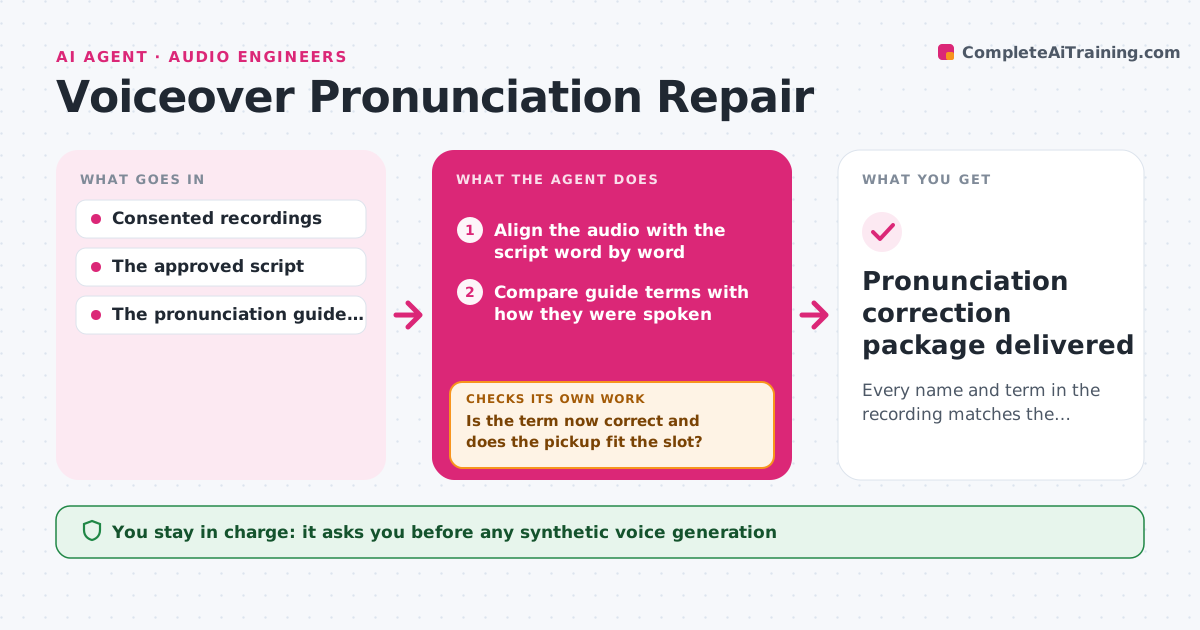
Every name and term in the recording matches the pronunciation guide, with replacements that fit the original timing.
What it does
In dubbed and localized audio, names of people, brands and places are often mispronounced, and finding every instance by ear is slow. This agent aligns the recording with the approved script word by word and compares each name and term with the pronunciation guide. It lists every mismatch with a time code, brand names first, and prepares pickup lines, which are short re-recordings, for the voice artist. When pickups come back, it places them and checks two things: the term is now correct, and the take fits the original timing. If a take runs long, it asks for a shorter wording that the script allows, or splits it over two slots. Unclear cases go to the producer, who approves every corrected segment. Edge case: a capitalized name that is not in the guide is flagged as unknown, not judged.
How it works
Follow the arrows from top to bottom. The orange dashed arrow is the loop: when a check fails, the agent goes back and tries again.
Read the steps as a list
- Recorded session delivered
- Align the audio with the script word by word
- Compare guide terms with how they were spoken
- List discrepancies with time codes, brand names first
- Prepare pickup lines for the voice artist
- Place the returned pickups and measure timing
- Is the term now correct and does the pickup fit the slot?If not: request a shorter permitted pickup. Back to step 5.
- Producer approves the corrected segmentsThe agent waits here for your OK.
- Pronunciation correction package delivered
How it decides
It ranks discrepancies by confidence and importance (brand names first), prepares pickups for the clear ones and asks a person about uncertain ones; after each replacement it checks pronunciation and duration and narrows the pickup when timing breaks.
- Which terms to check: every term in the guide plus capitalized names not in it (flagged as 'unknown').
- Pickup or human review: pickups only for clear mismatches; uncertain cases go to the producer.
- Timing fix: shorten the pickup wording within the approved script, or split the replacement over two slots.
Make it yours
Every agent is a starting point. You choose these settings for your own situation.
- Pronunciation guide source (default the client's approved term list)
- Timing tolerance for a pickup in its slot (default plus or minus 0.2 seconds)
- Term types checked beyond the guide (default all capitalized names, flagged as unknown)
- Order of the pickup list (default brand names first, then people, then places)
- Who approves corrected segments (default the producer)
What keeps you in control
It always asks you first
- Any synthetic voice generation
- Final release of the corrected audio
Hard limits
- Works only with consented recordings.
- Never generates a synthetic voice without explicit permission.
It stops when
- Done: every guide term verified correct.
- Needs a human: pronunciation not covered by the guide.
Set it up
We guide you through the set-up, step by step
Members get the full set-up guide for this agent. No technical skills needed: you copy, paste and upload.
- One set of instructions to paste into your AI, with the clicks for ChatGPT, Claude, Microsoft 365 Copilot, Gemini and Grok
- The agent then walks you through connecting your own data, one source at a time
- A downloadable copy with the flow chart, the rules and the full guide