AI agent for electricians
Load Calculation and Panel Schedule Agent
A code-based load calculation and panel schedule for the planned work
What it does
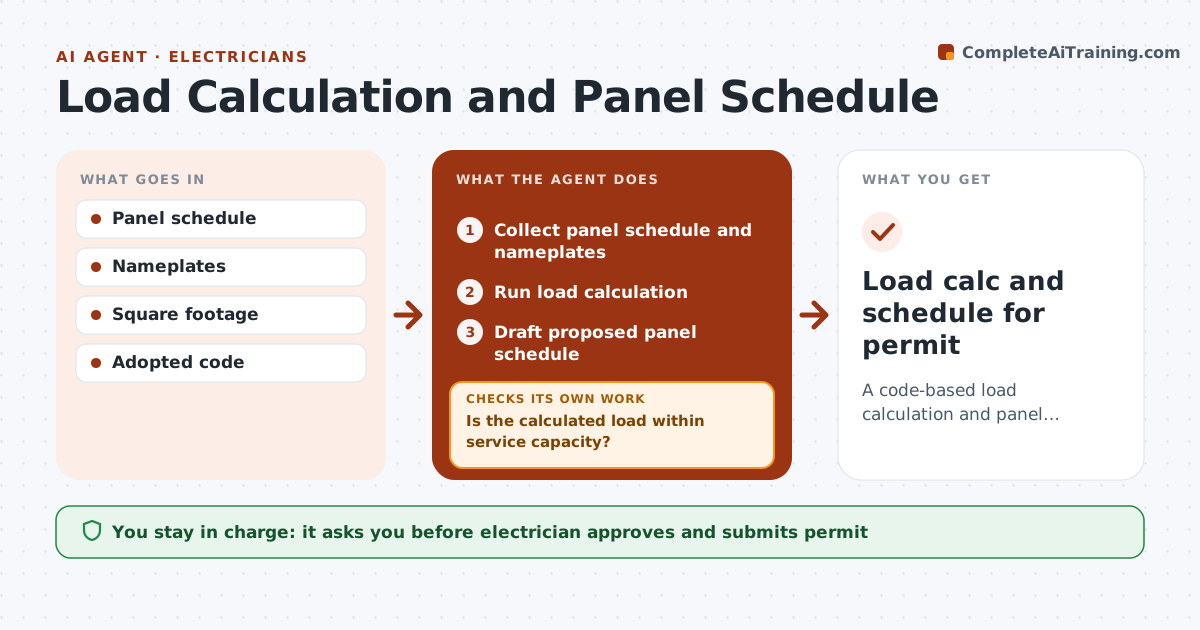
Adding an EV charger, heat pump or addition requires checking whether the service and panel can handle it. This agent collects the existing panel schedule, appliance nameplates and square footage, and runs the load calculation method from the adopted code. It checks the result against the service size. If the load exceeds capacity, it shows options such as a load management device or a service upgrade and recalculates with the chosen option. It drafts a proposed panel schedule with breaker sizes and spaces, and checks that enough spaces exist. Older panels with known issues are flagged. The electrician approves. Edge case: a panel brand with known breaker problems is flagged for replacement no matter what the load calculation says.
How it works
Follow the arrows from top to bottom. The orange dashed arrow is the loop: when a check fails, the agent goes back and tries again.
Read the steps as a list
- Job adds major loads
- Collect panel schedule and nameplates
- Run load calculation
- Is the calculated load within service capacity?If not: show load management or upgrade options and recalculate. Back to step 3.
- Draft proposed panel schedule
- Are there enough breaker spaces for the new circuits?If not: add tandem breakers where allowed or a subpanel and redraft. Back to step 5.
- Electrician approvesThe agent waits here for your OK.
- Load calc and schedule for permit
How it decides
The adopted code method governs. Over capacity triggers options.
- Adopted code method
- Over capacity needs options
- Old panels flagged
Make it yours
Every agent is a starting point. You choose these settings for your own situation.
- Code edition
- Calculation method
- Panel template
- Options list
What keeps you in control
It always asks you first
- Electrician approves and submits permit
Hard limits
- Never submits permits
- Never replaces code judgment
It stops when
- Done: approved
- Stop: nameplate data missing
Set it up
We guide you through the set-up, step by step
Members get the full set-up guide for this agent. No technical skills needed: you copy, paste and upload.
- One set of instructions to paste into your AI, with the clicks for ChatGPT, Claude, Microsoft 365 Copilot, Gemini and Grok
- The agent then walks you through connecting your own data, one source at a time
- A downloadable copy with the flow chart, the rules and the full guide