AI agent for structural engineers
Load Path Check on Renovation Agent
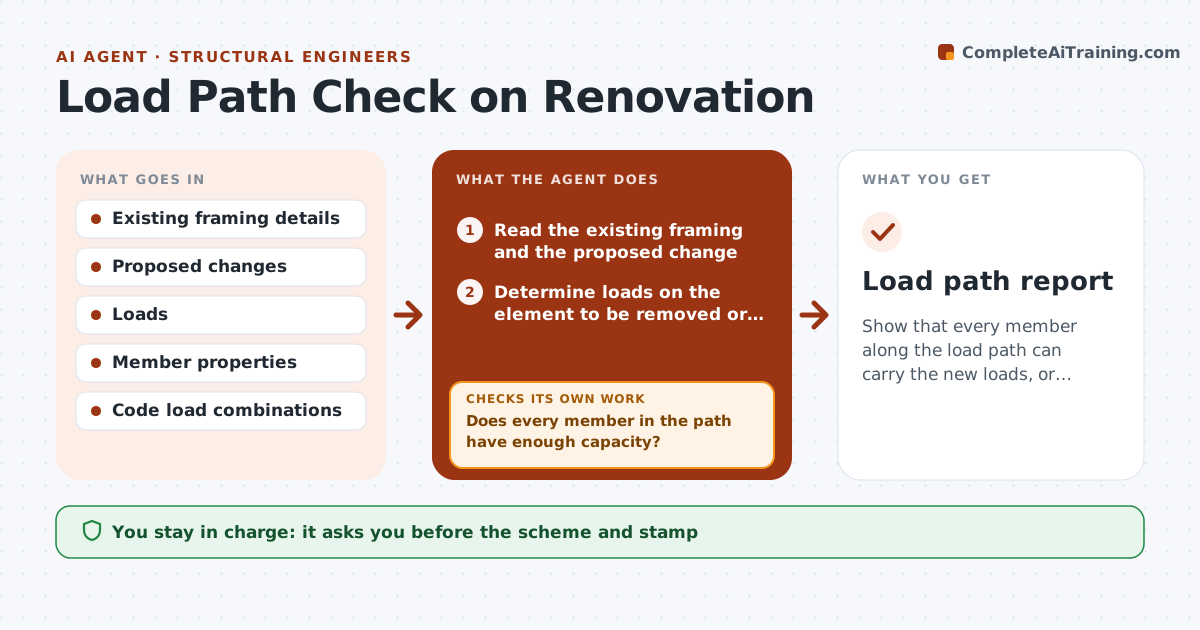
Show that every member along the load path can carry the new loads, or propose a fix that does.
What it does
Removing a wall means you must follow the load down to the foundation, and it is easy to miss a step. This agent reads the existing framing information, finds the loads supported by the element to be changed, and traces them through each member and support to the foundation. It checks every member against the new demand and flags the ones that are overstressed or lack support. It tests fix options, such as a new beam, a post or a footing, and reruns the check each time. You approve the scheme and stamp. Edge case: a new beam is fine, but the post under it sits on a floor joist with no blocking, and the agent flags the point load.
How it works
Follow the arrows from top to bottom. The orange dashed arrow is the loop: when a check fails, the agent goes back and tries again.
Read the steps as a list
- Renovation scheme is proposed
- Read the existing framing and the proposed change
- Determine loads on the element to be removed or added
- Trace the load path down to the foundation
- Check each member against the new demand
- Does every member in the path have enough capacity?If not: List overstressed members and missing supports. Back to step 4.
- Propose fix options (beam, post, footing, blocking)
- Rerun the check for each option
- Does the best option pass along the whole path?If not: Try a different option and rerun. Back to step 7.
- Engineer approves the scheme and stampsThe agent waits here for your OK.
- Load path report
How it decides
It traces the load down member by member and checks capacity at each one. It selects the lowest-impact fix and reruns the whole path.
- Check every member from the load to the footing
- Use code load combinations for the jurisdiction
- Point loads need blocking or a bearing check
- Unknown existing members are marked for field verification
Make it yours
Every agent is a starting point. You choose these settings for your own situation.
- Code and load combinations
- Material properties
- Allowable soil pressure
- Fix options allowed
- Report format
What keeps you in control
It always asks you first
- The scheme and stamp
Hard limits
- Never stamps
- Marks unknowns for site check
- Never assumes missing members
It stops when
- Done: all members pass
- Stop: existing members unknown; engineer requires a field check
Set it up
We guide you through the set-up, step by step
Members get the full set-up guide for this agent. No technical skills needed: you copy, paste and upload.
- One set of instructions to paste into your AI, with the clicks for ChatGPT, Claude, Microsoft 365 Copilot, Gemini and Grok
- The agent then walks you through connecting your own data, one source at a time
- A downloadable copy with the flow chart, the rules and the full guide