AI agent for credit analysts
Loan Portfolio Risk Rating Review Agent
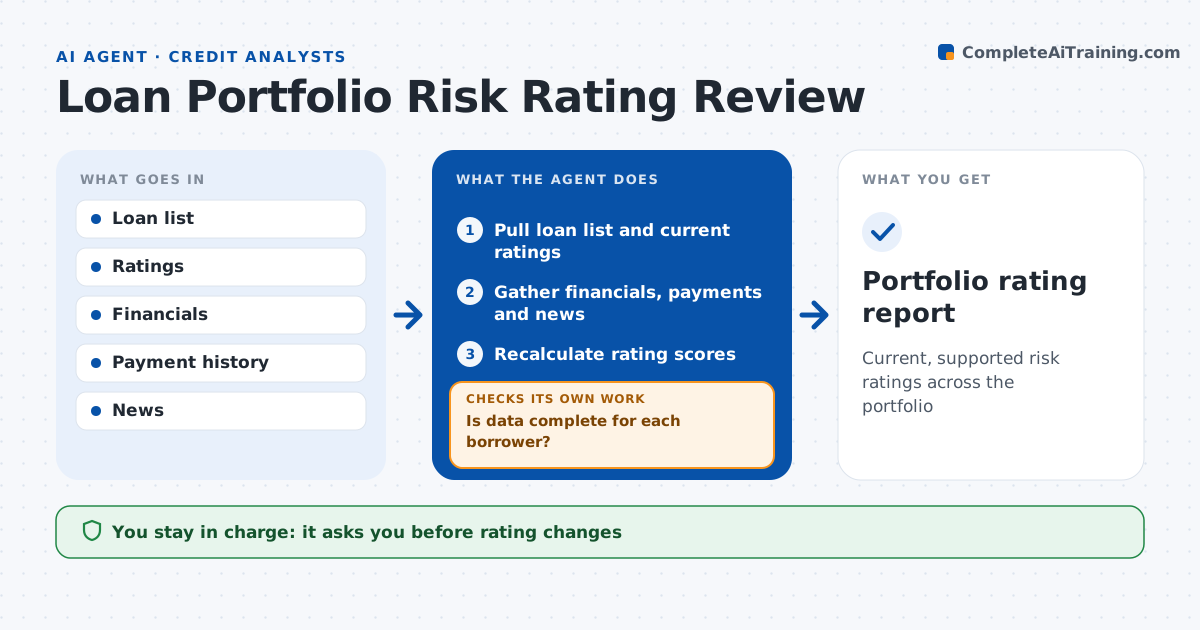
Current, supported risk ratings across the portfolio
What it does
Risk ratings on a loan book go stale between reviews, and a weakening borrower can sit at a good grade for months. Each quarter this agent reviews ratings across the portfolio. It gathers the latest financials, payment history, covenant results and news for each borrower and recalculates the score from the bank's rating model inputs. It checks whether data is complete; when it is not, it requests the missing data and rescores once it arrives. Where the new score moves one grade or more, it proposes a change and lists the reasons. It flags any loan whose last review is older than 12 months. The analyst decides on every rating change and watch list addition. Edge case: a borrower pays on time but news shows it lost its largest customer, so the agent flags it for a qualitative review.
How it works
Follow the arrows from top to bottom. The orange dashed arrow is the loop: when a check fails, the agent goes back and tries again.
Read the steps as a list
- Quarterly review
- Pull loan list and current ratings
- Gather financials, payments and news
- Recalculate rating scores
- Is data complete for each borrower?If not: request missing data and rescore when it arrives. Back to step 3.
- List suggested rating changes with reasons
- Analyst decides rating changesThe agent waits here for your OK.
- Portfolio rating report
How it decides
It reruns the rating model inputs and flags any loan whose result moves one grade or more.
- Score moves one grade or more: propose change
- Last review older than 12 months: flag
- Negative news on key customer or owner: qualitative review
Make it yours
Every agent is a starting point. You choose these settings for your own situation.
- Grade change that triggers review
- News sources
- Review window
- Report format
What keeps you in control
It always asks you first
- Rating changes
- Watch list additions
Hard limits
- Never changes ratings
- Never shares borrower data outside the bank
It stops when
- Done: report ready
- Stop: rating model inputs missing
Set it up
We guide you through the set-up, step by step
Members get the full set-up guide for this agent. No technical skills needed: you copy, paste and upload.
- One set of instructions to paste into your AI, with the clicks for ChatGPT, Claude, Microsoft 365 Copilot, Gemini and Grok
- The agent then walks you through connecting your own data, one source at a time
- A downloadable copy with the flow chart, the rules and the full guide