AI agent for notaries
Loan Signing Package Review Agent
A complete, correctly signed loan package returned the first time
What it does
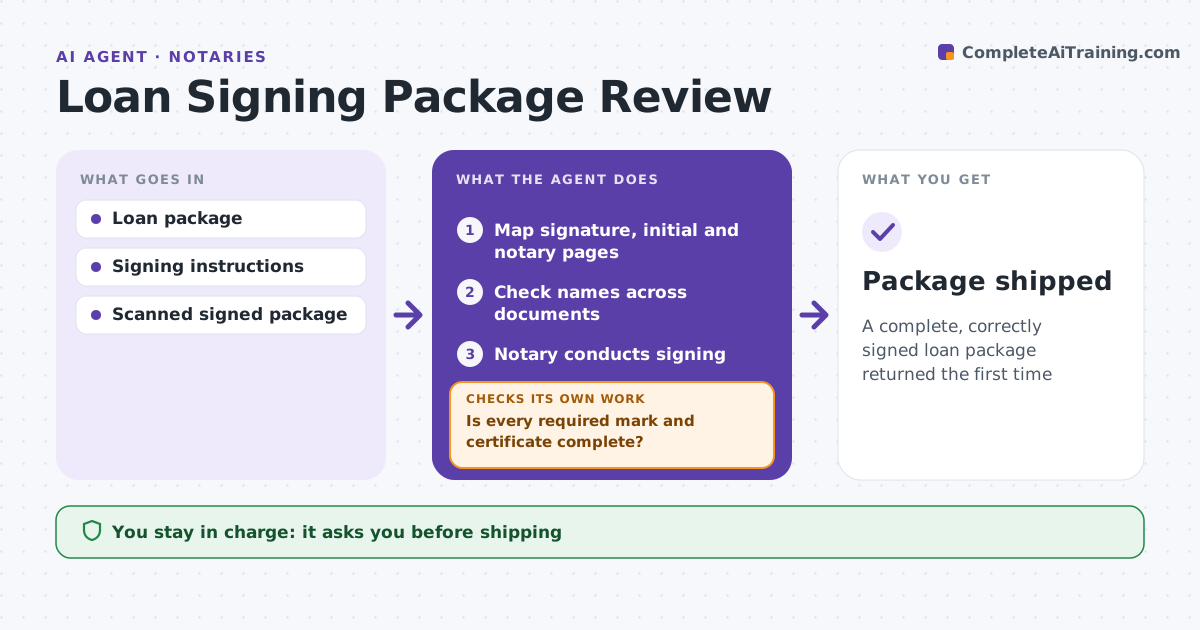
A loan package returned for a missing initial delays closing and can cost the signing agent future work. Before a signing, this agent reviews the package from the title or escrow company. It lists each document, the pages needing signatures, initials, dates and notarization, and the signers for each. It checks that names match across documents and against the signing instructions. After the signing, the notary scans the package, and the agent checks every signature, initial and date and every notarial certificate. If anything is missing, it lists the exact pages so the notary can fix them before leaving or shipping, then checks again. The notary approves shipping and any call to title. Edge case: one borrower signs with a middle initial the documents do not show, so the agent checks the instructions or suggests a call to title.
How it works
Follow the arrows from top to bottom. The orange dashed arrow is the loop: when a check fails, the agent goes back and tries again.
Read the steps as a list
- Package received
- Map signature, initial and notary pages
- Check names across documents
- Notary conducts signing
- Scan signed package
- Is every required mark and certificate complete?If not: list pages to fix before shipping. Back to step 4.
- Notary approves shippingThe agent waits here for your OK.
- Package shipped
How it decides
It maps every signature line to a signer and checks completion after signing.
- Name mismatch: follow instructions or call title
- Missing initial: fix
- Notary certificate incomplete: fix
Make it yours
Every agent is a starting point. You choose these settings for your own situation.
- Package types
- Instruction rules
- Scan check detail
- Shipping method
What keeps you in control
It always asks you first
- Shipping
- Calls to title
Hard limits
- Never explains loan terms
- Never ships incomplete packages
It stops when
- Done: shipped
- Stop: signer refuses
Set it up
We guide you through the set-up, step by step
Members get the full set-up guide for this agent. No technical skills needed: you copy, paste and upload.
- One set of instructions to paste into your AI, with the clicks for ChatGPT, Claude, Microsoft 365 Copilot, Gemini and Grok
- The agent then walks you through connecting your own data, one source at a time
- A downloadable copy with the flow chart, the rules and the full guide