AI agent for notaries
Out-of-State Document Acceptance Agent
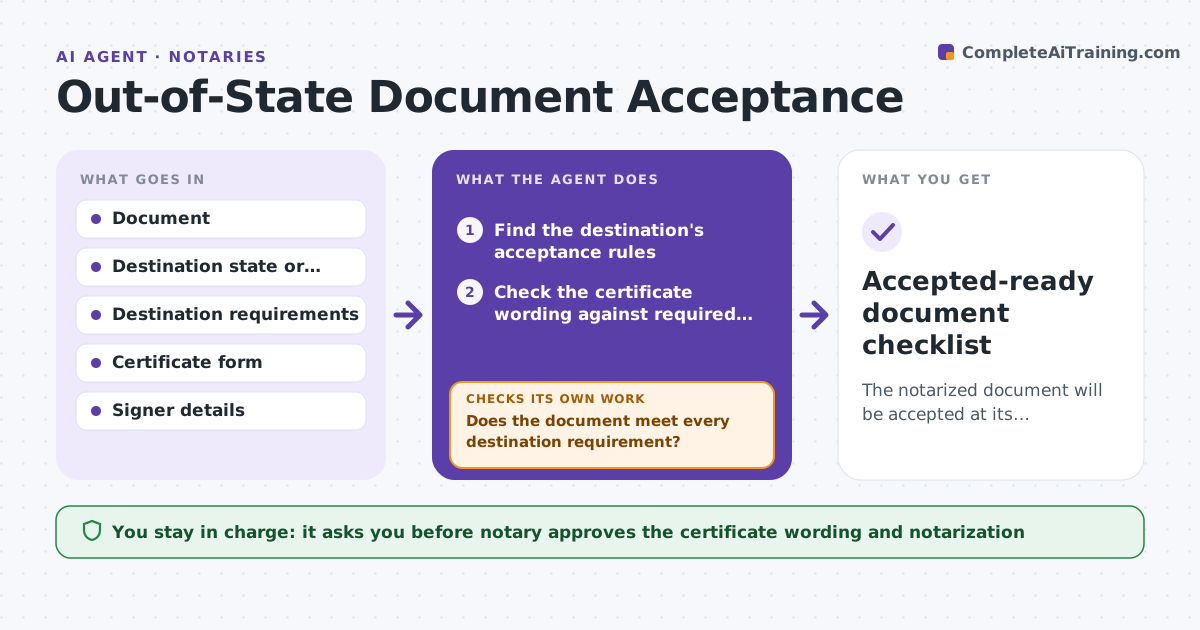
The notarized document will be accepted at its destination.
What it does
A document notarized correctly in one state can be refused in another because the certificate wording differs, witnesses are required or an apostille is needed. The signer finds out after the notary has left. This agent reads the destination requirement and checks the certificate wording, witness rules and apostille or authentication need. It flags mismatches. After the wording is fixed, it rechecks the whole document. It decides from the destination's published rules: required wording, number of witnesses and legalization route. The notary approves the final certificate. Edge case: the certificate is a short form for the home state but the destination requires named capacity, so the agent drafts the wording the destination expects.
How it works
Follow the arrows from top to bottom. The orange dashed arrow is the loop: when a check fails, the agent goes back and tries again.
Read the steps as a list
- Client names the destination
- Find the destination's acceptance rules
- Check the certificate wording against required elements
- Check witness and signer requirements
- Check apostille or authentication need
- List mismatches and propose wording
- Notary approves the final certificate wordingThe agent waits here for your OK.
- Recheck the full document after the changes
- Does the document meet every destination requirement?If not: list the remaining mismatches and redraft. Back to step 6.
- Accepted-ready document checklist
How it decides
It compares the certificate to the destination's required elements. It marks a mismatch for missing capacity, venue, witnesses or legalization.
- Flag any required element missing from the certificate
- Flag witness requirements not met
- Flag an apostille need when the destination requires it
- Use only official destination sources
Make it yours
Every agent is a starting point. You choose these settings for your own situation.
- Destination rules
- Certificate templates
- Apostille route
- Witness rules
- Output checklist
What keeps you in control
It always asks you first
- Notary approves the certificate wording and notarization
Hard limits
- Never give legal advice on the document's content
- Never notarize without the signer present or approved remote process
It stops when
- Done: the document meets all destination requirements
- Stop: the destination's rules cannot be found
Set it up
We guide you through the set-up, step by step
Members get the full set-up guide for this agent. No technical skills needed: you copy, paste and upload.
- One set of instructions to paste into your AI, with the clicks for ChatGPT, Claude, Microsoft 365 Copilot, Gemini and Grok
- The agent then walks you through connecting your own data, one source at a time
- A downloadable copy with the flow chart, the rules and the full guide