AI agent for notaries
Notary Fee and Mileage Log Agent
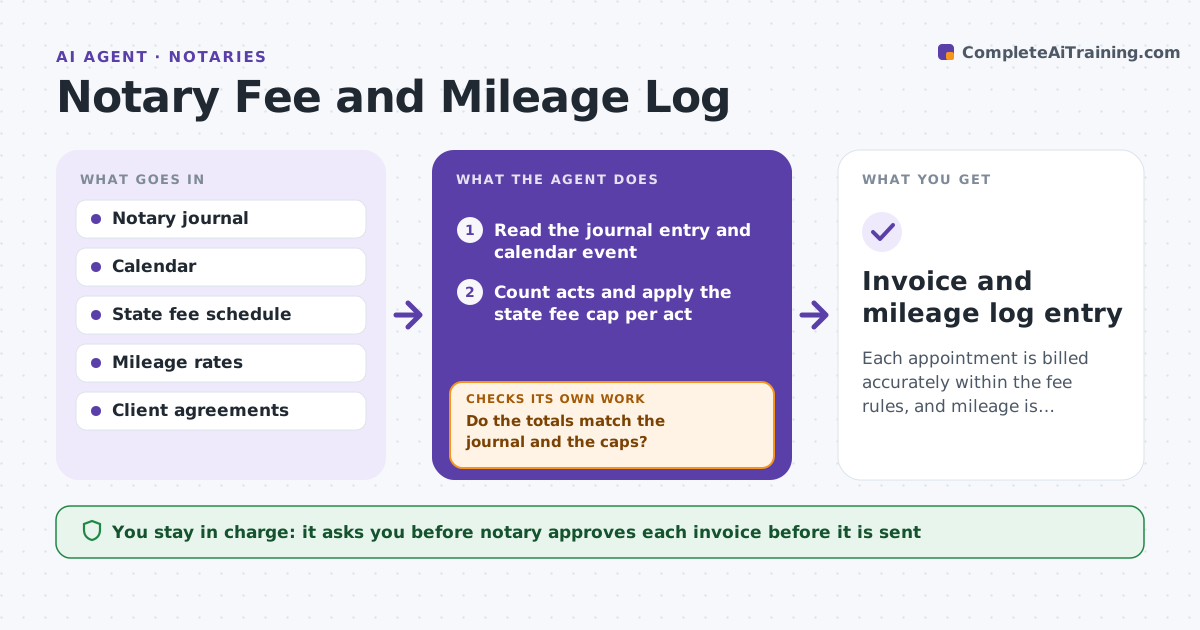
Each appointment is billed accurately within the fee rules, and mileage is logged for records.
What it does
Mobile notaries log fees, mileage and expenses late and from memory, which leads to billing mistakes and weak tax records. This agent reads each appointment from the journal and the calendar and applies the state fee cap for each notarial act. It calculates travel distance and mileage, flags any amount above a limit, and drafts the invoice. If the notary corrects an entry, it recalculates the whole invoice and rechecks the totals against the journal. It never sends an invoice. It decides what to charge from the rules: the fee per act is capped, travel is a separate agreed line, and any amount over the cap is flagged for the notary to change or explain. Edge case: a signing has 4 acts but the journal shows 5 signatures, so the agent asks which count is right before it prices anything.
How it works
Follow the arrows from top to bottom. The orange dashed arrow is the loop: when a check fails, the agent goes back and tries again.
Read the steps as a list
- An appointment is completed
- Read the journal entry and calendar event
- Count acts and apply the state fee cap per act
- Calculate travel distance and mileage
- Flag any amount above a cap or mismatch with the journal
- Draft the invoice and mileage entry
- Notary approves the invoiceThe agent waits here for your OK.
- Recalculate after the notary's corrections
- Do the totals match the journal and the caps?If not: show the difference to the notary and recalculate. Back to step 3.
- Invoice and mileage log entry
How it decides
It prices each act at or below the state cap, adds travel by the agreed rate and flags any line above a cap or any mismatch between acts and journal entries.
- Cap each act's fee at the state maximum
- Flag any journal entry without a fee
- Charge travel only when the client agreement allows it
- Flag mileage over 100 miles for a check
Make it yours
Every agent is a starting point. You choose these settings for your own situation.
- State fee caps
- Mileage rate
- Travel charge rules
- Invoice template
- Reporting period
What keeps you in control
It always asks you first
- Notary approves each invoice before it is sent
Hard limits
- Never send an invoice itself
- Never exceed the state fee cap
It stops when
- Done: invoice matches journal and rules
- Stop: an entry cannot be priced from the rules
Set it up
We guide you through the set-up, step by step
Members get the full set-up guide for this agent. No technical skills needed: you copy, paste and upload.
- One set of instructions to paste into your AI, with the clicks for ChatGPT, Claude, Microsoft 365 Copilot, Gemini and Grok
- The agent then walks you through connecting your own data, one source at a time
- A downloadable copy with the flow chart, the rules and the full guide