AI agent for notaries
Remote Notarization Session Readiness Agent
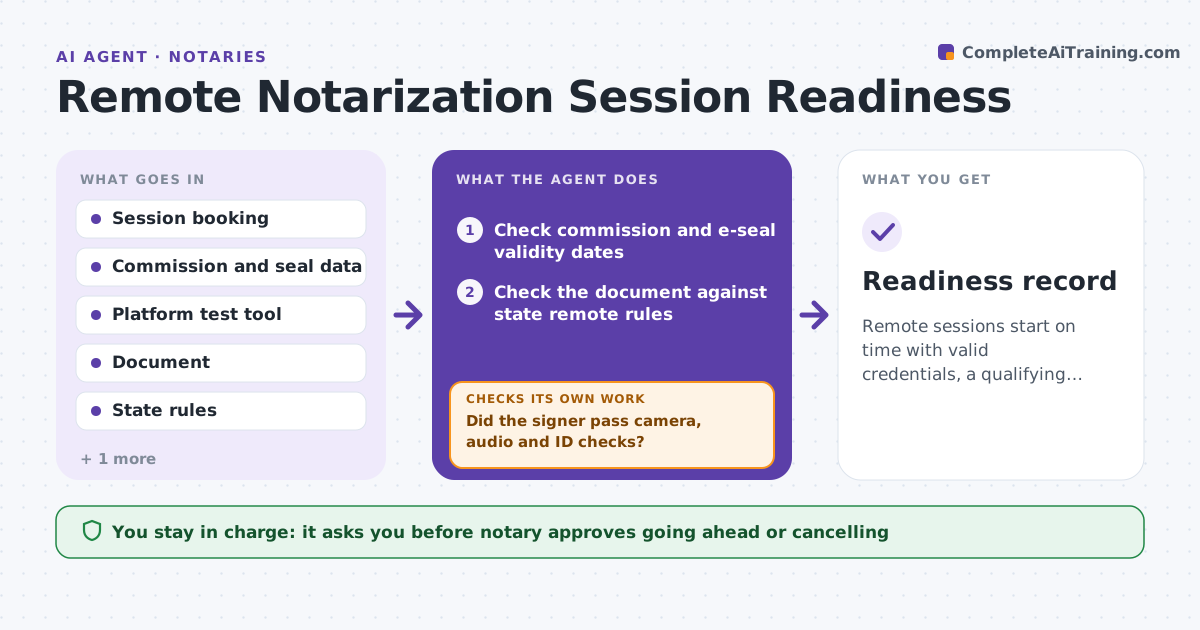
Remote sessions start on time with valid credentials, a qualifying document and a working signer setup.
What it does
A remote online notarization fails when the platform breaks, the notary's commission or e-seal has lapsed, the document cannot be notarized remotely or the signer cannot pass ID steps. The signer waits and the session is wasted. Before each session this agent tests the platform, checks the commission and e-seal validity, confirms the document qualifies and checks the signer's ID steps. It sends the signer a readiness check and reruns after changes. The notary approves going ahead. It decides readiness from the rules for the state: valid credentials, a qualifying document and a working test call. Edge case: the signer's camera works but the test shows the ID is too glare-heavy to read, so the agent sends a short fix guide and retests.
How it works
Follow the arrows from top to bottom. The orange dashed arrow is the loop: when a check fails, the agent goes back and tries again.
Read the steps as a list
- Session is booked
- Check commission and e-seal validity dates
- Check the document against state remote rules
- Test the platform with a trial session
- Send the signer a readiness guide and test
- Did the signer pass camera, audio and ID checks?If not: send a fix guide and rerun the test. Back to step 4.
- Recheck everything one hour before
- Notary approves going aheadThe agent waits here for your OK.
- Readiness record
How it decides
It marks a session ready when credentials are valid, the document type is allowed, and the signer passes the camera, audio and ID tests.
- Block a session with an expired commission or seal
- Block a document type not allowed for remote notarization
- Require a successful camera and audio test
- Rerun the test after any change
Make it yours
Every agent is a starting point. You choose these settings for your own situation.
- State rules
- Test timing
- Allowed document types
- Signer instructions
- Backup option
What keeps you in control
It always asks you first
- Notary approves going ahead or cancelling
Hard limits
- Never proceed with an expired credential
- Never ask the signer for more ID than the rules require
It stops when
- Done: all checks pass and the notary approves
- Stop: the document or credentials do not qualify
Set it up
We guide you through the set-up, step by step
Members get the full set-up guide for this agent. No technical skills needed: you copy, paste and upload.
- One set of instructions to paste into your AI, with the clicks for ChatGPT, Claude, Microsoft 365 Copilot, Gemini and Grok
- The agent then walks you through connecting your own data, one source at a time
- A downloadable copy with the flow chart, the rules and the full guide