AI agent for software engineers
Log Redaction Validation Agent
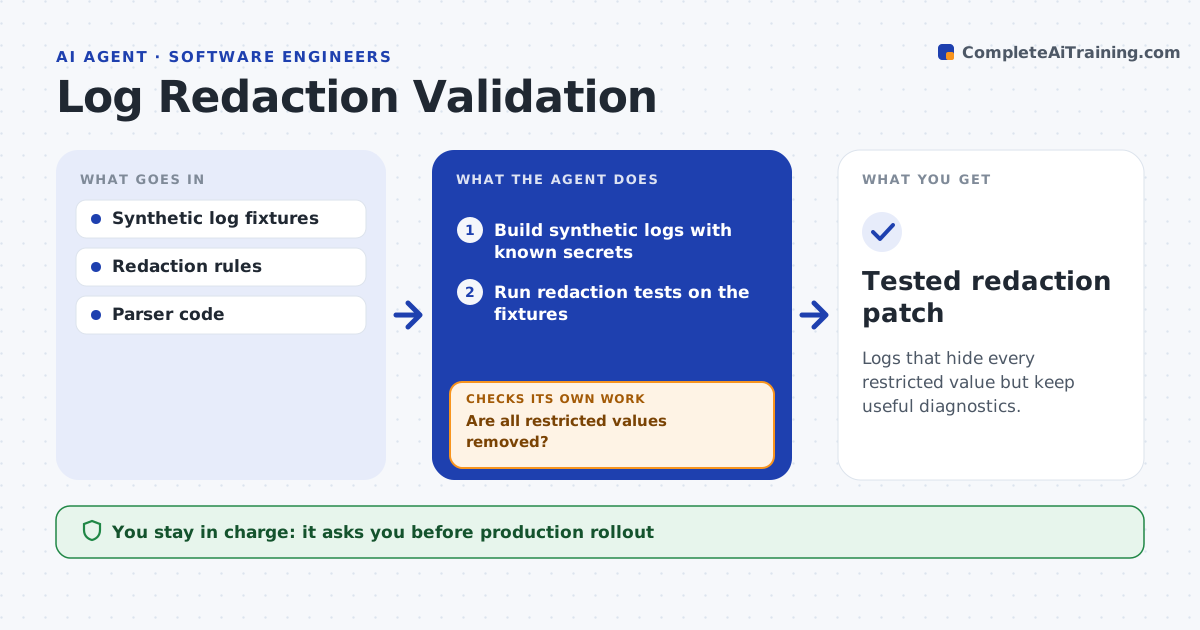
Logs that hide every restricted value but keep useful diagnostics.
What it does
Diagnostic log exports can leak restricted values such as tokens and email addresses. This agent tests redaction patterns against synthetic logs that contain known secrets. When a new log format appears or someone reports a miss, it runs positive tests to confirm every restricted value is removed, and negative tests to confirm useful diagnostics, such as request IDs and error codes, are kept. If a value slips through, it patches the pattern on a branch. If the patch removes useful data, it narrows the pattern. The platform team approves rollout. It never handles real secrets. Edge case: a new token prefix is missed, and the first fix also hides request IDs, so the agent narrows it.
How it works
Follow the arrows from top to bottom. The orange dashed arrow is the loop: when a check fails, the agent goes back and tries again.
Read the steps as a list
- New log format or reported miss
- Build synthetic logs with known secrets
- Run redaction tests on the fixtures
- Are all restricted values removed?If not: patch the pattern on a branch. Back to step 3.
- Are useful diagnostics kept?If not: narrow the pattern. Back to step 3.
- Prepare the patch and test report
- Platform team approves rolloutThe agent waits here for your OK.
- Tested redaction patch
How it decides
It fixes missed values with the narrowest pattern and narrows patterns that over-redact.
- Use the narrowest pattern that removes every restricted value.
- Positive and negative tests must both pass.
- Only synthetic secrets are used in tests.
Make it yours
Every agent is a starting point. You choose these settings for your own situation.
- Restricted value types (default tokens, emails, card numbers)
- Diagnostic fields that must be kept
- Synthetic log fixtures used
- Who approves rollout
What keeps you in control
It always asks you first
- Production rollout
- Handling real secrets
Hard limits
- Synthetic data only.
It stops when
- Done: both test sets pass.
Set it up
We guide you through the set-up, step by step
Members get the full set-up guide for this agent. No technical skills needed: you copy, paste and upload.
- One set of instructions to paste into your AI, with the clicks for ChatGPT, Claude, Microsoft 365 Copilot, Gemini and Grok
- The agent then walks you through connecting your own data, one source at a time
- A downloadable copy with the flow chart, the rules and the full guide