AI agent for vacation rental hosts
Lost and Found Item Handling Agent
Return items to guests, or close them out, with a clear record.
What it does
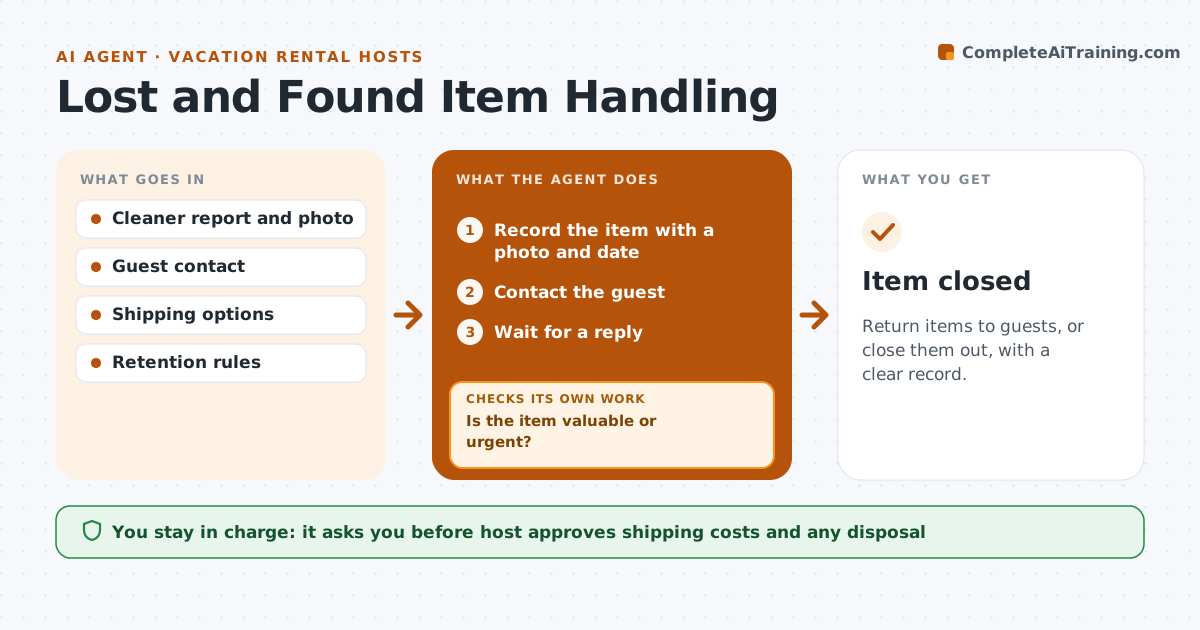
Left behind items turn into a pile and a string of messages. This agent records each item with a photo and the date, contacts the guest, arranges return or shipping and tracks it. If the guest does not reply, it sends a reminder and later suggests donating or discarding for the host's approval. The host approves. It writes friendly, short messages to guests and gives clear options for pickup or shipping with the cost. A simple log shows every item, its status and how long it has been held. Edge case: valuable items such as medication, passports or electronics are flagged as urgent and kept separate.
How it works
Follow the arrows from top to bottom. The orange dashed arrow is the loop: when a check fails, the agent goes back and tries again.
Read the steps as a list
- Cleaner reports an item
- Record the item with a photo and date
- Is the item valuable or urgent?If not: Flag it as urgent and contact the guest at once. Back to step 2.
- Contact the guest
- Wait for a reply
- Has the guest replied?If not: Send a reminder and wait a set time. Back to step 3.
- Arrange return or shipping and the cost
- Host approves the shipping cost or disposalThe agent waits here for your OK.
- Ship or hand over and record it
- Item closed
How it decides
It prioritizes valuable and urgent items and follows a fixed schedule of reminders.
- Contact the guest within 24 hours
- Treat medication and documents as urgent
- Remind after 7 days
- Hold items for 60 days before suggesting disposal
Make it yours
Every agent is a starting point. You choose these settings for your own situation.
- Hold period (default 60 days)
- Reminder timing (default 7 days)
- Shipping cost rule
- Urgent item list
What keeps you in control
It always asks you first
- Host approves shipping costs and any disposal
Hard limits
- Never dispose of an item without approval
- Never share photos of documents
It stops when
- Done: item returned or closed
- Stop: the guest declines the item and the host decides
Set it up
We guide you through the set-up, step by step
Members get the full set-up guide for this agent. No technical skills needed: you copy, paste and upload.
- One set of instructions to paste into your AI, with the clicks for ChatGPT, Claude, Microsoft 365 Copilot, Gemini and Grok
- The agent then walks you through connecting your own data, one source at a time
- A downloadable copy with the flow chart, the rules and the full guide