AI agent for automation engineers
Machine Fault Troubleshooting Agent
Faster recovery from line stops with a confirmed cause and documented history
What it does
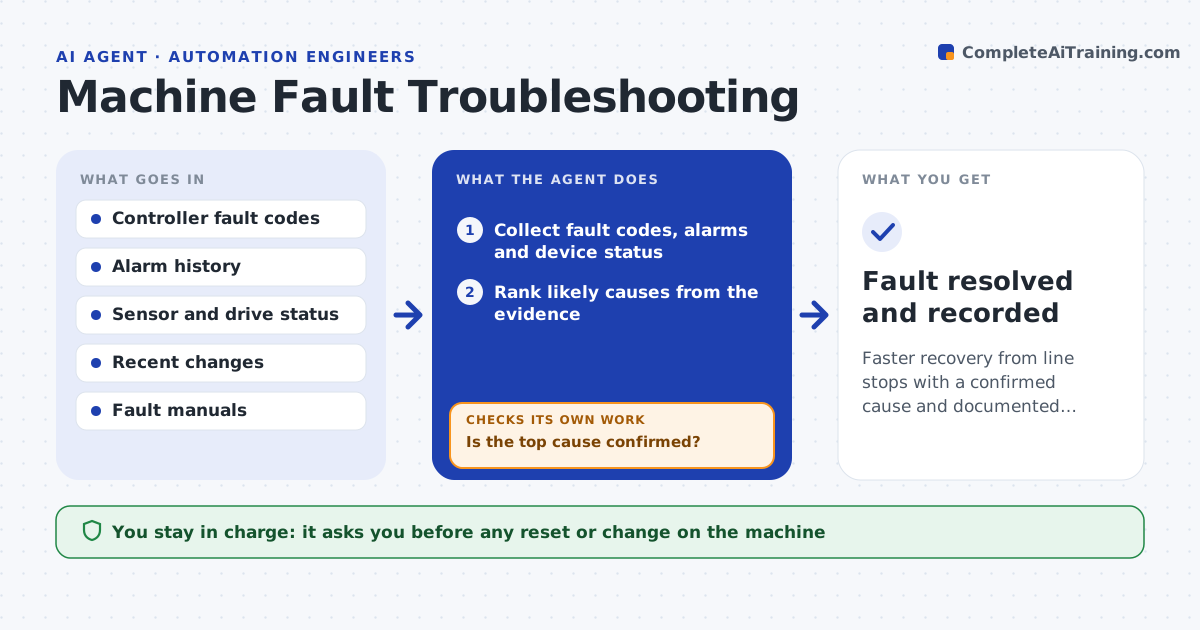
A stopped production line costs money every minute, and the cause could be a sensor, a drive, the logic or a mechanical jam. When a fault alarm fires, this agent gathers controller fault codes, recent alarm history, sensor and drive status and the last changes, and forms a ranked list of likely causes. It guides safe read-only checks to narrow it down, such as reading a sensor state or a drive fault word. If the first cause is ruled out, it moves to the next. For known faults with a documented safe recovery, it proposes the step and checks that the line runs normally afterward. It records the fault and fix to build history. You approve any action on the machine. Edge case: a fault that keeps recurring is flagged for root-cause investigation, not just reset again.
How it works
Follow the arrows from top to bottom. The orange dashed arrow is the loop: when a check fails, the agent goes back and tries again.
Read the steps as a list
- Machine fault or line stop
- Collect fault codes, alarms and device status
- Rank likely causes from the evidence
- Run read-only checks to narrow the cause
- Is the top cause confirmed?If not: rule it out and check the next likely cause. Back to step 3.
- Propose a documented recovery step and log the fault
- Engineer approves action on the machineThe agent waits here for your OK.
- Fault resolved and recorded
How it decides
It ranks causes from the fault evidence, confirms with read-only checks, and proposes only documented safe recovery steps.
- Rank causes by fault evidence
- Use read-only checks before any action
- Flag recurring faults for root-cause work
Make it yours
Every agent is a starting point. You choose these settings for your own situation.
- Fault manuals and recovery steps
- Read-only checks allowed
- Recurring-fault threshold
- Who approves actions
What keeps you in control
It always asks you first
- Any reset or change on the machine
Hard limits
- No machine action without approval
- Read-only during diagnosis
It stops when
- Done: fault resolved and logged
- Stop: the machine must be stopped for safety first
Set it up
We guide you through the set-up, step by step
Members get the full set-up guide for this agent. No technical skills needed: you copy, paste and upload.
- One set of instructions to paste into your AI, with the clicks for ChatGPT, Claude, Microsoft 365 Copilot, Gemini and Grok
- The agent then walks you through connecting your own data, one source at a time
- A downloadable copy with the flow chart, the rules and the full guide