AI agent for traders
Margin Buffer Monitor Agent
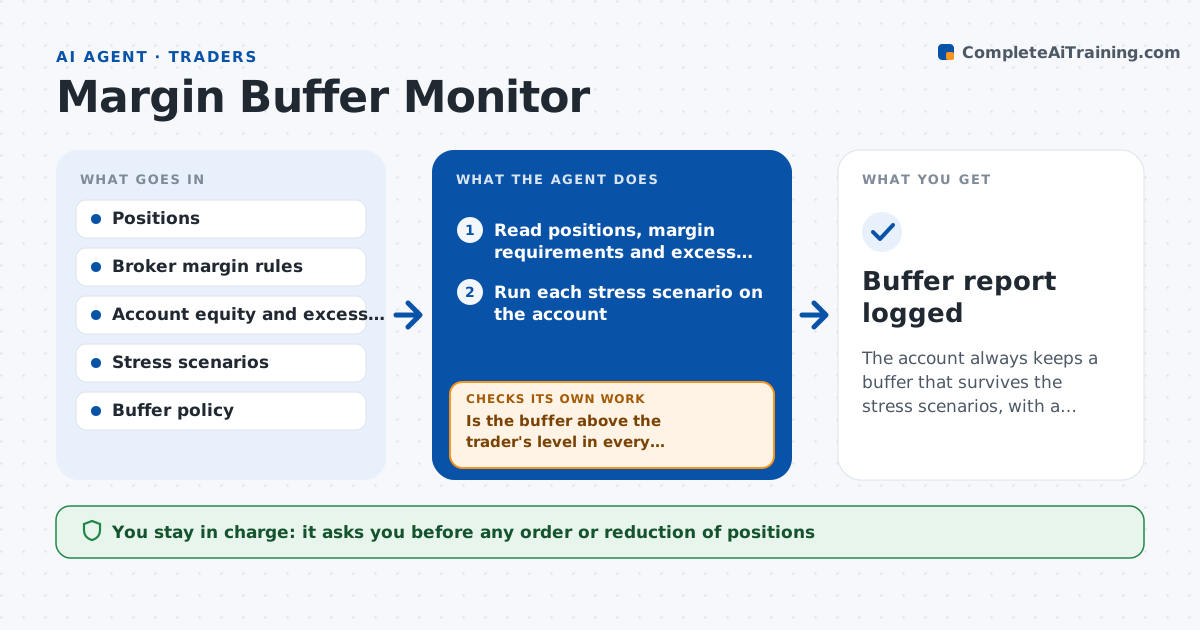
The account always keeps a buffer that survives the stress scenarios, with a tested action when it does not
What it does
A leveraged account can go from comfortable to margin call in a single bad hour, and the broker's rules for each position differ and change. This agent reads the account's positions, the broker's margin requirement for each and the current excess liquidity. It stress tests the account against price drops, such as a 5% and 10% market fall, a volatility jump and a gap in the largest position, and calculates the buffer left after each. When the buffer in a scenario falls below the trader's set level, it flags it and proposes cuts, such as trimming the largest position or closing a hedge leg that costs margin. It tests the proposal again and checks the account would hold in the worst scenario. The trader approves any change. Edge case: the broker raises requirements on one stock overnight, and the agent picks it up in the next read.
How it works
Follow the arrows from top to bottom. The orange dashed arrow is the loop: when a check fails, the agent goes back and tries again.
Read the steps as a list
- A scheduled scan runs or a broker rule changes
- Read positions, margin requirements and excess liquidity
- Run each stress scenario on the account
- Calculate the buffer left after each scenario
- Is the buffer above the trader's level in every scenario?If not: identify the positions that use the most margin and propose cuts. Back to step 3.
- Rank cut options by margin released and cost
- Rerun the stress test with the proposed cuts
- Does the account now hold in the worst scenario?If not: increase the cut size or add another position and test again. Back to step 6.
- Write the alert with the numbers and options
- Trader approves any trade or changeThe agent waits here for your OK.
- Buffer report logged
How it decides
It flags the account when excess liquidity after any stress scenario drops below the buffer the trader set, and chooses cuts that restore the buffer with the least loss of exposure.
- Use a 5% and a 10% market drop as standard scenarios
- Flag when the buffer is under 25% of equity
- Prefer cuts in the largest margin consumers
- Refresh margin rules before each scan
Make it yours
Every agent is a starting point. You choose these settings for your own situation.
- Buffer level (default 25% of equity)
- Stress scenarios
- Scan frequency (default 15 minutes)
- Alert method
What keeps you in control
It always asks you first
- Any order or reduction of positions
Hard limits
- Never places trades
- Always shows the scenario assumptions
- Alerts the trader if data is older than 5 minutes
It stops when
- Done: buffer holds in all scenarios
- Stop: broker data unavailable or stale
Set it up
We guide you through the set-up, step by step
Members get the full set-up guide for this agent. No technical skills needed: you copy, paste and upload.
- One set of instructions to paste into your AI, with the clicks for ChatGPT, Claude, Microsoft 365 Copilot, Gemini and Grok
- The agent then walks you through connecting your own data, one source at a time
- A downloadable copy with the flow chart, the rules and the full guide