AI agent for vp of marketings
Marketing Agency Performance Review Agent
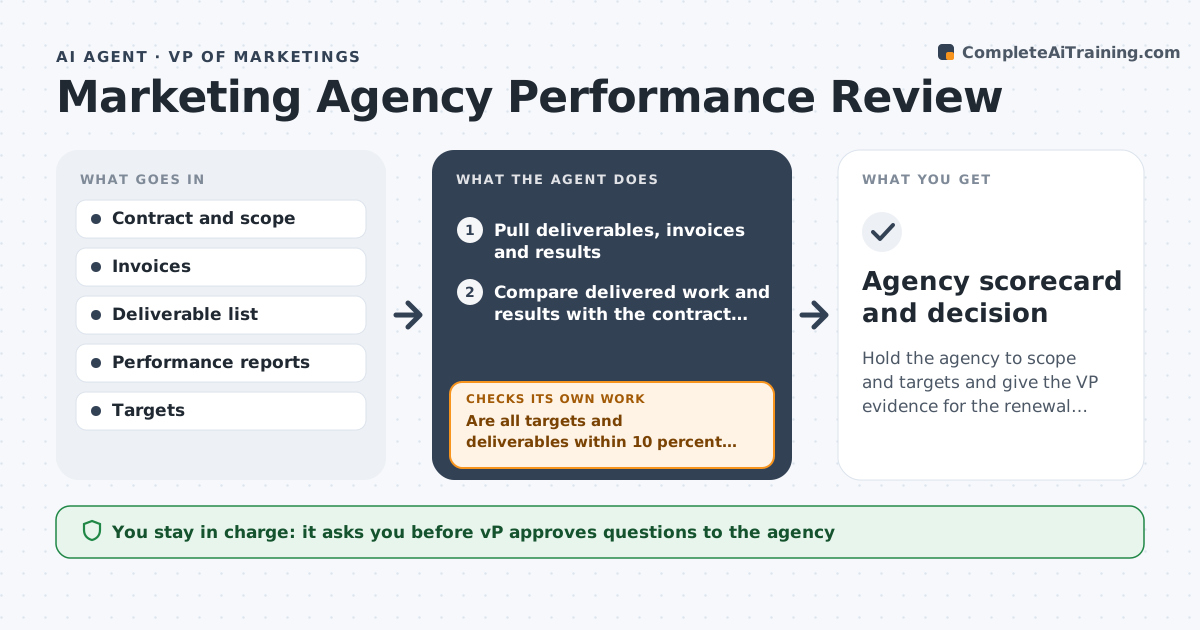
Hold the agency to scope and targets and give the VP evidence for the renewal decision
What it does
The agency retainer renews each year, yet the VP cannot say what the money delivered. This agent pulls the agency's deliverables, spend and results, and compares them with the contract scope and goals. It checks whether agreed items were delivered on time, whether hours or fees match the scope, and whether results hit the targets, such as leads or traffic. It flags missed targets and scope creep, for example work billed that is outside the contract. It drafts questions for the agency and checks the replies against the data. If an answer does not explain the gap, it flags it again. It produces a scorecard and options for the renewal. The VP approves any renewal, change or notice. Edge case: a one-off campaign billed separately is tagged and excluded from the retainer scorecard.
How it works
Follow the arrows from top to bottom. The orange dashed arrow is the loop: when a check fails, the agent goes back and tries again.
Read the steps as a list
- Review period ends
- Pull deliverables, invoices and results
- Compare delivered work and results with the contract scope and targets
- Are all targets and deliverables within 10 percent of plan?If not: List the gaps and billed items outside scope. Back to step 2.
- Draft questions for the agency
- VP approves the questions before they are sentThe agent waits here for your OK.
- Record the agency's answers
- Do the answers explain every gap with evidence?If not: Flag open gaps and draft follow-up questions. Back to step 5.
- Build the scorecard and renewal options
- VP approves any renewal, change or noticeThe agent waits here for your OK.
- Agency scorecard and decision
How it decides
It compares delivered items and results with the contract and flags any gap above 10 percent on a target or any billed item outside scope.
- Flag a target missed by more than 10 percent
- Flag any billed item not in the contract scope
- Require evidence for each explanation
- Compare fees to the hours or deliverables promised
Make it yours
Every agent is a starting point. You choose these settings for your own situation.
- Target gap tolerance (default 10 percent)
- Review frequency (default monthly)
- Scorecard measures (default delivery, results, cost)
- Scope source (default the signed contract)
What keeps you in control
It always asks you first
- VP approves questions to the agency
- VP approves any renewal, change or notice
Hard limits
- Never contact the agency without VP approval
- Never alter or terminate a contract
- Base every flag on documents
It stops when
- Done: Scorecard and decision recorded
- Stop: Contract terms are unclear, so hand to the VP and legal
Set it up
We guide you through the set-up, step by step
Members get the full set-up guide for this agent. No technical skills needed: you copy, paste and upload.
- One set of instructions to paste into your AI, with the clicks for ChatGPT, Claude, Microsoft 365 Copilot, Gemini and Grok
- The agent then walks you through connecting your own data, one source at a time
- A downloadable copy with the flow chart, the rules and the full guide