AI agent for operations coordinators
Production Delay Customer Notice Agent
Warn customers early with an accurate date and options.
What it does
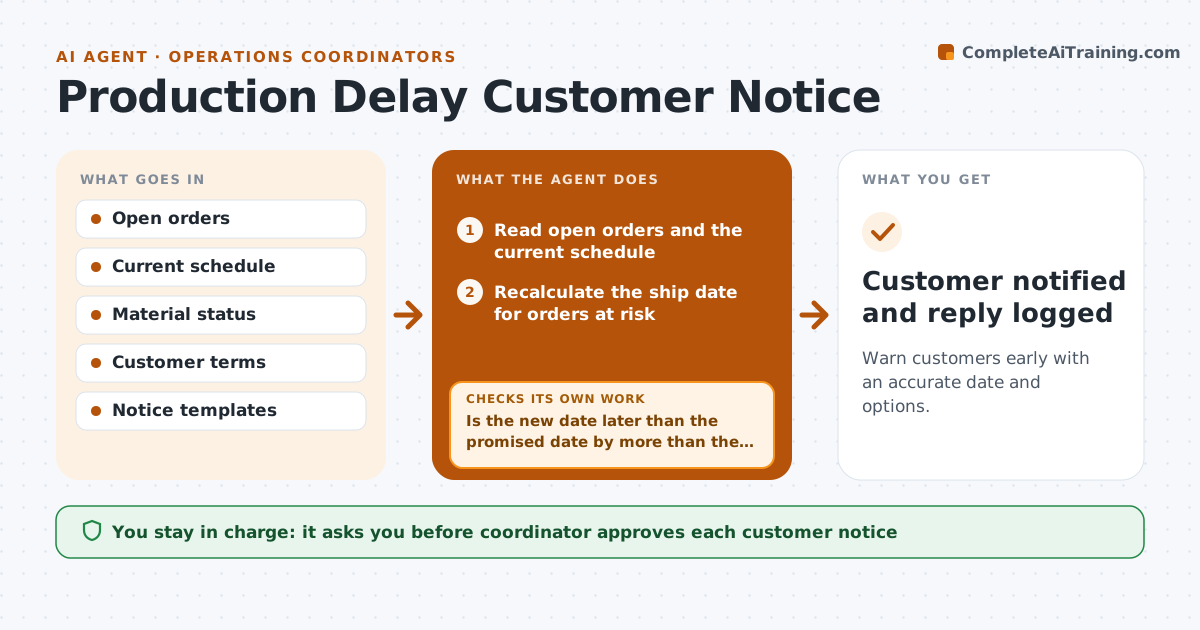
Customers hate to learn about a delay when the shipment fails to appear. This agent scans open orders for risk, such as a late material, a line down or a rising backlog. It recalculates the ship date with the current plan and drafts a notice with options, for example split shipment, partial delivery or a new date. It tracks replies. If a new delay appears before the notice is sent, it recalculates the date and updates the draft. The coordinator approves each notice. Edge case: a customer with a penalty clause gets the notice flagged for a manager's review.
How it works
Follow the arrows from top to bottom. The orange dashed arrow is the loop: when a check fails, the agent goes back and tries again.
Read the steps as a list
- Daily order risk scan
- Read open orders and the current schedule
- Recalculate the ship date for orders at risk
- Is the new date later than the promised date by more than the margin?If not: Keep watching and rescan tomorrow. Back to step 2.
- Choose options such as split shipment or partial delivery
- Draft the notice with the new date and options
- Is the date still current at sending time?If not: Recalculate and update the draft. Back to step 3.
- Coordinator approves each noticeThe agent waits here for your OK.
- Send the notice and track replies
- Customer notified and reply logged
How it decides
It tells a customer when the recalculated ship date passes the promised date by a set margin.
- Notify when the delay is over 1 day
- Flag orders with penalty clauses for a manager
- Offer at least one alternative
- Recalculate before every send
Make it yours
Every agent is a starting point. You choose these settings for your own situation.
- Delay margin that triggers a notice (default 1 day)
- Options to offer
- Penalty clause rule
- Notice template
What keeps you in control
It always asks you first
- Coordinator approves each customer notice
Hard limits
- Never send without the coordinator's approval
- Never promise a date it has not recalculated
It stops when
- Done: notices sent and replies logged
- Stop: the customer disputes and the coordinator takes over
Set it up
We guide you through the set-up, step by step
Members get the full set-up guide for this agent. No technical skills needed: you copy, paste and upload.
- One set of instructions to paste into your AI, with the clicks for ChatGPT, Claude, Microsoft 365 Copilot, Gemini and Grok
- The agent then walks you through connecting your own data, one source at a time
- A downloadable copy with the flow chart, the rules and the full guide