AI agent for compliance officers
Marketing Material Compliance Review Agent
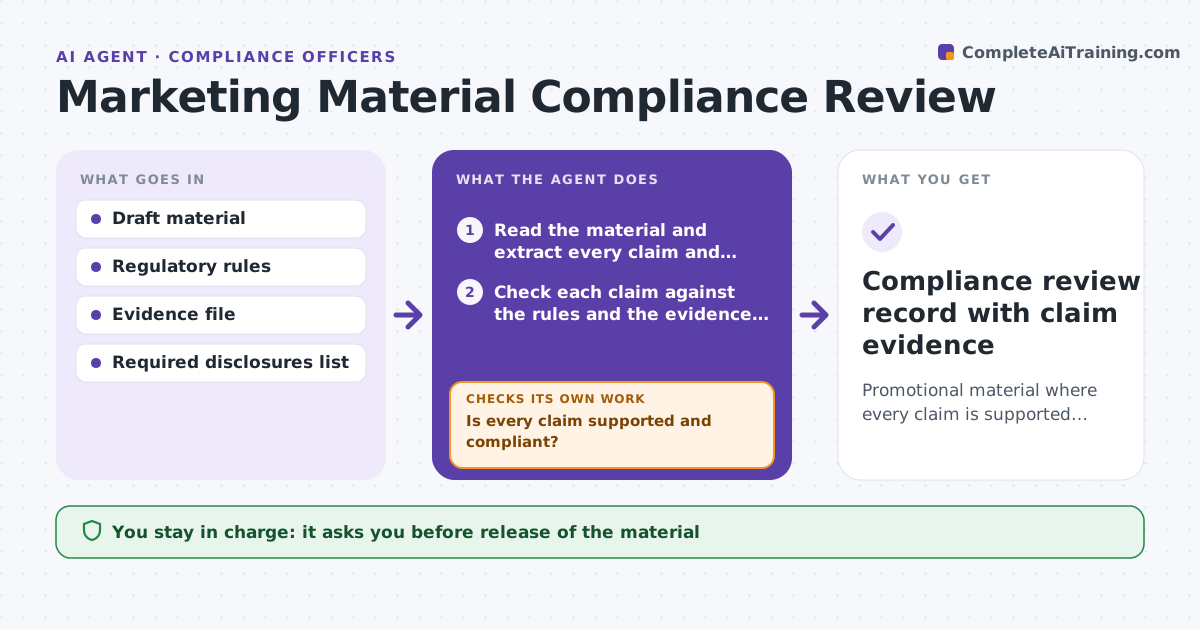
Promotional material where every claim is supported and every required disclosure is present
What it does
A banner claims guaranteed returns or a brochure leaves out a required risk warning, and it is found only after it ships. This agent reads each piece of promotional material and extracts every claim, number, comparison and promise. It checks each one against the rule set and the evidence file, flags unsupported or non-compliant claims, and notes missing disclosures. It suggests compliant wording and reruns the check on the revised draft. It repeats until nothing is flagged. At the end, it records which rule and evidence supported every claim. The analyst approves release. Edge case: a past return figure is accurate but the period shown is too short.
How it works
Follow the arrows from top to bottom. The orange dashed arrow is the loop: when a check fails, the agent goes back and tries again.
Read the steps as a list
- Marketing submits material
- Read the material and extract every claim and number
- Check each claim against the rules and the evidence file
- Is every claim supported and compliant?If not: flag the claim, name the rule and suggest compliant wording. Back to step 3.
- Check that required disclosures are present and visible
- Apply the suggested wording to a revised draft
- Rerun the check on the revised draft
- Is anything still flagged?If not: revise again and recheck, escalating to the analyst after three rounds. Back to step 6.
- Analyst approves releaseThe agent waits here for your OK.
- Compliance review record with claim evidence
How it decides
A claim passes only if it is supported by evidence in the file and complies with the rules. Missing disclosures block release.
- Block release if any required disclosure is missing
- Flag past performance without the standard period
- Flag words like guaranteed and risk-free unless supported
- Escalate after three failed rounds
Make it yours
Every agent is a starting point. You choose these settings for your own situation.
- Rule set applied
- Disclosure list
- Round limit before escalation (default 3)
- Material types reviewed
What keeps you in control
It always asks you first
- Release of the material
Hard limits
- Never releases material
- Never alters the evidence file
It stops when
- Done: nothing flagged and the analyst approves
- Stop: the evidence file is missing for key claims
Set it up
We guide you through the set-up, step by step
Members get the full set-up guide for this agent. No technical skills needed: you copy, paste and upload.
- One set of instructions to paste into your AI, with the clicks for ChatGPT, Claude, Microsoft 365 Copilot, Gemini and Grok
- The agent then walks you through connecting your own data, one source at a time
- A downloadable copy with the flow chart, the rules and the full guide