AI agent for production planners
Master Schedule Freeze Review Agent
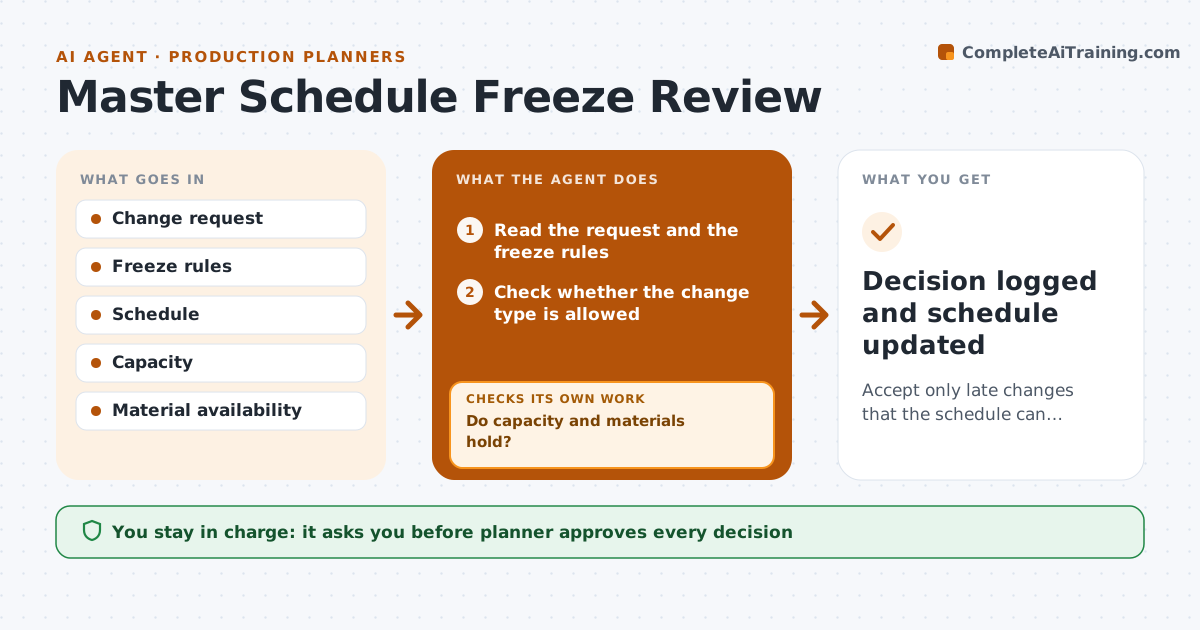
Accept only late changes that the schedule can carry, and show the cost of those accepted.
What it does
A frozen schedule only works if changes are tested before they are accepted. This agent reads each late change request and checks it against the freeze rules. It tests the impact on capacity and materials, and shows what would move. It proposes accept, delay or reject, with the reason. If the schedule is affected, it tests the capacity again after the change and shows the knock-on effects. The planner approves. It keeps a log of every request and decision, so repeat requesters and costly patterns become visible to the planner. Edge case: a change that fits capacity but uses a material reserved for another firm order is delayed, not accepted.
How it works
Follow the arrows from top to bottom. The orange dashed arrow is the loop: when a check fails, the agent goes back and tries again.
Read the steps as a list
- Change request inside the freeze
- Read the request and the freeze rules
- Check whether the change type is allowed
- Test capacity and materials with the change
- Do capacity and materials hold?If not: Find the knock-on effects and test a delay. Back to step 3.
- List orders that would move
- Is any firm order late after the change?If not: Propose delay or reject. Back to step 4.
- Propose accept, delay or reject with reasons
- Planner approves the decisionThe agent waits here for your OK.
- Decision logged and schedule updated
How it decides
It accepts a change only if capacity and materials hold and no firm order is put at risk.
- Allow emergency changes only for safety or a stopped customer line
- Reject changes that push a firm order late
- Offer a later slot when a change is not possible now
- Record the cost of each accepted change
Make it yours
Every agent is a starting point. You choose these settings for your own situation.
- Freeze window length
- Allowed change types
- Capacity margin
- Who approves exceptions
What keeps you in control
It always asks you first
- Planner approves every decision
Hard limits
- Never change the schedule without approval
- Never accept a change without a retest
It stops when
- Done: the decision is made and the schedule is retested
- Stop: the request breaks a rule and the planner escalates
Set it up
We guide you through the set-up, step by step
Members get the full set-up guide for this agent. No technical skills needed: you copy, paste and upload.
- One set of instructions to paste into your AI, with the clicks for ChatGPT, Claude, Microsoft 365 Copilot, Gemini and Grok
- The agent then walks you through connecting your own data, one source at a time
- A downloadable copy with the flow chart, the rules and the full guide