AI agent for logistics engineers
Inbound Shipment Notice Exception Agent
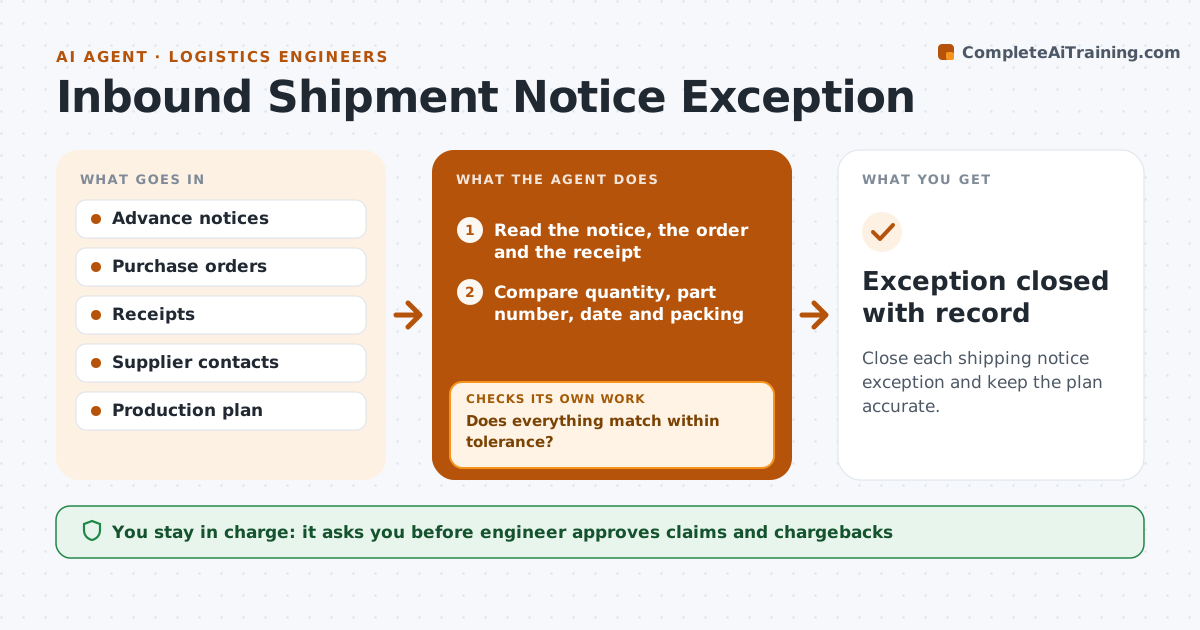
Close each shipping notice exception and keep the plan accurate.
What it does
An advance shipping notice says what is coming, and the dock finds something else. This agent compares each notice with the purchase order and, on arrival, the receipt. It flags differences in quantity, part number, date or packing. It contacts the supplier or carrier for a correction and updates the plan, such as stock expected for production. After the correction request it rechecks the next receipt and closes the exception only when quantities match. The engineer approves any claim. Edge case: a short shipment that arrives in two parts is matched across both receipts before an exception is raised.
How it works
Follow the arrows from top to bottom. The orange dashed arrow is the loop: when a check fails, the agent goes back and tries again.
Read the steps as a list
- Notice or receipt recorded
- Read the notice, the order and the receipt
- Compare quantity, part number, date and packing
- Does everything match within tolerance?If not: Raise an exception and describe the difference. Back to step 2.
- Contact the supplier or carrier for a correction
- Update the plan for the actual stock and date
- Engineer approves any claim or chargebackThe agent waits here for your OK.
- Wait for the next shipment from that supplier
- Read the next receipt
- Do the quantities now match the notice?If not: Reopen the exception and escalate to the supplier's manager. Back to step 4.
- Exception closed with record
How it decides
It raises an exception when quantity, part or date differs from the order beyond a tolerance, and closes it only when a later receipt matches.
- Tolerance is 2 percent of quantity
- Match split shipments before raising an exception
- Raise a claim only for shortages above tolerance
- Update the plan before the next production run
Make it yours
Every agent is a starting point. You choose these settings for your own situation.
- Quantity tolerance (default 2 percent)
- Suppliers and part families covered
- Follow-up wait time
- Claim threshold
What keeps you in control
It always asks you first
- Engineer approves claims and chargebacks
Hard limits
- Never file a claim without engineer approval
- Never close an exception without a matching receipt
It stops when
- Done: the next receipt matches and the exception is closed
- Stop: the supplier cannot correct it and the engineer takes over
Set it up
We guide you through the set-up, step by step
Members get the full set-up guide for this agent. No technical skills needed: you copy, paste and upload.
- One set of instructions to paste into your AI, with the clicks for ChatGPT, Claude, Microsoft 365 Copilot, Gemini and Grok
- The agent then walks you through connecting your own data, one source at a time
- A downloadable copy with the flow chart, the rules and the full guide