AI agent for manufacturing engineers
Tooling and Mold Maintenance Agent
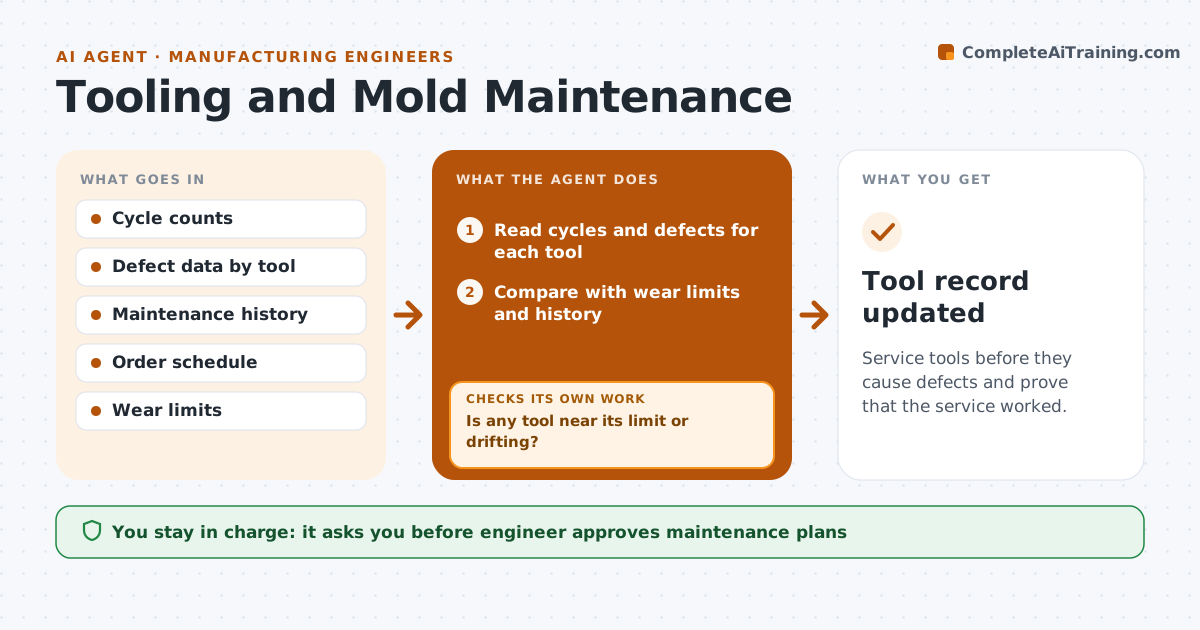
Service tools before they cause defects and prove that the service worked.
What it does
Molds and dies wear slowly, and by the time the defects show, a whole run is bad. This agent tracks cycles, defects and maintenance dates for each tool. It watches for the signs of wear, such as rising flash, dimension drift and cycle count near the limit, and flags tools that are due. It schedules maintenance around customer orders so production does not stop. After maintenance, it compares defect rates with the earlier ones, and reopens the job if they did not improve. The engineer approves each maintenance plan. Edge case: a tool near its limit but with a large order due is moved up in the queue to be serviced first.
How it works
Follow the arrows from top to bottom. The orange dashed arrow is the loop: when a check fails, the agent goes back and tries again.
Read the steps as a list
- Daily tool data arrives
- Read cycles and defects for each tool
- Compare with wear limits and history
- Is any tool near its limit or drifting?If not: Keep monitoring. Back to step 2.
- Check the order schedule for a gap
- Draft a maintenance plan
- Engineer approves the planThe agent waits here for your OK.
- Schedule the maintenance
- Read defect rates after the service
- Are defects lower than before the service?If not: Reopen the job and flag the tool for inspection. Back to step 4.
- Tool record updated
How it decides
It flags a tool when cycles pass a set share of the limit or defects drift, and schedules the service in the gap that costs the least production.
- Flag at 85 percent of the cycle limit
- Flag when defects rise 20 percent over the baseline
- Schedule in the gap with the least lost output
- Reopen if defects do not fall by half
Make it yours
Every agent is a starting point. You choose these settings for your own situation.
- Cycle limit share that flags a tool (default 85 percent)
- Defect rise that flags (default 20 percent)
- Improvement needed after service
- Tools covered
What keeps you in control
It always asks you first
- Engineer approves maintenance plans
Hard limits
- Never schedule maintenance that misses a firm order without approval
- Never close a job without a defect check
It stops when
- Done: tool serviced and defects are down
- Stop: the tool is damaged and the engineer decides on repair or replacement
Set it up
We guide you through the set-up, step by step
Members get the full set-up guide for this agent. No technical skills needed: you copy, paste and upload.
- One set of instructions to paste into your AI, with the clicks for ChatGPT, Claude, Microsoft 365 Copilot, Gemini and Grok
- The agent then walks you through connecting your own data, one source at a time
- A downloadable copy with the flow chart, the rules and the full guide