AI agent for production coordinators
Material Kit Staging Agent
Deliver complete, correct kits to the line before the order starts.
What it does
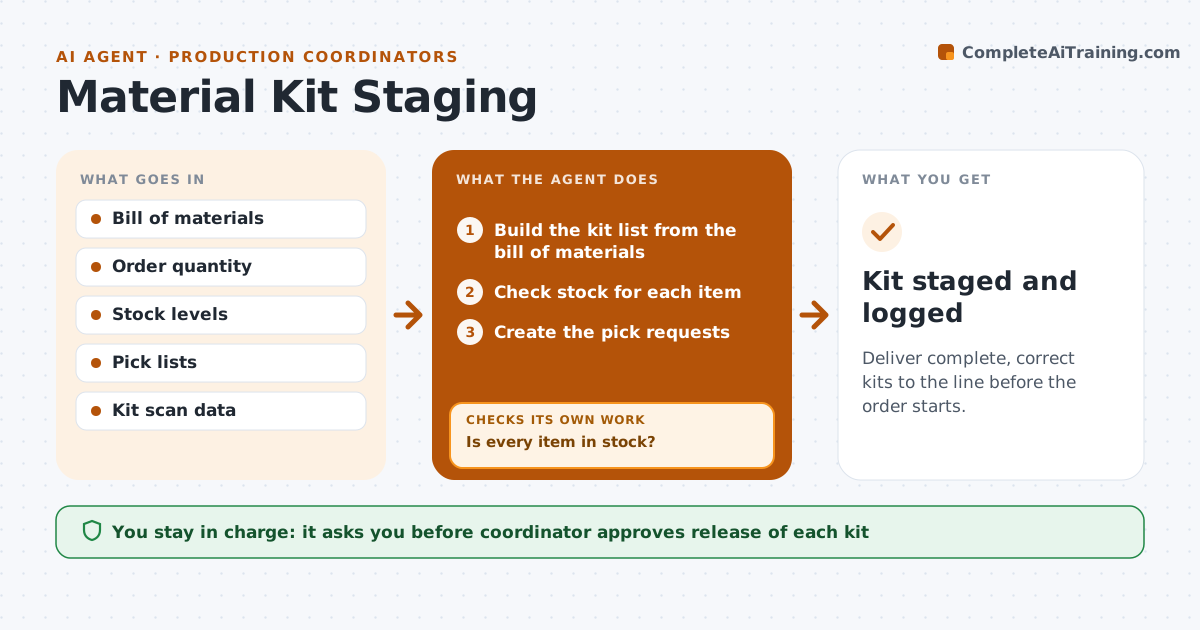
A kit that is missing one part stops a line and costs more than the part itself. This agent builds the kit list for each order, checks stock, and creates pick requests. When the picked kit comes back, it checks the contents against the list. It requests missing items and counts again. The coordinator approves the kit for release to the line. It does this before the order reaches the line, so a shortage becomes a request to the warehouse and not a stopped line. Each correction triggers a fresh count rather than a note that the item was ordered. Edge case: a kit that shows full on the pick sheet but has the wrong revision of a part is caught by checking the part revision, not just the count.
How it works
Follow the arrows from top to bottom. The orange dashed arrow is the loop: when a check fails, the agent goes back and tries again.
Read the steps as a list
- Order scheduled for staging
- Build the kit list from the bill of materials
- Check stock for each item
- Is every item in stock?If not: Request the missing parts and set a new staging time. Back to step 2.
- Create the pick requests
- Receive the picked kit
- Compare contents with the list by part, quantity and revision
- Does the kit match the list?If not: Request the missing or wrong part and count again. Back to step 6.
- Coordinator approves release to the lineThe agent waits here for your OK.
- Kit staged and logged
How it decides
It accepts a kit only when every part, quantity and revision matches the list.
- Check revision as well as quantity
- Stage at least 4 hours before the order starts
- Flag shortages 2 days ahead
- Count again after each correction
Make it yours
Every agent is a starting point. You choose these settings for your own situation.
- Staging lead time (default 4 hours)
- Revision check on or off
- Shortage warning days
- Who picks
What keeps you in control
It always asks you first
- Coordinator approves release of each kit
Hard limits
- Never release a kit that fails the count
- Never ignore a revision mismatch
It stops when
- Done: the kit is complete and released
- Stop: a part is not available before the start time and the coordinator replans
Set it up
We guide you through the set-up, step by step
Members get the full set-up guide for this agent. No technical skills needed: you copy, paste and upload.
- One set of instructions to paste into your AI, with the clicks for ChatGPT, Claude, Microsoft 365 Copilot, Gemini and Grok
- The agent then walks you through connecting your own data, one source at a time
- A downloadable copy with the flow chart, the rules and the full guide