AI agent for legal secretaries
Matter Closing Checklist Agent
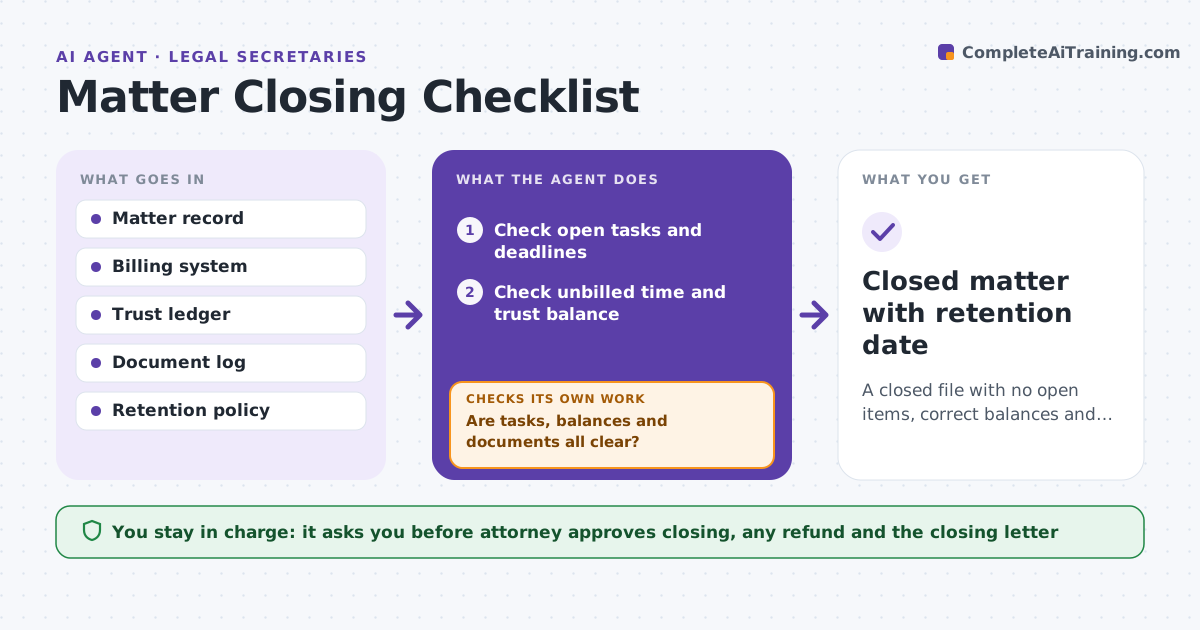
A closed file with no open items, correct balances and a retention date.
What it does
Closed matters still show unbilled time, trust balances, unreturned originals and retention dates that nobody set. The cleanup lands later on a partner. This agent checks each matter for open tasks, unbilled time, trust balance, original documents held and retention date, and lists what is left. It rechecks after each fix. When everything is cleared it drafts the closing letter and retention entry. The attorney approves closing and any refund. It decides what blocks closing by risk: money and original documents block, a missing note does not. When it finds an item, it names the person who must clear it and the likely fix, then rechecks the matter after each change so nothing is closed on stale data. Edge case: a matter shows a trust balance of $212, so the agent flags it and asks whether a refund or final invoice applies.
How it works
Follow the arrows from top to bottom. The orange dashed arrow is the loop: when a check fails, the agent goes back and tries again.
Read the steps as a list
- Attorney marks a matter ready to close
- Check open tasks and deadlines
- Check unbilled time and trust balance
- Check originals and documents held
- List what is left and who owns each item
- Draft the closing letter and retention entry
- Attorney approves closing, any refund and the letterThe agent waits here for your OK.
- Recheck the matter after each fix
- Are tasks, balances and documents all clear?If not: update the list of what remains and return it. Back to step 3.
- Closed matter with retention date
How it decides
It checks every item in the closing list and blocks closing when tasks, balances or originals remain.
- Block closing with a non-zero trust balance
- Block closing with unbilled time
- Block closing while originals are held
- Set the retention date by the policy
Make it yours
Every agent is a starting point. You choose these settings for your own situation.
- Closing checklist
- Retention periods
- Items that block closing
- Letter template
- Recheck frequency
What keeps you in control
It always asks you first
- Attorney approves closing, any refund and the closing letter
Hard limits
- Never move trust money
- Never close a matter without attorney approval
It stops when
- Done: all items clear and the attorney approves
- Stop: a trust balance needs a decision
Set it up
We guide you through the set-up, step by step
Members get the full set-up guide for this agent. No technical skills needed: you copy, paste and upload.
- One set of instructions to paste into your AI, with the clicks for ChatGPT, Claude, Microsoft 365 Copilot, Gemini and Grok
- The agent then walks you through connecting your own data, one source at a time
- A downloadable copy with the flow chart, the rules and the full guide