AI agent for legal operations managers
Matter Closure and Retention Agent
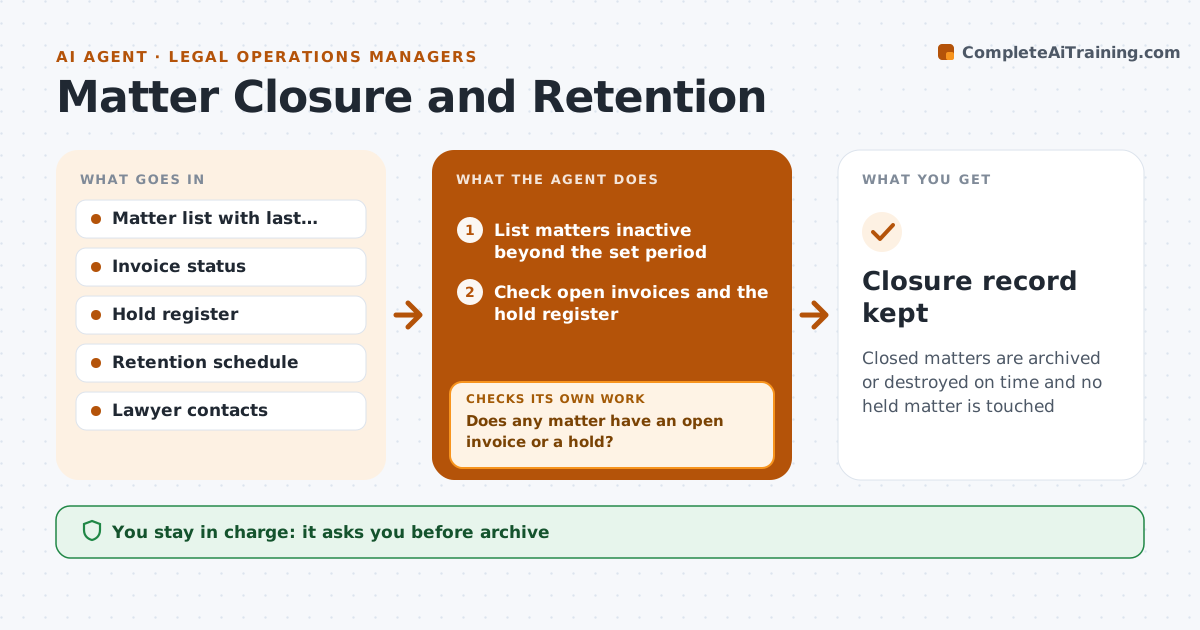
Closed matters are archived or destroyed on time and no held matter is touched
What it does
Closed matters often keep files, access and holds open long after the work is done. This agent lists inactive matters and checks each against open invoices, legal holds and the retention rules. It asks the responsible lawyer to confirm closure, follows up, and schedules archiving once confirmed. Files with holds are skipped and listed. After archiving, it checks that access was removed and the archive is complete. If something fails, it reopens the task. The manager approves archive or destruction. Edge case: a matter with no activity for two years still has an unpaid invoice, so the agent holds it and notifies the finance contact.
How it works
Follow the arrows from top to bottom. The orange dashed arrow is the loop: when a check fails, the agent goes back and tries again.
Read the steps as a list
- Monthly matter review runs
- List matters inactive beyond the set period
- Check open invoices and the hold register
- Does any matter have an open invoice or a hold?If not: remove it from the list and note the reason and the owner. Back to step 2.
- Request confirmation from the responsible lawyer
- Has the lawyer confirmed within 10 days?If not: send a reminder, then escalate to the practice head. Back to step 5.
- Manager approves archive or destructionThe agent waits here for your OK.
- Archive the files and remove access
- Are files archived and access removed?If not: retry the step and report the failure to IT. Back to step 8.
- Closure record kept
How it decides
A matter is ready to archive only when no invoice is open, no hold applies, the lawyer confirms and the retention period permits it.
- Inactive means no activity for 12 months
- Never touch a matter on the hold register
- Wait for the lawyer's written confirmation
- Destroy only when the retention period has ended
Make it yours
Every agent is a starting point. You choose these settings for your own situation.
- Inactivity period (default 12 months)
- Reminder days
- Retention periods
- Who confirms closure
What keeps you in control
It always asks you first
- Archive
- Destruction
Hard limits
- Never delete anything itself
- Never skip the hold check
It stops when
- Done: matters archived and access removed
- Stop: hold register is not available
Set it up
We guide you through the set-up, step by step
Members get the full set-up guide for this agent. No technical skills needed: you copy, paste and upload.
- One set of instructions to paste into your AI, with the clicks for ChatGPT, Claude, Microsoft 365 Copilot, Gemini and Grok
- The agent then walks you through connecting your own data, one source at a time
- A downloadable copy with the flow chart, the rules and the full guide