
AI agent for media relations specialists
Media List Refresh Agent
Keep the media list for a campaign accurate, on-beat and free of dead contacts
What it does
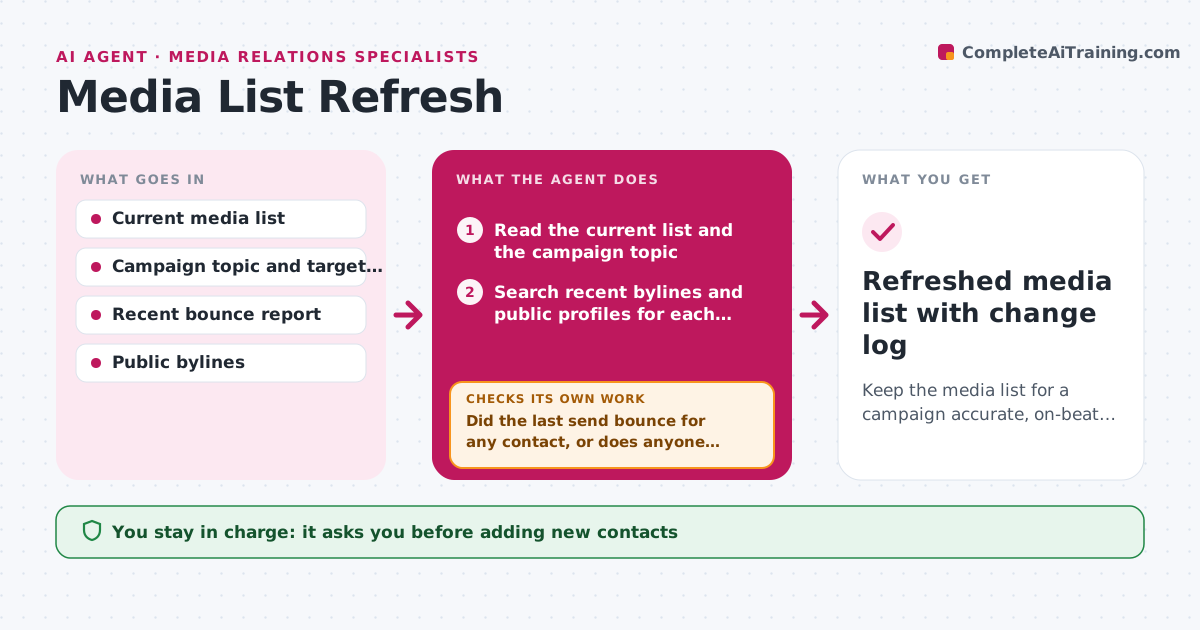
A media list that was right in spring is often wrong by autumn. This agent refreshes the list before each campaign. It reads the current list, then checks each contact's recent bylines on their outlet's site and public profiles to confirm they still cover the beat. It notes moves, beat changes and new reporters who have written on the topic in the last 60 days. It scores each contact on topic fit and recent coverage. After the update, it checks email bounces from the last send and any contact with no bylines in 90 days. Those go back for another search before being marked inactive. It never adds personal contact details that are not published for press use. The specialist approves additions and removals. Edge case: a reporter moved to a competitor's trade title, so it keeps the contact but changes the outlet and fit score.
How it works
Follow the arrows from top to bottom. The orange dashed arrow is the loop: when a check fails, the agent goes back and tries again.
Read the steps as a list
- Campaign brief approved or monthly refresh due
- Read the current list and the campaign topic
- Search recent bylines and public profiles for each contact
- Update outlet, beat and fit score; note moves
- Search for new reporters covering the topic in the last 60 days
- Did the last send bounce for any contact, or does anyone have no bylines in 90 days?If not: run a second search for the contact before marking inactive. Back to step 3.
- Are all new contacts using published press contact routes only?If not: drop the personal details and keep the outlet's press route. Back to step 5.
- Specialist approves additions and removalsThe agent waits here for your OK.
- Refreshed media list with change log
How it decides
It scores contacts on how many recent pieces they wrote on the campaign topic and how relevant their outlet is, and only proposes removal when two checks find no recent coverage.
- Mark a contact inactive only after two searches find no bylines in 90 days
- Add a new reporter after two or more relevant pieces in 60 days
- Lower fit score when a reporter's last three pieces are off topic
- Keep a contact who moved outlets if the new outlet is in scope
Make it yours
Every agent is a starting point. You choose these settings for your own situation.
- Byline window for active status (default 90 days)
- New-reporter rule (default 2 pieces in 60 days)
- Outlets in scope
- Fit score weighting
What keeps you in control
It always asks you first
- Adding new contacts
- Removing contacts
Hard limits
- Uses only published, press-facing contact details
- Never sends pitches
- Keeps the list private to the team
It stops when
- Done: every contact checked and the change log ready
- Stop: the campaign topic is not defined, so it asks for it
Set it up
We guide you through the set-up, step by step
Members get the full set-up guide for this agent. No technical skills needed: you copy, paste and upload.
- One set of instructions to paste into your AI, with the clicks for ChatGPT, Claude, Microsoft 365 Copilot, Gemini and Grok
- The agent then walks you through connecting your own data, one source at a time
- A downloadable copy with the flow chart, the rules and the full guide



