AI agent for mediators
Mediation Intake and Conflict Check Agent
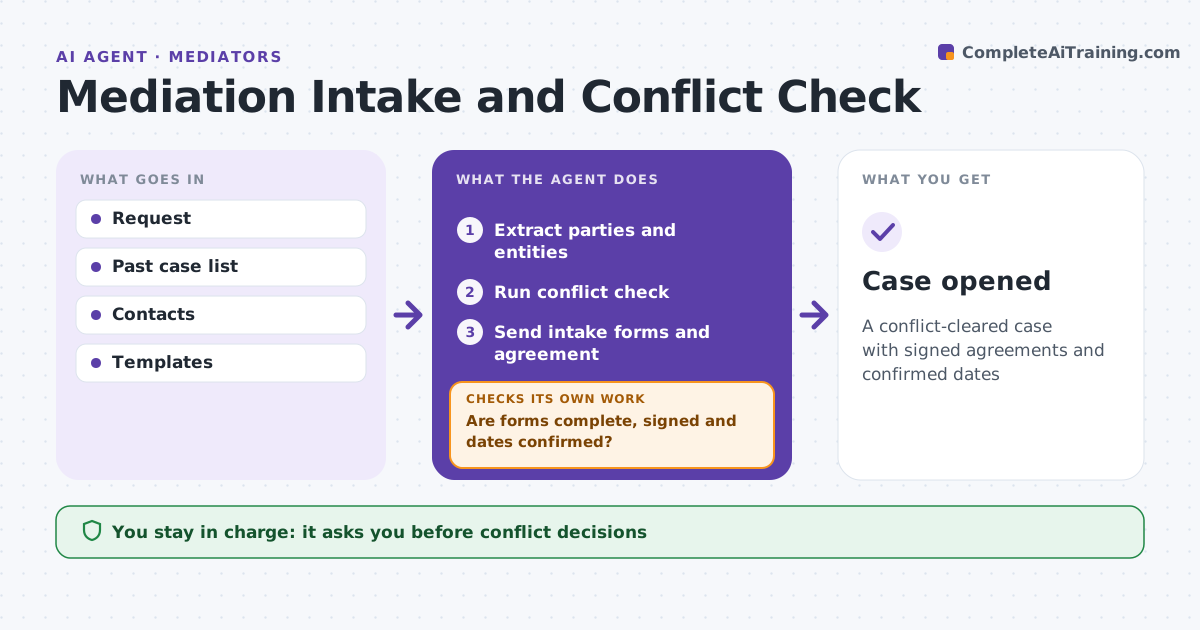
A conflict-cleared case with signed agreements and confirmed dates
What it does
Opening a mediation means collecting forms and signatures from several parties and making sure the mediator has no conflict. When a request arrives, this agent extracts parties, counsel, related entities and dispute type. It runs a conflict check against the mediator's past cases and contacts, flagging any name or related entity match. The mediator decides every conflict. It drafts intake forms and the agreement to mediate for each party, and the mediator approves them before sending. It tracks returns and checks that forms are complete and signed and that all parties confirmed dates. If anything is missing, it drafts reminders for the mediator to send and checks again. Edge case: a party's parent company was in an earlier mediation, which the agent finds through related entities even though the names differ.
How it works
Follow the arrows from top to bottom. The orange dashed arrow is the loop: when a check fails, the agent goes back and tries again.
Read the steps as a list
- Request received
- Extract parties and entities
- Run conflict check
- Mediator decides on any conflictThe agent waits here for your OK.
- Send intake forms and agreement
- Are forms complete, signed and dates confirmed?If not: draft reminders for missing items. Back to step 5.
- Case opened
How it decides
It matches names and related entities against past cases and checks forms are complete.
- Name match in past case: flag
- Related entity match: flag
- Missing signature: remind
Make it yours
Every agent is a starting point. You choose these settings for your own situation.
- Conflict search depth
- Forms
- Reminder timing
- Fee terms
What keeps you in control
It always asks you first
- Conflict decisions
- Sending documents
Hard limits
- Never accepts cases
- Never shares other case details
It stops when
- Done: case opened
- Stop: conflict declined
Set it up
We guide you through the set-up, step by step
Members get the full set-up guide for this agent. No technical skills needed: you copy, paste and upload.
- One set of instructions to paste into your AI, with the clicks for ChatGPT, Claude, Microsoft 365 Copilot, Gemini and Grok
- The agent then walks you through connecting your own data, one source at a time
- A downloadable copy with the flow chart, the rules and the full guide