AI agent for mediators
Mediation Session Scheduling Agent
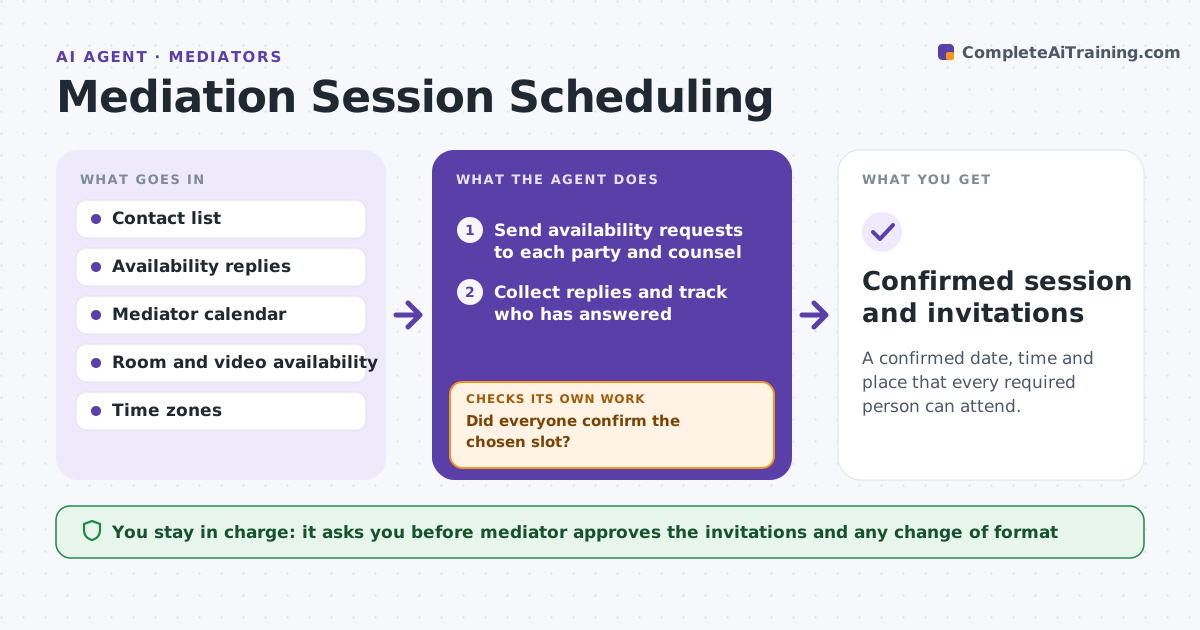
A confirmed date, time and place that every required person can attend.
What it does
Finding a day when every party and counsel can attend a mediation takes a chain of emails and phone calls, and one late reply resets everything. This agent collects availability from each party and counsel, finds overlaps, checks room or video link availability and proposes slots. When someone declines or replies late, it replans. It keeps a record of who has answered. The mediator approves invitations before they go out. Edge case: one counsel is only free in the afternoon and a party is out of the country, so the agent proposes a video session in the afternoon of the one date everyone shares.
How it works
Follow the arrows from top to bottom. The orange dashed arrow is the loop: when a check fails, the agent goes back and tries again.
Read the steps as a list
- Mediation is agreed
- Send availability requests to each party and counsel
- Collect replies and track who has answered
- Find overlaps across all calendars
- Check room or video link availability
- Propose ranked slots
- Mediator approves the invitationsThe agent waits here for your OK.
- Did everyone confirm the chosen slot?If not: replan from the new replies and propose another slot. Back to step 3.
- Confirmed session and invitations
How it decides
It proposes the slots where all required attendees are free and the room or link is available. It ranks by earliest date and fewest changes of time zone.
- Require all parties and counsel to be free
- Prefer the earliest slot with a room
- Allow video if any attendee is remote
- Chase unanswered requests after 2 days
Make it yours
Every agent is a starting point. You choose these settings for your own situation.
- Required attendees
- Session length
- Video or in person
- Reminder spacing (default 2 days)
- Days to search
What keeps you in control
It always asks you first
- Mediator approves the invitations and any change of format
Hard limits
- Never send invitations without the mediator
- Never reveal one party's availability to another party beyond the time slot
It stops when
- Done: all attendees confirmed
- Stop: no overlap exists and the mediator must decide
Set it up
We guide you through the set-up, step by step
Members get the full set-up guide for this agent. No technical skills needed: you copy, paste and upload.
- One set of instructions to paste into your AI, with the clicks for ChatGPT, Claude, Microsoft 365 Copilot, Gemini and Grok
- The agent then walks you through connecting your own data, one source at a time
- A downloadable copy with the flow chart, the rules and the full guide