AI agent for mediators
Mediator Panel Matching Agent
Find a qualified, available, conflict-free mediator or expert and present a short list for approval.
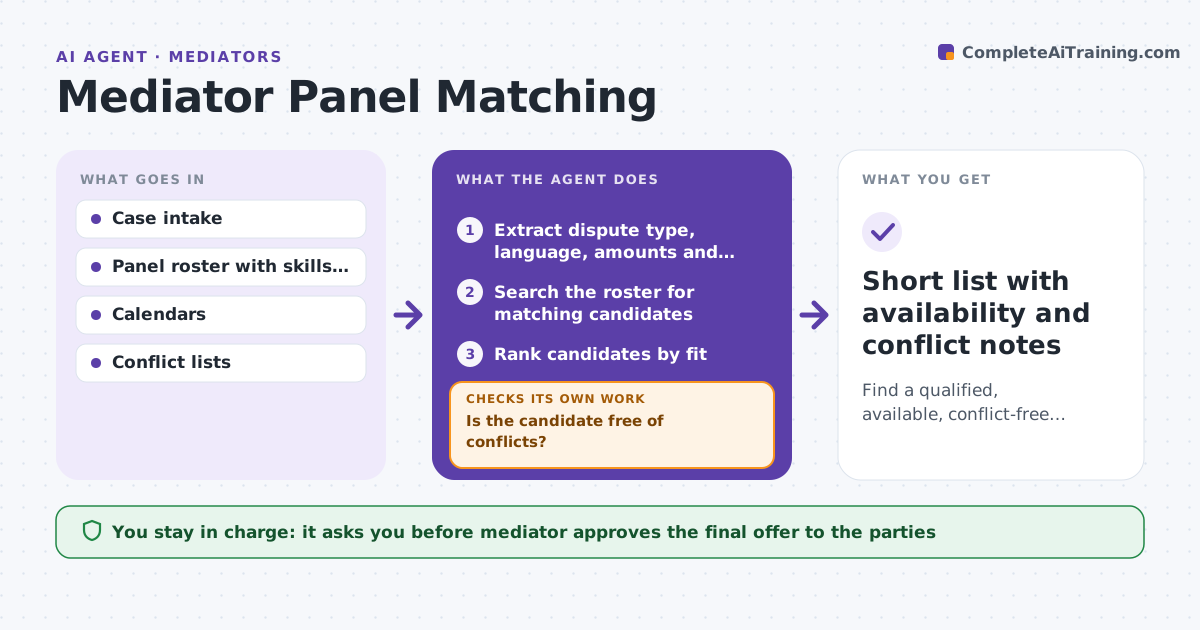
What it does
Picking a co-mediator or a subject expert for a case takes calls and guesses about who is free and who has a conflict. From the case intake, the agent extracts the dispute type, language needs, amounts at stake and location, then searches the panel roster for matches. It checks availability and conflicts for each, ranks the candidates and requests availability from the top few. If a candidate has a conflict or cannot make the dates, it moves to the next one. The mediator approves who is offered to the parties. Edge case: the best match once represented a party's insurer, so the agent drops them and moves to the second.
How it works
Follow the arrows from top to bottom. The orange dashed arrow is the loop: when a check fails, the agent goes back and tries again.
Read the steps as a list
- Case intake received
- Extract dispute type, language, amounts and location
- Search the roster for matching candidates
- Rank candidates by fit
- Check conflicts against the parties and counsel
- Is the candidate free of conflicts?If not: Remove the candidate and move to the next on the ranked list. Back to step 4.
- Request availability from the top candidates
- Does a candidate have availability in the window?If not: Move to the next candidate and widen the date window if needed. Back to step 4.
- Mediator approves who is offered to the partiesThe agent waits here for your OK.
- Short list with availability and conflict notes
How it decides
It ranks candidates by fit to dispute type, language and amount, and removes any with a conflict or no availability in the window. The mediator makes the final choice.
- Language and dispute type are required matches
- Any conflict removes the candidate
- Request availability from at most 3 candidates at a time
- Widen the date window by 2 weeks if no one is free
Make it yours
Every agent is a starting point. You choose these settings for your own situation.
- Roster in scope
- Required skills and languages
- Date window and how far to widen
- Number of candidates to ask at once (default 3)
What keeps you in control
It always asks you first
- Mediator approves the final offer to the parties
- Mediator approves messages to candidates
Hard limits
- Never contacts parties or candidates without approval
- Never shares intake details beyond what the candidate needs for a conflict check
It stops when
- Done: a candidate is accepted by the parties
- Stop: nobody on the roster is free and conflict-free, so the mediator is told
Set it up
We guide you through the set-up, step by step
Members get the full set-up guide for this agent. No technical skills needed: you copy, paste and upload.
- One set of instructions to paste into your AI, with the clicks for ChatGPT, Claude, Microsoft 365 Copilot, Gemini and Grok
- The agent then walks you through connecting your own data, one source at a time
- A downloadable copy with the flow chart, the rules and the full guide