AI agent for claims adjusters
Medical Records and Bills Review Agent
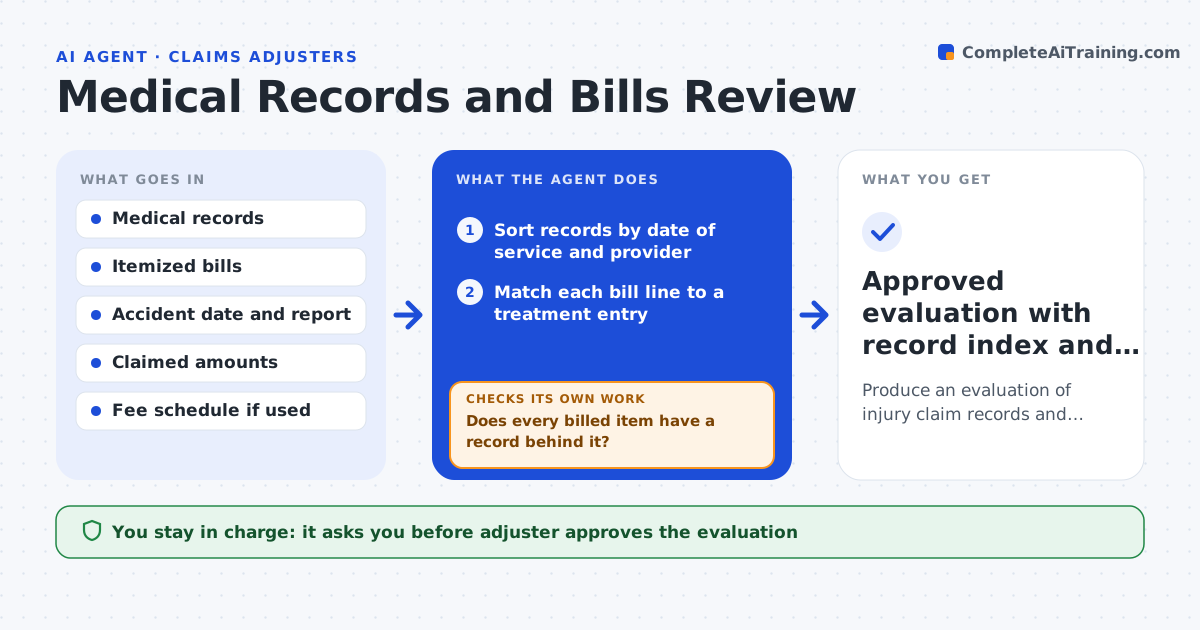
Produce an evaluation of injury claim records and bills in which every bill is matched to related treatment and gaps are chased.
What it does
A bodily injury claim arrives with hundreds of pages of medical records and a stack of bills. The adjuster has to decide which care relates to the accident, which bills match the treatment, and what the claimed amount should be. The agent sorts every record by date of service, matches each bill to a treatment entry, and flags gaps in treatment, care for unrelated conditions, and duplicate charges. It then compares billed totals with the amounts claimed. Where records are missing, it drafts a request to the provider, and when the records come in it reruns the match and recomputes the evaluation. It never settles a number on its own. Edge case: a chiropractic bill dated three weeks before the accident is flagged as pre-existing care and left out of the total, with the reason shown.
How it works
Follow the arrows from top to bottom. The orange dashed arrow is the loop: when a check fails, the agent goes back and tries again.
Read the steps as a list
- Records and bills received on an injury claim
- Sort records by date of service and provider
- Match each bill line to a treatment entry
- Flag gaps in care, unrelated conditions and duplicate charges
- Does every billed item have a record behind it?If not: Draft a records request to the provider and wait for the reply. Back to step 3.
- Compare matched totals with the claimed amounts
- Recompute the evaluation after new records arrive
- Do matched totals reconcile with the claimed amounts or have differences been explained?If not: List each difference with its cause and rerun the match. Back to step 3.
- Adjuster reviews and approves the evaluationThe agent waits here for your OK.
- Approved evaluation with record index and open items
How it decides
It counts a bill only when a dated treatment entry supports it and the care is plausibly related to the accident injuries. Unmatched or unrelated items are listed with reasons and left out of the total until the adjuster rules.
- A bill line with no treatment entry on or near its date is held out until records arrive
- Care dated before the accident, or for a body part not in the injury report, is flagged as possibly unrelated
- A gap of more than 30 days in treatment is flagged for the adjuster
- Two bills for the same code, date and provider are flagged as duplicates
Make it yours
Every agent is a starting point. You choose these settings for your own situation.
- Treatment gap length that triggers a flag (default 30 days)
- Look-back window for pre-existing care (default 12 months)
- Fee schedule or benchmark to compare charges
- Number of records requests before escalating (default 2)
What keeps you in control
It always asks you first
- Adjuster approves the evaluation
- Adjuster approves any records request sent to a provider
Hard limits
- Never decides compensation or denies a claim
- Never contacts a provider or claimant without adjuster approval
It stops when
- Done: all bills matched or explained and evaluation approved
- Stop: records still missing after two requests, so the adjuster decides how to proceed
Set it up
We guide you through the set-up, step by step
Members get the full set-up guide for this agent. No technical skills needed: you copy, paste and upload.
- One set of instructions to paste into your AI, with the clicks for ChatGPT, Claude, Microsoft 365 Copilot, Gemini and Grok
- The agent then walks you through connecting your own data, one source at a time
- A downloadable copy with the flow chart, the rules and the full guide