AI agent for sales development representatives
Meeting No-Show Recovery Agent
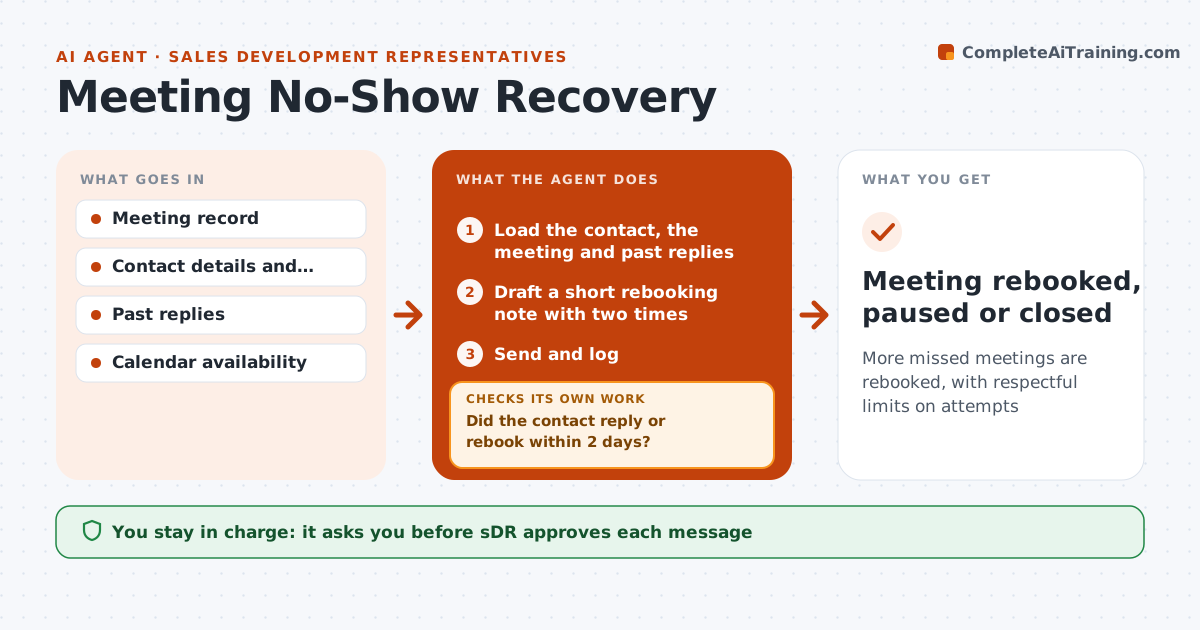
More missed meetings are rebooked, with respectful limits on attempts
What it does
A booked meeting that does not happen is a lost opportunity, and most reps send one rebooking note and move on. After each missed meeting, this agent drafts a short, friendly note to rebook, with two times to choose. It watches for replies and, if there is none, tries a different channel on the next attempt, such as a call or a short text. It adapts the wording to the reason if known. It stops after the set number of tries or on an opt-out, and logs the outcome. The SDR approves each message. Edge case: the contact replies that they are on leave until next month, so the agent sets a reminder and pauses.
How it works
Follow the arrows from top to bottom. The orange dashed arrow is the loop: when a check fails, the agent goes back and tries again.
Read the steps as a list
- Meeting marked no-show
- Load the contact, the meeting and past replies
- Draft a short rebooking note with two times
- SDR approves the messageThe agent waits here for your OK.
- Send and log
- Did the contact reply or rebook within 2 days?If not: change channel or message for the next attempt. Back to step 3.
- Handle replies: rebook, pause for leave or close
- Is the attempt limit reached?If not: draft the next attempt and send for approval. Back to step 3.
- Meeting rebooked, paused or closed
How it decides
The first attempt is email. If there is no reply in 2 days, the next attempt changes channel or message. It stops at the attempt limit.
- Wait 2 days between attempts
- Vary channel on each attempt
- Stop after 3 attempts
- Pause when the contact gives a return date
Make it yours
Every agent is a starting point. You choose these settings for your own situation.
- Number of attempts (default 3)
- Days between attempts
- Channels allowed
- Message tone
What keeps you in control
It always asks you first
- SDR approves each message
Hard limits
- Never contact after opt-out
- Do not send without approval
- Keep messages short and polite
It stops when
- Done: meeting rebooked or lead closed
- Stop: opt-out or attempt limit reached
Set it up
We guide you through the set-up, step by step
Members get the full set-up guide for this agent. No technical skills needed: you copy, paste and upload.
- One set of instructions to paste into your AI, with the clicks for ChatGPT, Claude, Microsoft 365 Copilot, Gemini and Grok
- The agent then walks you through connecting your own data, one source at a time
- A downloadable copy with the flow chart, the rules and the full guide