AI agent for it support specialists
Meeting Room Equipment Fault Agent
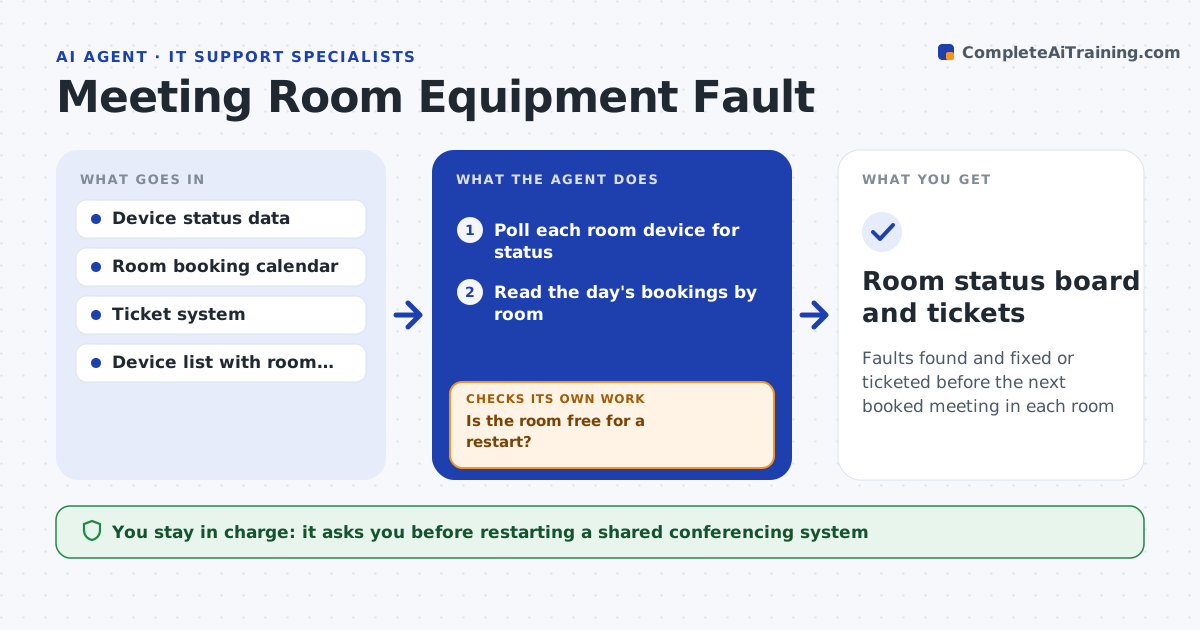
Faults found and fixed or ticketed before the next booked meeting in each room
What it does
A meeting starts and the room display shows nothing. This agent runs scheduled health checks on room devices, such as screens, cameras, microphones and conferencing units, and compares what it finds with the day's bookings. For simple faults, such as a unit that has frozen or lost its network, it tries a remote restart and checks that the device comes back healthy. If it does not, it opens a ticket and ranks it by how soon the room is booked, so a fault in a room with an 8 a.m. meeting rises above one in a room that is empty all day. After any fix it re-checks the device. The technician approves restarts of shared systems. Edge case: a room in use right now is never restarted, only flagged.
How it works
Follow the arrows from top to bottom. The orange dashed arrow is the loop: when a check fails, the agent goes back and tries again.
Read the steps as a list
- Scheduled health check
- Poll each room device for status
- Read the day's bookings by room
- Match faults to the next booking time
- Is the room free for a restart?If not: flag the fault and wait until the meeting ends. Back to step 3.
- Technician approves restarting a shared systemThe agent waits here for your OK.
- Try a remote restart or reconnect
- Is the device healthy after the fix?If not: open a ticket ranked by time until the next booking. Back to step 3.
- Write a note for the technician with room, fault and meeting time
- Room status board and tickets
How it decides
Priority comes from time until the next booking and the number of attendees. Only simple faults are fixed remotely, and never during a meeting.
- Never restart a device in a room currently in use
- Rank tickets by minutes until the next booking
- Restart a device only once before escalating
- Mark a room unavailable when its main display or audio fails
Make it yours
Every agent is a starting point. You choose these settings for your own situation.
- Polling interval (default 30 minutes)
- Devices and rooms in scope
- Restart rules per device type
- Ticket priority bands by time to booking
What keeps you in control
It always asks you first
- Restarting a shared conferencing system
Hard limits
- Never restarts equipment during a meeting
- Never changes configuration beyond restarts
It stops when
- Done: all rooms healthy or ticketed
- Stop: device data is unavailable
Set it up
We guide you through the set-up, step by step
Members get the full set-up guide for this agent. No technical skills needed: you copy, paste and upload.
- One set of instructions to paste into your AI, with the clicks for ChatGPT, Claude, Microsoft 365 Copilot, Gemini and Grok
- The agent then walks you through connecting your own data, one source at a time
- A downloadable copy with the flow chart, the rules and the full guide