AI agent for community moderators
Member Dispute Mediation Agent
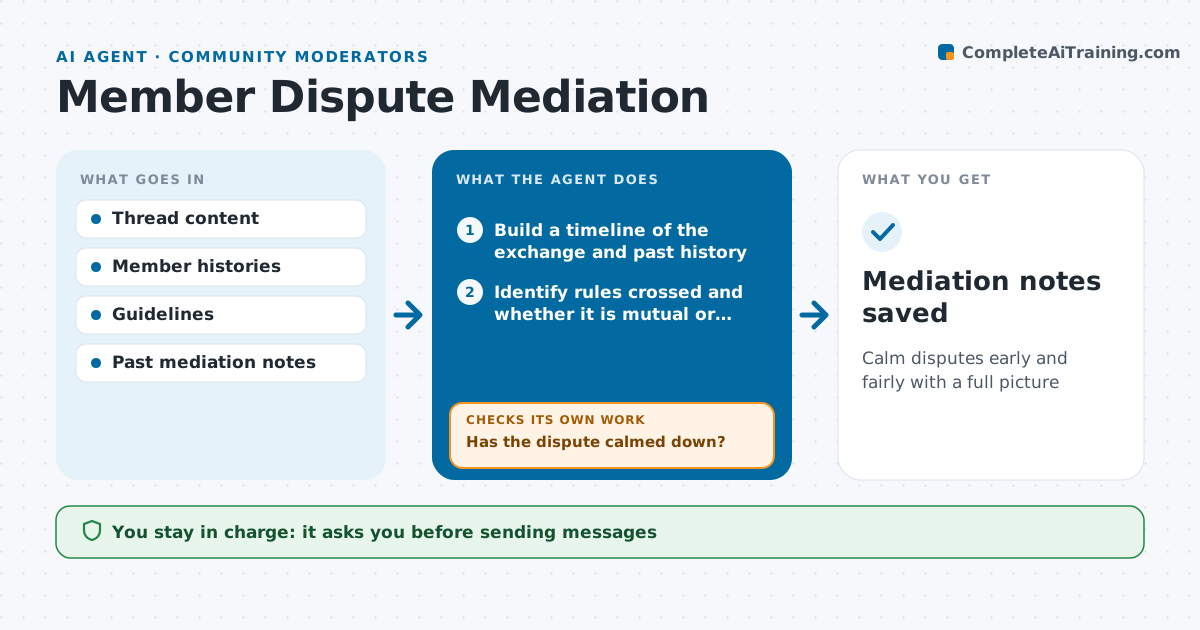
Calm disputes early and fairly with a full picture
What it does
Disputes between members can spiral and drag a whole thread down if nobody steps in early. When a thread shows a dispute, such as heated replies or reports from both sides, this agent builds a timeline of the exchange and any earlier history between the two members. It identifies which guideline lines were crossed and by whom. It drafts a calm private message to each member and an optional public note for the thread. Once a moderator approves and sends the messages, the agent watches the thread. If the dispute continues, it suggests the next step, such as a thread lock or a temporary mute, and drafts the new message. Moderators approve every message and action. Edge case: if one member is clearly harassing the other, it is handled as harassment, not a two-sided dispute.
How it works
Follow the arrows from top to bottom. The orange dashed arrow is the loop: when a check fails, the agent goes back and tries again.
Read the steps as a list
- Dispute detected
- Build a timeline of the exchange and past history
- Identify rules crossed and whether it is mutual or one-sided
- Draft private messages and an optional public note
- Moderator approves messagesThe agent waits here for your OK.
- Watch the thread for 24 hours
- Has the dispute calmed down?If not: suggest a lock or mute and redraft messages. Back to step 3.
- Mediation notes saved
How it decides
It weighs who crossed which rule and whether the conflict is mutual or one-sided.
- One-sided attacks are handled as harassment
- Public notes avoid naming members
- Lock the thread if it continues after messages
Make it yours
Every agent is a starting point. You choose these settings for your own situation.
- Watch period after messages
- Signals that start mediation
- Message tone
- Default lock length
What keeps you in control
It always asks you first
- Sending messages
- Locks and mutes
Hard limits
- Never sends messages or mutes on its own
- Keeps mediation notes private
It stops when
- Done: thread calm for 24 hours
- Stop: threats appear, escalate as serious
Set it up
We guide you through the set-up, step by step
Members get the full set-up guide for this agent. No technical skills needed: you copy, paste and upload.
- One set of instructions to paste into your AI, with the clicks for ChatGPT, Claude, Microsoft 365 Copilot, Gemini and Grok
- The agent then walks you through connecting your own data, one source at a time
- A downloadable copy with the flow chart, the rules and the full guide