AI agent for microbiologists
Microbial Genome Assembly QC Agent
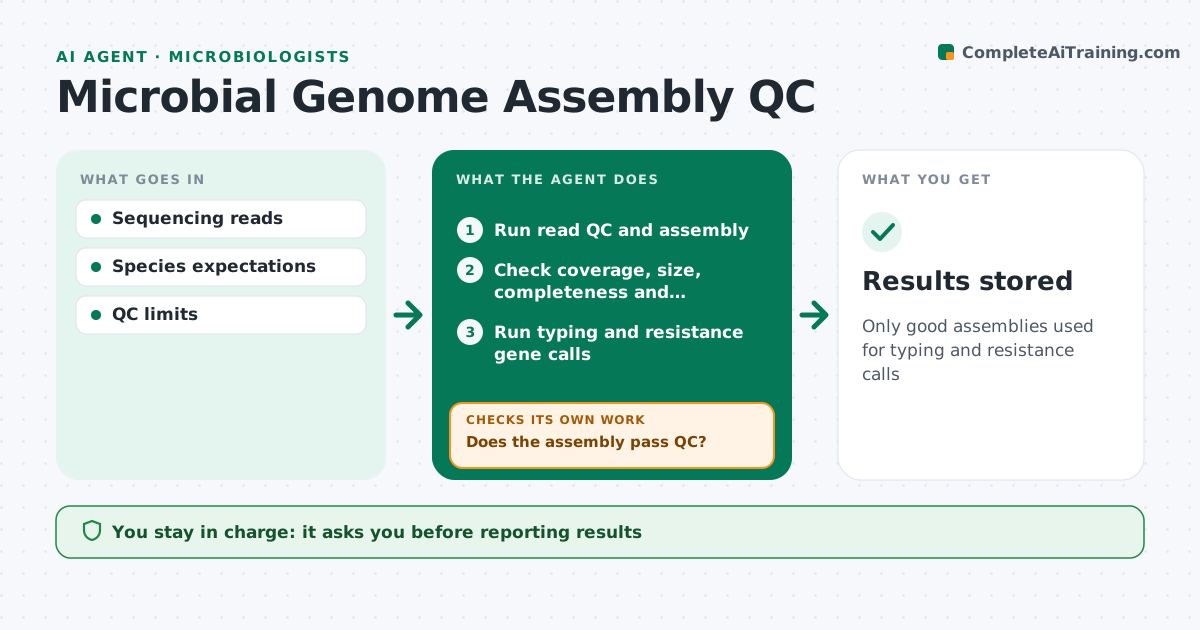
Only good assemblies used for typing and resistance calls
What it does
Whole genome sequencing of isolates is routine, but every assembly needs checking before results are reported. This agent runs read QC and assembly, then checks coverage, contig count, genome size, completeness and contamination against expected values for the species. Assemblies that fail are re-run with different settings, and if they still fail, flagged for resequencing. Passing assemblies get typing and resistance gene calls. The agent then compares those calls with the lab's phenotype results, such as susceptibility tests, and flags any disagreement for a scientist to review. It produces a QC summary per isolate. You approve every result before it is reported. Edge case: two species detected in one sample is flagged as a mixed culture, and the sample is sent back for re-isolation instead of being assembled.
How it works
Follow the arrows from top to bottom. The orange dashed arrow is the loop: when a check fails, the agent goes back and tries again.
Read the steps as a list
- Sequencing run finishes
- Run read QC and assembly
- Check coverage, size, completeness and contamination
- Does the assembly pass QC?If not: re-run or flag for resequencing. Back to step 2.
- Run typing and resistance gene calls
- Microbiologist approves reportingThe agent waits here for your OK.
- Results stored
How it decides
It passes assemblies meeting coverage, size, completeness and contamination limits.
- Flag mixed cultures
- Re-run with alternate settings
- Use species-specific limits
Make it yours
Every agent is a starting point. You choose these settings for your own situation.
- QC limits
- Pipeline settings
- Databases
- Report format
What keeps you in control
It always asks you first
- Reporting results
Hard limits
- Never deletes raw reads
It stops when
- Done: results stored
- Stop: run failed
Set it up
We guide you through the set-up, step by step
Members get the full set-up guide for this agent. No technical skills needed: you copy, paste and upload.
- One set of instructions to paste into your AI, with the clicks for ChatGPT, Claude, Microsoft 365 Copilot, Gemini and Grok
- The agent then walks you through connecting your own data, one source at a time
- A downloadable copy with the flow chart, the rules and the full guide