AI agent for receptionists
Missed Call and Voicemail Follow-up Agent
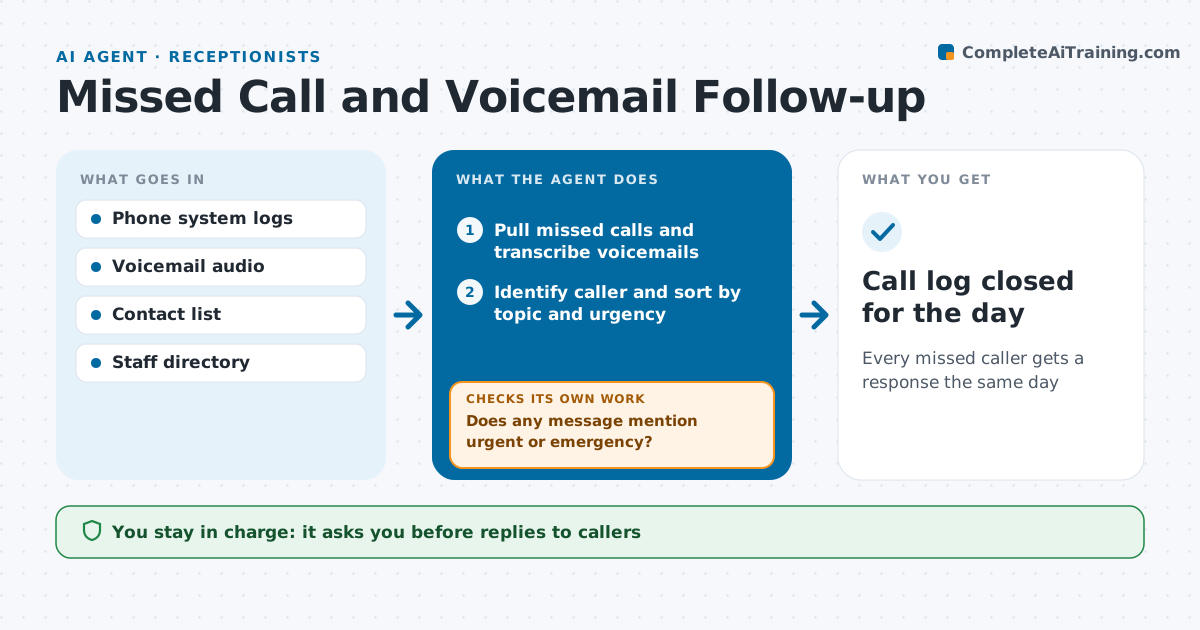
Every missed caller gets a response the same day
What it does
Missed calls and voicemails slip through on busy days, and a caller who never hears back may not call again. Every hour this agent pulls missed calls and transcribes voicemails. It identifies the caller from the contact list and sorts each message as appointment, question, complaint, urgent, or for a named person. It drafts a reply or routes the message to the right person with the transcript. The receptionist approves replies. Four hours later, it checks whether each caller was called back or answered. Open messages go back to the person with a reminder and to the receptionist. Edge case: a voicemail with words like urgent or emergency is pushed to the receptionist at once, not held for the hourly batch.
How it works
Follow the arrows from top to bottom. The orange dashed arrow is the loop: when a check fails, the agent goes back and tries again.
Read the steps as a list
- Hourly check
- Pull missed calls and transcribe voicemails
- Identify caller and sort by topic and urgency
- Does any message mention urgent or emergency?If not: push it to the receptionist at once, then continue. Back to step 3.
- Draft replies or route to staff with the transcript
- Receptionist approves repliesThe agent waits here for your OK.
- Has every caller been answered within four hours?If not: remind the owner and alert the receptionist. Back to step 5.
- Call log closed for the day
How it decides
It sorts by topic and urgency words and routes to the named person or the right team.
- Urgent words go to the receptionist at once
- Named person messages go to that person
- Open after four hours triggers a reminder
Make it yours
Every agent is a starting point. You choose these settings for your own situation.
- Response deadline (default 4 hours)
- Urgent words list
- Routing rules
- Check frequency
What keeps you in control
It always asks you first
- Replies to callers
Hard limits
- Never shares caller details outside the office
- Never gives advice on behalf of staff
It stops when
- Done: all callers answered
- Stop: phone system down
Set it up
We guide you through the set-up, step by step
Members get the full set-up guide for this agent. No technical skills needed: you copy, paste and upload.
- One set of instructions to paste into your AI, with the clicks for ChatGPT, Claude, Microsoft 365 Copilot, Gemini and Grok
- The agent then walks you through connecting your own data, one source at a time
- A downloadable copy with the flow chart, the rules and the full guide