AI agent for notaries
Mobile Notary Appointment Confirmation Agent
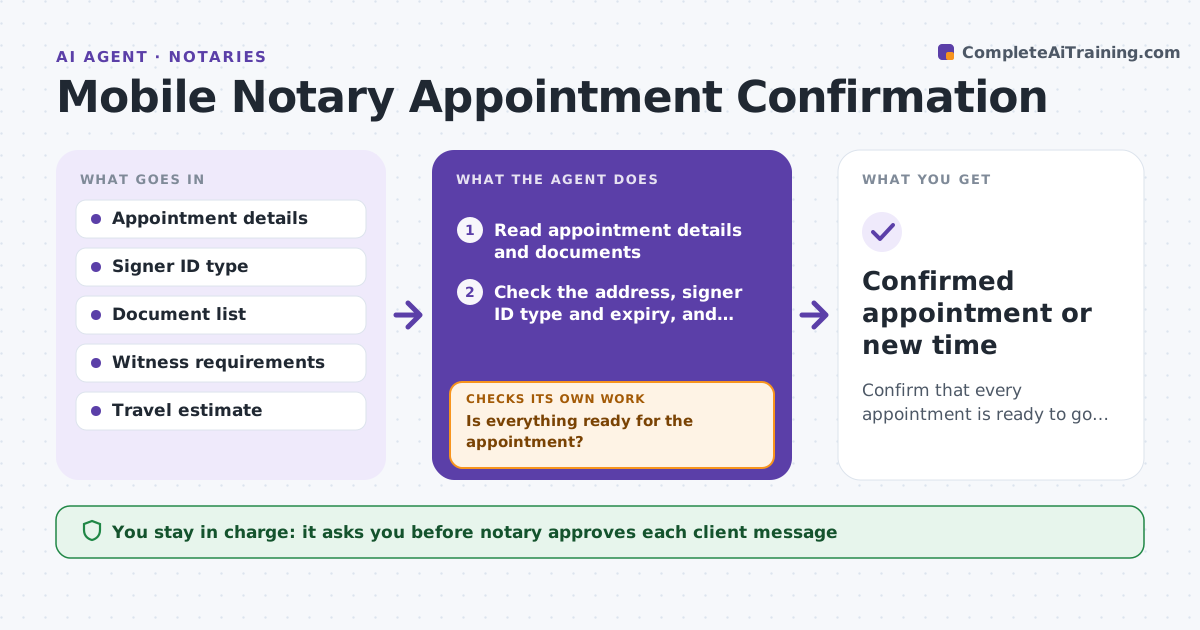
Confirm that every appointment is ready to go so the notary does not make a wasted trip.
What it does
A traveling notary loses time and income when a signer is not there, the address is wrong, the document is incomplete or the ID is not valid. The day before each appointment, the agent checks the address, signer ID type, witness needs and documents, and contacts the client about anything missing. It estimates travel time with current traffic and flags a risk of lateness. If something is missing and the client has not replied, it proposes a reschedule. It re-checks after each reply. The notary approves any message that goes to a client. Edge case: the signer's ID expired last month, so the agent asks for another acceptable ID before the trip.
How it works
Follow the arrows from top to bottom. The orange dashed arrow is the loop: when a check fails, the agent goes back and tries again.
Read the steps as a list
- Day before an appointment
- Read appointment details and documents
- Check the address, signer ID type and expiry, and witness needs
- Is everything ready for the appointment?If not: Draft a message to the client for each missing item. Back to step 2.
- Notary approves the message to the clientThe agent waits here for your OK.
- Send the message and wait for the reply
- Estimate travel time and the route
- Can the notary arrive on time and has the client answered?If not: Propose a reschedule or an earlier departure. Back to step 3.
- Notary approves any rescheduleThe agent waits here for your OK.
- Confirmed appointment or new time
How it decides
An appointment is ready when the address is valid, an acceptable unexpired ID is confirmed, the documents are complete and witnesses are arranged. Otherwise it contacts the client or proposes a reschedule.
- Expired ID means ask for another acceptable ID
- Unanswered messages after 2 hours trigger a reschedule proposal
- Travel time plus 15 minutes must fit before the start
- Witness needs must be confirmed by name
Make it yours
Every agent is a starting point. You choose these settings for your own situation.
- Acceptable ID types by state
- Time to wait for a client reply (default 2 hours)
- Travel buffer (default 15 minutes)
- Message tone
What keeps you in control
It always asks you first
- Notary approves each client message
- Notary approves each reschedule
Hard limits
- Never contacts a client without approval
- Never accepts an ID type the state does not allow
It stops when
- Done: appointment confirmed
- Stop: appointment cancelled by client or notary
Set it up
We guide you through the set-up, step by step
Members get the full set-up guide for this agent. No technical skills needed: you copy, paste and upload.
- One set of instructions to paste into your AI, with the clicks for ChatGPT, Claude, Microsoft 365 Copilot, Gemini and Grok
- The agent then walks you through connecting your own data, one source at a time
- A downloadable copy with the flow chart, the rules and the full guide