AI agent for data scientists
Model Documentation Card Agent
A model card in which every figure traces to a record and matches the shipped version
What it does
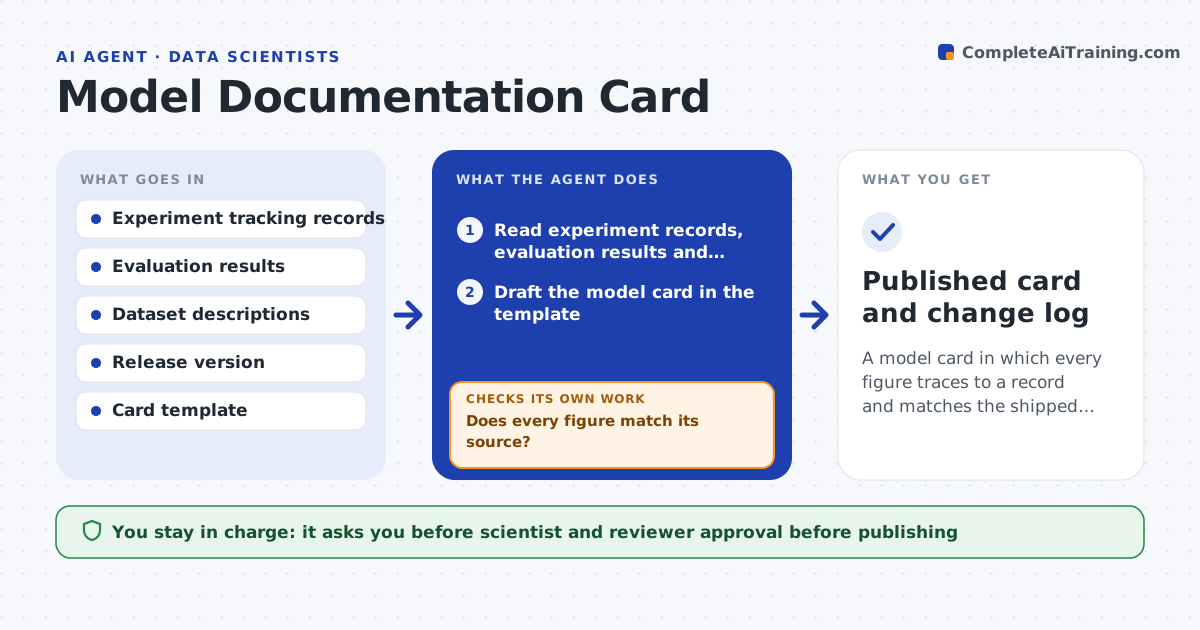
Teams ship a model and discover the documentation describes an earlier version. This agent collects metrics, data sources, training dates, known limits and fairness results straight from the experiment records. It drafts a model card from them in the team's template. Then it checks every number in the card against its source, such as accuracy against the evaluation run and sample counts against the dataset. Contradictions are listed and the passage is rewritten from the record. It also checks that the card names the exact model version that is being released. The scientist and a reviewer approve before the card is published. Edge case: a fairness metric missing for one group is called out as a gap, not left out silently.
How it works
Follow the arrows from top to bottom. The orange dashed arrow is the loop: when a check fails, the agent goes back and tries again.
Read the steps as a list
- Model marked ready for release
- Read experiment records, evaluation results and dataset descriptions
- Draft the model card in the template
- Check each number and claim against its source
- Does every figure match its source?If not: rewrite the passage from the record and note the change. Back to step 2.
- Does the card name the version being shipped?If not: find the release version and update all references. Back to step 3.
- List gaps such as missing fairness results or limits
- Ask the scientist to fill the gaps
- Scientist and reviewer approve the cardThe agent waits here for your OK.
- Publish the card with the release
- Published card and change log
How it decides
A statement stays only if it is backed by a record. A mismatch is resolved in favor of the source record and logged.
- Every figure must link to a source record
- Use the evaluation on the held-out set, not training scores
- Call out missing subgroup results as gaps
- Flag any card older than the latest model version
Make it yours
Every agent is a starting point. You choose these settings for your own situation.
- Card template and sections
- Source systems for metrics
- Fairness groups to require
- Who reviews before publishing
What keeps you in control
It always asks you first
- Scientist and reviewer approval before publishing
Hard limits
- Never invents metrics or limits
- Never publishes without both approvals
It stops when
- Done: card published with all figures verified
- Stop: no evaluation record exists for the release version
Set it up
We guide you through the set-up, step by step
Members get the full set-up guide for this agent. No technical skills needed: you copy, paste and upload.
- One set of instructions to paste into your AI, with the clicks for ChatGPT, Claude, Microsoft 365 Copilot, Gemini and Grok
- The agent then walks you through connecting your own data, one source at a time
- A downloadable copy with the flow chart, the rules and the full guide