AI agent for data scientists
Model Error Analysis Agent
A clear picture of where a model fails and a focused way to improve it
What it does
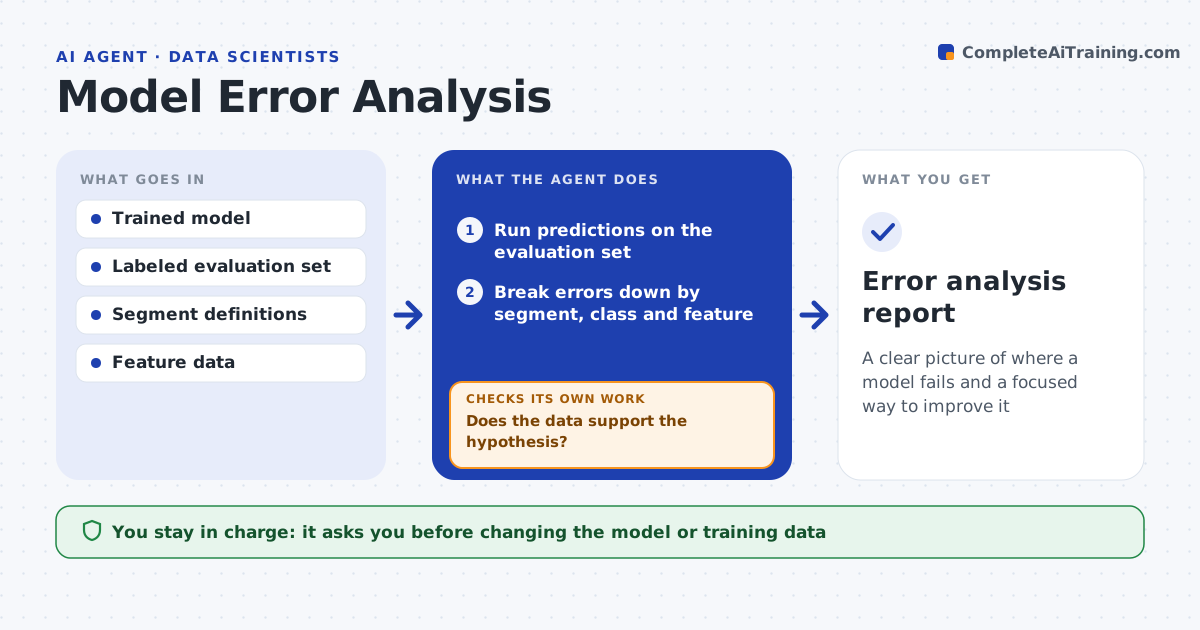
One overall accuracy number hides where a model fails, so improvement work goes in the wrong direction. This agent takes a trained model and a labeled evaluation set, runs predictions and breaks errors down by segment, class and input feature to find where the model fails most. It groups similar errors and looks for patterns, such as poor results on a rare class or on short inputs. For each cluster it forms a hypothesis, like missing training examples, and checks it against the data. If the hypothesis does not hold, it tries the next one, including whether the labels themselves are wrong. It proposes a focused next step with the expected gain. You approve any change to the model or training data. Edge case: errors caused by mislabeled ground truth are flagged as a labeling issue.
How it works
Follow the arrows from top to bottom. The orange dashed arrow is the loop: when a check fails, the agent goes back and tries again.
Read the steps as a list
- Model ready for error analysis
- Run predictions on the evaluation set
- Break errors down by segment, class and feature
- Group errors and form a hypothesis per cluster
- Does the data support the hypothesis?If not: revise the hypothesis or check for labeling errors. Back to step 4.
- Propose a focused improvement with expected gain
- Engineer approves changes to the model or dataThe agent waits here for your OK.
- Error analysis report
How it decides
It ranks error clusters by their share of total error and checks each hypothesis against the data before proposing a fix.
- Rank clusters by share of total error
- Check hypotheses against the data before proposing fixes
- Flag mislabeled ground truth as a data issue
Make it yours
Every agent is a starting point. You choose these settings for your own situation.
- Segments to analyze
- Error metric
- How many clusters to report
- Improvement options
What keeps you in control
It always asks you first
- Changing the model or training data
Hard limits
- Does not change the model without approval
- Separates data issues from model issues
It stops when
- Done: error patterns found and a fix proposed
- Stop: no labeled evaluation set
Set it up
We guide you through the set-up, step by step
Members get the full set-up guide for this agent. No technical skills needed: you copy, paste and upload.
- One set of instructions to paste into your AI, with the clicks for ChatGPT, Claude, Microsoft 365 Copilot, Gemini and Grok
- The agent then walks you through connecting your own data, one source at a time
- A downloadable copy with the flow chart, the rules and the full guide