AI agent for meteorologists
Model Guidance Comparison Agent
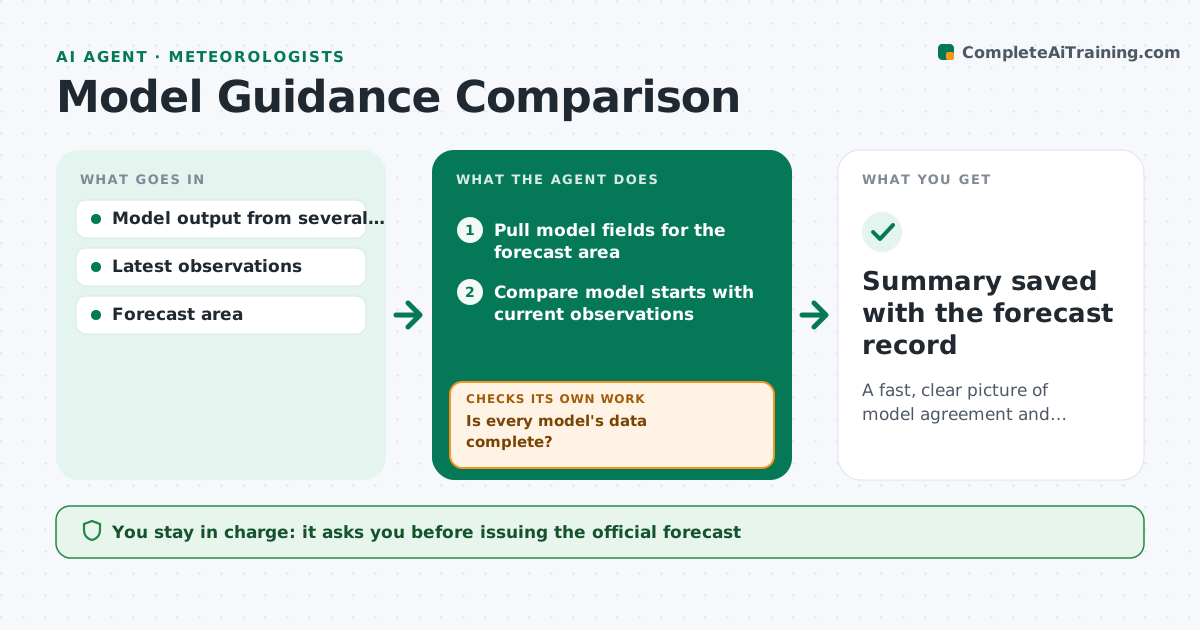
A fast, clear picture of model agreement and uncertainty for each forecast cycle
What it does
Each model cycle brings new runs from several global, regional and ensemble models, and comparing them by hand takes time a forecaster does not have. This agent pulls the latest runs for your forecast area and first checks that each model's data is complete. Late or partial models are waited for or noted and left out, so partial fields are not compared. It compares each model's starting state with current observations to see which began closest to reality. It then maps key fields, such as temperature, precipitation amount and timing, wind and severe weather parameters. It highlights where models agree, where they spread and which run changed most since the last cycle. It writes a short guidance summary with maps of the main disagreements. The forecaster makes the forecast. Edge case: a model with late data is named as missing rather than compared.
How it works
Follow the arrows from top to bottom. The orange dashed arrow is the loop: when a check fails, the agent goes back and tries again.
Read the steps as a list
- New model cycle available
- Pull model fields for the forecast area
- Is every model's data complete?If not: wait for late data or note the missing model. Back to step 2.
- Compare model starts with current observations
- Map agreement, spread and run-to-run change
- Write guidance summary
- Forecaster uses summary to issue the forecastThe agent waits here for your OK.
- Summary saved with the forecast record
How it decides
It weights attention toward fields where model spread is above the set level and toward models that verified best against current observations.
- Highlight fields with spread above the threshold
- Note which models started closest to observations
- Leave out incomplete model data
Make it yours
Every agent is a starting point. You choose these settings for your own situation.
- Models to compare
- Spread threshold
- Fields of interest
- Summary format
What keeps you in control
It always asks you first
- Issuing the official forecast
Hard limits
- Never issues forecasts
- Shows uncertainty, never hides it
It stops when
- Done: summary delivered
- Stop: model feed down; alert the forecaster
Set it up
We guide you through the set-up, step by step
Members get the full set-up guide for this agent. No technical skills needed: you copy, paste and upload.
- One set of instructions to paste into your AI, with the clicks for ChatGPT, Claude, Microsoft 365 Copilot, Gemini and Grok
- The agent then walks you through connecting your own data, one source at a time
- A downloadable copy with the flow chart, the rules and the full guide