AI agent for insurance risk analysts
Model Risk Validation Test Agent
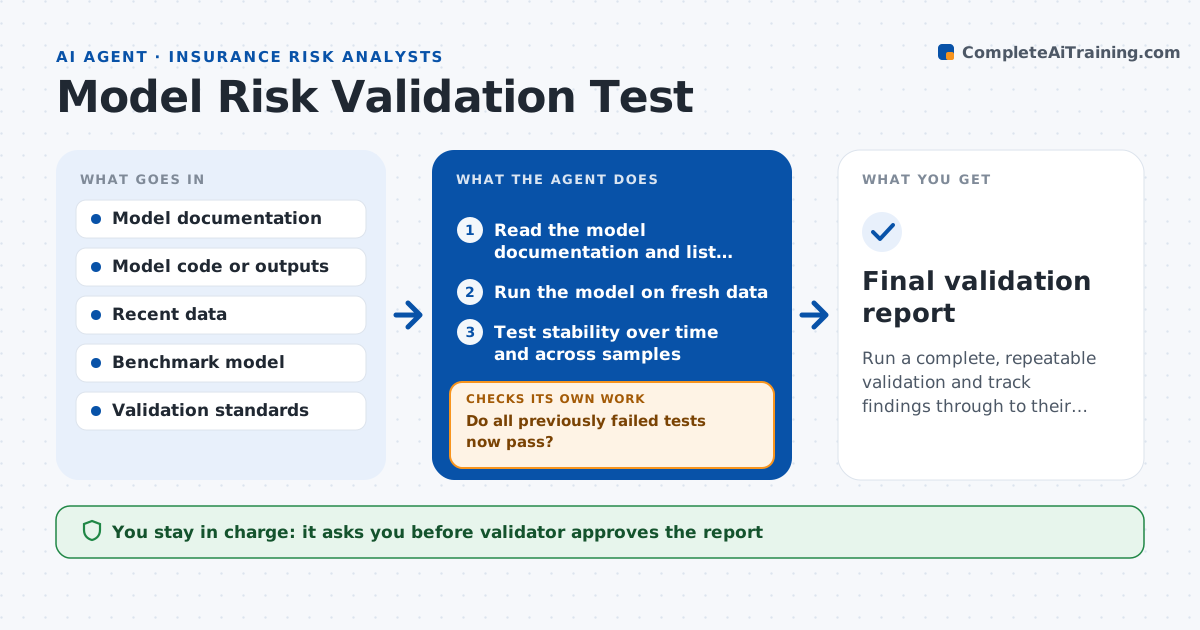
Run a complete, repeatable validation and track findings through to their fix.
What it does
Many models go into use with one early review and then run for years without proper testing. This agent reads the model documentation and lists its purpose, data, assumptions and limits. It runs stability tests on new data, checks for bias across segments, and compares results with a simpler benchmark model. For each test, it records the result against a pass level. When the model owner fixes an issue, it reruns the tests that failed and any related ones to be sure nothing else changed. It drafts the validation report with findings ranked by severity. The validator approves the report. The agent never signs off on a model.
How it works
Follow the arrows from top to bottom. The orange dashed arrow is the loop: when a check fails, the agent goes back and tries again.
Read the steps as a list
- Validation cycle begins
- Read the model documentation and list assumptions and limits
- Run the model on fresh data
- Test stability over time and across samples
- Test for bias by segment
- Compare with a simple benchmark model
- Record each result against its pass level and draft findings
- Validator approves the report for the model ownerThe agent waits here for your OK.
- Rerun failed and related tests after the owner's fix
- Do all previously failed tests now pass?If not: update the findings and return them to the model owner. Back to step 8.
- Final validation report
How it decides
It compares each test result with the pass level in the standard and ranks failures by their effect on decisions.
- Rate a finding high if it changes pricing or reserves by more than 2 percent
- Fail a segment whose error is 2 times the overall error
- Require the model to beat the benchmark on a holdout sample
- Rerun related tests after any fix
Make it yours
Every agent is a starting point. You choose these settings for your own situation.
- Pass levels by test
- Segments to test for bias
- Benchmark model
- Validation schedule
What keeps you in control
It always asks you first
- Validator approves the report
- Risk committee approves the model for use
Hard limits
- Never changes the model
- Never signs off a model, the validator does
It stops when
- Done: all findings closed or accepted by the risk committee
- Stop: documentation is too weak to define what to test
Set it up
We guide you through the set-up, step by step
Members get the full set-up guide for this agent. No technical skills needed: you copy, paste and upload.
- One set of instructions to paste into your AI, with the clicks for ChatGPT, Claude, Microsoft 365 Copilot, Gemini and Grok
- The agent then walks you through connecting your own data, one source at a time
- A downloadable copy with the flow chart, the rules and the full guide