AI agent for ai engineers
Model Training Run Supervisor Agent
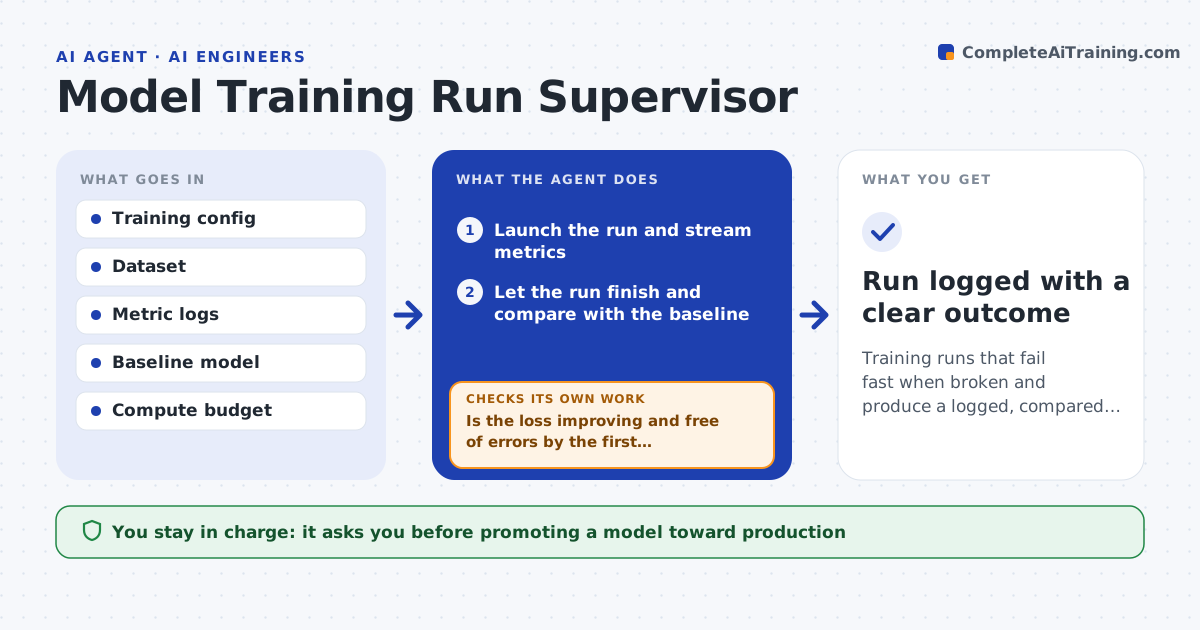
Training runs that fail fast when broken and produce a logged, compared result
What it does
A training run can use hours of expensive compute and still end useless because of a bad learning rate, a data bug or a crash. This agent launches the run from a config and watches loss and key metrics as they stream. It checks early signs: is loss going down, is validation moving, is there a not-a-number error. If the run looks broken, it stops it early, reports the likely cause and suggests a changed config for the next run. When a run finishes, it compares it with the baseline and logs config, data version and results for reproducibility. If the result is worse than baseline, or training improves while validation does not, it flags it instead of promoting it. You approve any model moving toward production.
How it works
Follow the arrows from top to bottom. The orange dashed arrow is the loop: when a check fails, the agent goes back and tries again.
Read the steps as a list
- Training job submitted
- Launch the run and stream metrics
- Is the loss improving and free of errors by the first checkpoint?If not: stop the run, report the cause and suggest a config change. Back to step 2.
- Let the run finish and compare with the baseline
- Does it beat the baseline on validation without overfitting?If not: log the result as not promoted and note likely reasons. Back to step 2.
- Record config, data version and metrics
- Engineer approves promoting the modelThe agent waits here for your OK.
- Run logged with a clear outcome
How it decides
It stops a run early when loss does not improve by the checkpoint or an error appears, and promotes nothing that does not beat the baseline on validation.
- Stop early if loss is flat or a not-a-number appears
- Flag overfitting when training improves but validation does not
- Promote only runs that beat the baseline
Make it yours
Every agent is a starting point. You choose these settings for your own situation.
- Early-stop checkpoint and rules
- Baseline to compare against
- Overfitting gap threshold
- Compute budget per run
What keeps you in control
It always asks you first
- Promoting a model toward production
Hard limits
- Never promotes a model without approval
- Respects the compute budget
It stops when
- Done: run finished and logged, promoted or not
- Stop: dataset or config is missing
Set it up
We guide you through the set-up, step by step
Members get the full set-up guide for this agent. No technical skills needed: you copy, paste and upload.
- One set of instructions to paste into your AI, with the clicks for ChatGPT, Claude, Microsoft 365 Copilot, Gemini and Grok
- The agent then walks you through connecting your own data, one source at a time
- A downloadable copy with the flow chart, the rules and the full guide