AI agent for community moderators
Moderation Action Log Audit Agent
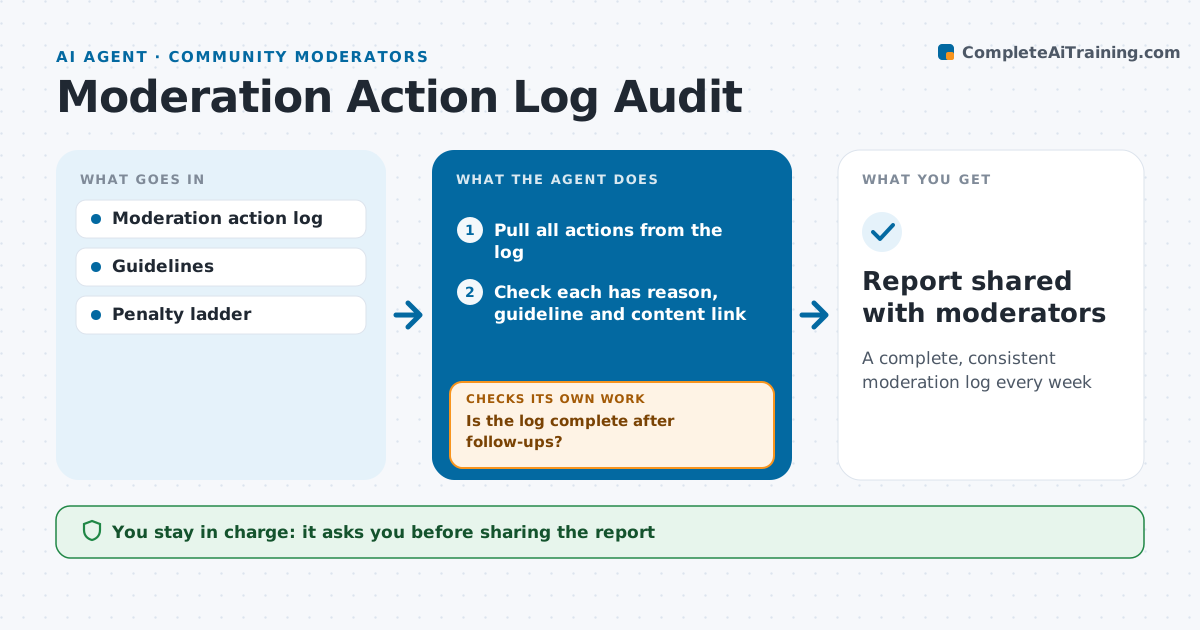
A complete, consistent moderation log every week
What it does
When moderation logs are incomplete or penalties vary by moderator, the team cannot defend its decisions. Each week this agent reviews every logged removal, warning, mute and ban. It checks that each action has a reason, a guideline reference and a link to the content. Missing pieces go to the moderator who acted. After moderators fill the gaps, it rechecks the log, and anything still missing goes into the weekly report. It then compares similar cases across moderators and flags inconsistent penalties. It drafts a team summary with patterns and suggested calibration topics. The lead approves the report before it goes to the team. Edge case: actions taken by automated filters are audited separately so their errors do not look like moderator errors.
How it works
Follow the arrows from top to bottom. The orange dashed arrow is the loop: when a check fails, the agent goes back and tries again.
Read the steps as a list
- Weekly audit
- Pull all actions from the log
- Check each has reason, guideline and content link
- Ask moderators to fill missing details
- Is the log complete after follow-ups?If not: send a second reminder and record remaining gaps. Back to step 4.
- Compare penalties for similar cases
- Lead approves the team reportThe agent waits here for your OK.
- Report shared with moderators
How it decides
It groups actions by guideline and compares penalties; gaps over the ladder step are flagged.
- Audit automated filter actions separately
- Flag penalties more than one ladder step apart for the same case type
- Two reminders, then report the gap
Make it yours
Every agent is a starting point. You choose these settings for your own situation.
- Audit day
- Fields required per action
- Ladder gap that triggers a flag
- Report recipients
What keeps you in control
It always asks you first
- Sharing the report
Hard limits
- Never edits actions
- Report names moderators only to the lead
It stops when
- Done: report shared
- Stop: log export fails
Set it up
We guide you through the set-up, step by step
Members get the full set-up guide for this agent. No technical skills needed: you copy, paste and upload.
- One set of instructions to paste into your AI, with the clicks for ChatGPT, Claude, Microsoft 365 Copilot, Gemini and Grok
- The agent then walks you through connecting your own data, one source at a time
- A downloadable copy with the flow chart, the rules and the full guide