AI agent for financial controllers
Month-End Close Calendar Agent
Finish the close on the planned day by catching slipping tasks early.
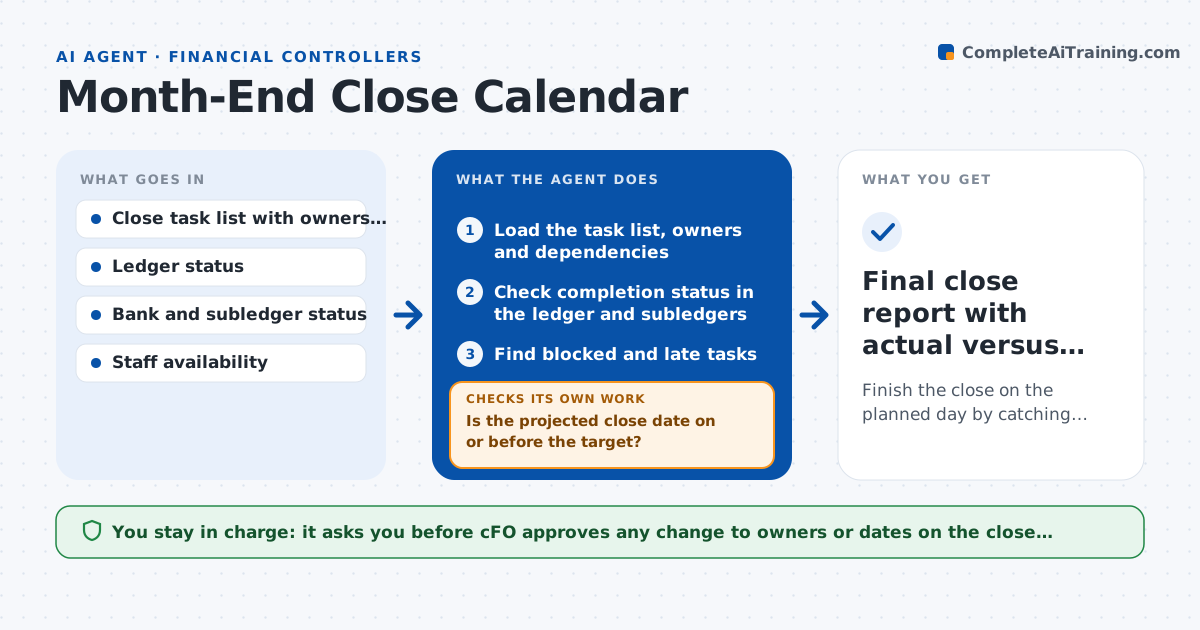
What it does
A month-end close has dozens of tasks that depend on each other, and when one slips, others stall quietly. This agent loads the close calendar with every task, owner, due date and dependency. Each day it checks which tasks are complete in the ledger and which are blocked, and finds the critical path that sets the close date. When a task is late, it proposes a recovery, such as reassigning work or reordering tasks, and recalculates the timeline to see if the close date is still safe. If the new plan still misses the close date, it tries another option. It reports slippage each day. The CFO approves any change to the close calendar.
How it works
Follow the arrows from top to bottom. The orange dashed arrow is the loop: when a check fails, the agent goes back and tries again.
Read the steps as a list
- Close period begins
- Load the task list, owners and dependencies
- Check completion status in the ledger and subledgers
- Find blocked and late tasks
- Calculate the critical path and the projected close date
- Is the projected close date on or before the target?If not: propose reassignments or parallel work, recalculate and test the new date. Back to step 3.
- Draft the daily slippage report with owners
- CFO approves changes to the close calendarThe agent waits here for your OK.
- Send approved reminders and updates to owners
- Did the blocked tasks start after the update?If not: escalate the blocker to the controller. Back to step 4.
- Final close report with actual versus planned dates
How it decides
It finds the chain of dependent tasks that sets the end date and focuses on any slip on that chain.
- Mark a task blocked if a task it depends on is not complete
- Prioritize tasks on the critical path
- Propose reassignment only to staff with free capacity
- Escalate when the projected close date slips by more than 1 day
Make it yours
Every agent is a starting point. You choose these settings for your own situation.
- Target close day
- Task list and dependencies
- Escalation threshold (default 1 day slip)
- Report time and recipients
What keeps you in control
It always asks you first
- CFO approves any change to owners or dates on the close calendar
Hard limits
- Never posts entries or closes periods
- Does not reassign tasks without approval
It stops when
- Done: close finished and variance report delivered
- Stop: ledger is unavailable and status cannot be checked
Set it up
We guide you through the set-up, step by step
Members get the full set-up guide for this agent. No technical skills needed: you copy, paste and upload.
- One set of instructions to paste into your AI, with the clicks for ChatGPT, Claude, Microsoft 365 Copilot, Gemini and Grok
- The agent then walks you through connecting your own data, one source at a time
- A downloadable copy with the flow chart, the rules and the full guide