AI agent for meteorologists
Monthly Climate Summary Agent
An accurate, timely monthly climate summary
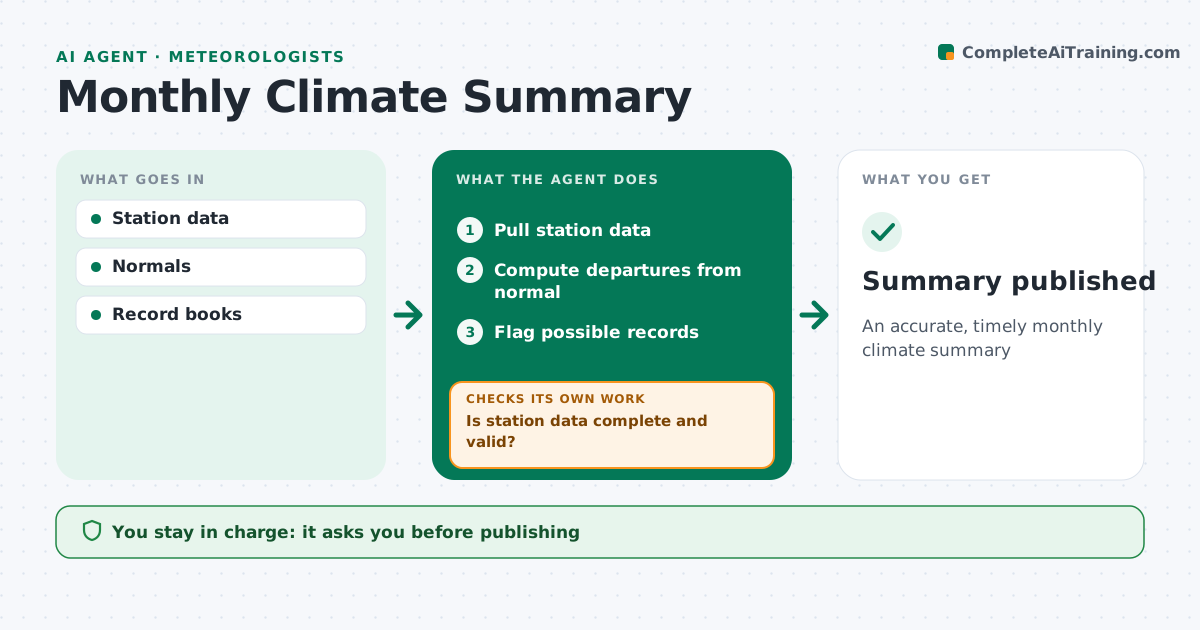
What it does
Each month, offices publish climate summaries comparing temperature and precipitation with normals and records. Pulling and checking the data by hand takes hours. This agent pulls station data, checks for missing days and suspect values, and computes departures from normal. If a station has gaps or suspect values, it requests fixes or marks the station incomplete. It compares values with the station record books and flags possible new records for confirmation before anything is called a record. It then drafts the summary text, tables and a short note on notable events, such as heat waves or heavy rain days. You approve the summary before it is published. Edge case: a station with more than the allowed number of missing days is marked incomplete and left out of the record comparisons.
How it works
Follow the arrows from top to bottom. The orange dashed arrow is the loop: when a check fails, the agent goes back and tries again.
Read the steps as a list
- Month ends
- Pull station data
- Is station data complete and valid?If not: mark incomplete or request fixes. Back to step 2.
- Compute departures from normal
- Flag possible records
- Meteorologist approves summaryThe agent waits here for your OK.
- Summary published
How it decides
It computes departures on quality-checked data and flags possible records.
- Mark stations with too many missing days
- Flag possible records
- Use current normals
Make it yours
Every agent is a starting point. You choose these settings for your own situation.
- Stations to include
- Missing day limit (default 5)
- Normals period
- Summary format
What keeps you in control
It always asks you first
- Publishing
Hard limits
- Never confirms records itself
It stops when
- Done: published
- Stop: data delayed
Set it up
We guide you through the set-up, step by step
Members get the full set-up guide for this agent. No technical skills needed: you copy, paste and upload.
- One set of instructions to paste into your AI, with the clicks for ChatGPT, Claude, Microsoft 365 Copilot, Gemini and Grok
- The agent then walks you through connecting your own data, one source at a time
- A downloadable copy with the flow chart, the rules and the full guide