AI agent for content marketing managers
Monthly Content Performance Review Agent
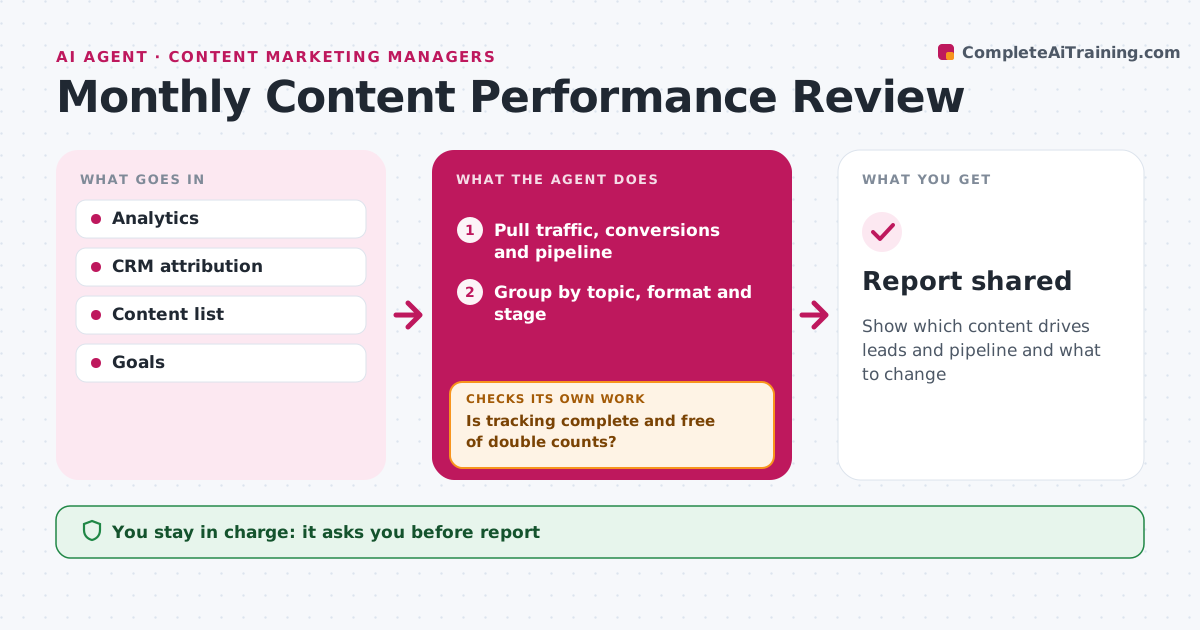
Show which content drives leads and pipeline and what to change
What it does
Content teams need to know which pieces drive business results, not just page views. When the month ends, this agent pulls traffic, engagement, conversions and assisted pipeline for each piece. First it checks data quality, such as missing tracking codes or conversions counted twice. It fixes what it can and flags the rest before reporting, so leadership does not see wrong numbers. It then groups content by topic, format and funnel stage, ranks pieces by conversions, and finds top and bottom performers compared with goals. It drafts a report with three clear recommendations, such as updating a high-traffic page that converts poorly. The content manager approves the report before it goes to leadership. Edge case: a piece published less than 30 days ago is reported separately, since it has not had time to perform.
How it works
Follow the arrows from top to bottom. The orange dashed arrow is the loop: when a check fails, the agent goes back and tries again.
Read the steps as a list
- Month ends
- Pull traffic, conversions and pipeline
- Is tracking complete and free of double counts?If not: fix or flag missing tracking and duplicate conversions. Back to step 2.
- Group by topic, format and stage
- Find top and bottom performers
- Draft the report
- Content manager approves the reportThe agent waits here for your OK.
- Report shared
How it decides
Content is ranked by conversions and pipeline per piece, compared with goals.
- New content reported separately
- Rank by conversions per piece
- Three recommendations
Make it yours
Every agent is a starting point. You choose these settings for your own situation.
- Metrics used
- Goals
- Report format
What keeps you in control
It always asks you first
- Report
Hard limits
- Never changes tracking settings without approval
- Labels attribution as estimates
It stops when
- Done: report shared
- Stop: analytics data missing
Set it up
We guide you through the set-up, step by step
Members get the full set-up guide for this agent. No technical skills needed: you copy, paste and upload.
- One set of instructions to paste into your AI, with the clicks for ChatGPT, Claude, Microsoft 365 Copilot, Gemini and Grok
- The agent then walks you through connecting your own data, one source at a time
- A downloadable copy with the flow chart, the rules and the full guide