AI agent for hospital administrators
Monthly Hospital KPI Scorecard Agent
An accurate monthly scorecard with explained exceptions
What it does
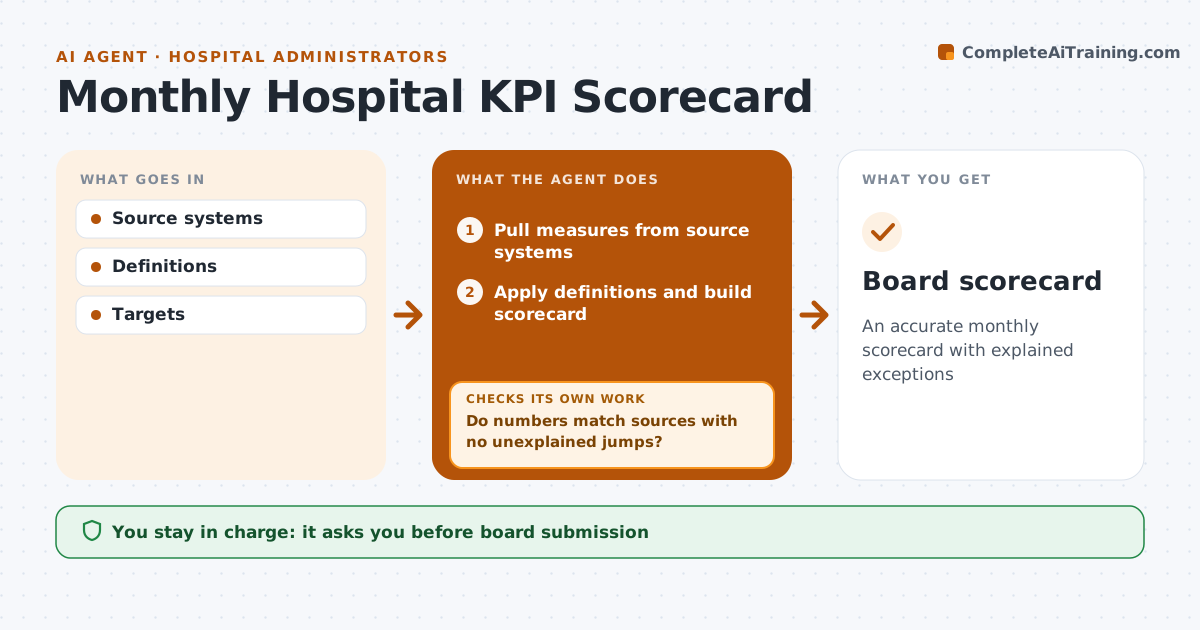
Boards review waiting times, length of stay, readmissions, infections, complaints and finance each month, and one wrong number can trigger the wrong decision. Each month this agent pulls every measure from its source system, applies the agreed definitions and builds the scorecard with trends and targets. It checks each number against the source and against last month. Any measure moving more than 20 percent is investigated before publication, and errors in the pull are corrected. When a definition changes, the chart carries a note so trends are not misread. It drafts plain commentary for measures off target, then checks that every off-target measure has commentary with a named owner. The administrator approves before the scorecard goes to the board. Edge case: a measure with incomplete source data is shown as provisional rather than left out.
How it works
Follow the arrows from top to bottom. The orange dashed arrow is the loop: when a check fails, the agent goes back and tries again.
Read the steps as a list
- Monthly run
- Pull measures from source systems
- Apply definitions and build scorecard
- Do numbers match sources with no unexplained jumps?If not: investigate and correct the pull. Back to step 2.
- Note definition changes on the charts
- Draft commentary for off-target measures
- Does every off-target measure have commentary and an owner?If not: draft the missing commentary and ask for an owner. Back to step 6.
- Administrator approves scorecardThe agent waits here for your OK.
- Board scorecard
How it decides
A number moving more than 20 percent month on month is checked before publication.
- 20 percent jump check
- Definition changes noted
- Commentary for off-target
Make it yours
Every agent is a starting point. You choose these settings for your own situation.
- Measures
- Targets
- Jump threshold
- Format
What keeps you in control
It always asks you first
- Board submission
Hard limits
- Never changes definitions
- Never sends to the board
It stops when
- Done: approved scorecard
- Stop: source system unavailable
Set it up
We guide you through the set-up, step by step
Members get the full set-up guide for this agent. No technical skills needed: you copy, paste and upload.
- One set of instructions to paste into your AI, with the clicks for ChatGPT, Claude, Microsoft 365 Copilot, Gemini and Grok
- The agent then walks you through connecting your own data, one source at a time
- A downloadable copy with the flow chart, the rules and the full guide