AI agent for production planners
MRP Shortage Exception Agent
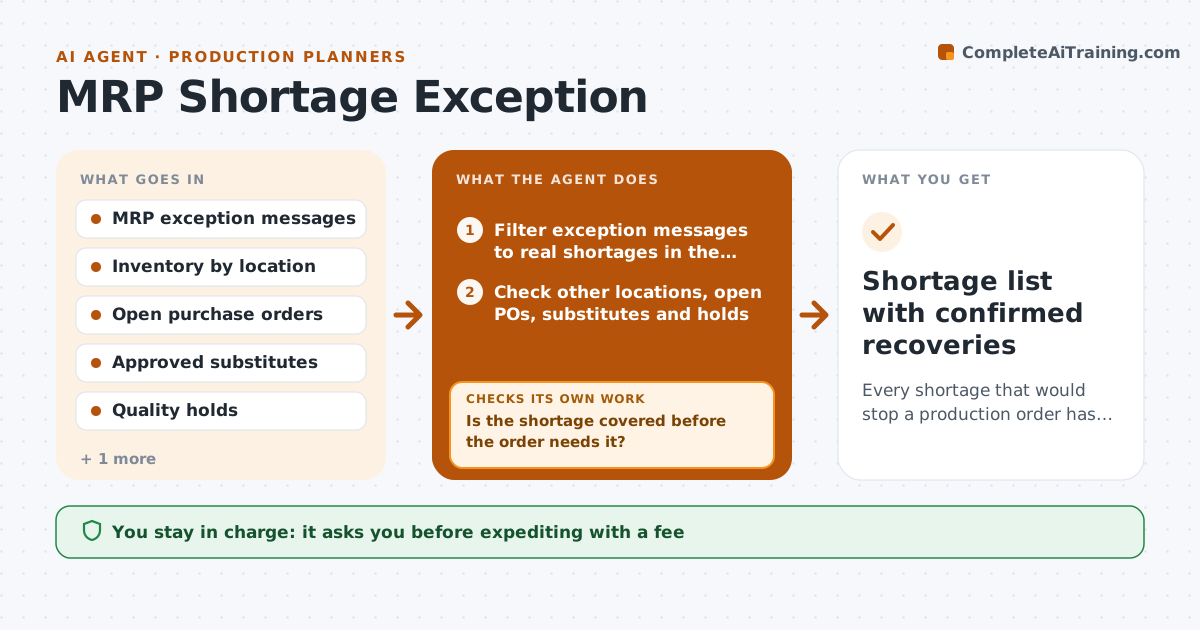
Every shortage that would stop a production order has a confirmed recovery action
What it does
MRP runs produce long lists of reschedule and expedite messages, and planners waste hours on noise while real shortages slip through. After each run, this agent filters out messages under the set number of days and keeps only shortages that will stop a production order within the planning window. It ranks them by how soon they bite. For each one it checks stock in other locations, open purchase orders, approved substitutes and quality holds. Stock on quality hold does not count as available. It tries recovery options in order: other location stock, pulling in an open order, an approved substitute, then expediting. The planner approves expedites and substitutions. After buyers and suppliers respond, it checks whether the shortage is covered before the order needs it. If not, it tries the next option and redrafts. Edge case: only substitutes on the approved list are ever used.
How it works
Follow the arrows from top to bottom. The orange dashed arrow is the loop: when a check fails, the agent goes back and tries again.
Read the steps as a list
- MRP run completes
- Filter exception messages to real shortages in the window
- Check other locations, open POs, substitutes and holds
- Draft the best recovery action for each shortage
- Planner approves expedites and substitutionsThe agent waits here for your OK.
- Record buyer and supplier responses
- Is the shortage covered before the order needs it?If not: try the next recovery option and redraft. Back to step 3.
- Shortage list with confirmed recoveries
How it decides
It ranks shortages by how soon they stop a production order and tries recovery options in order: other location stock, open PO pull-in, approved substitute, then expedite.
- Ignore reschedule messages under the set number of days
- Held stock does not count as available
- Only use substitutes on the approved list
Make it yours
Every agent is a starting point. You choose these settings for your own situation.
- Planning window (default 10 days)
- Minimum date shift to act on
- Order of recovery options
- Which locations to search
What keeps you in control
It always asks you first
- Expediting with a fee
- Using a substitute part
- Moving stock between sites
Hard limits
- Never places purchase orders
- Never releases quality-held stock
It stops when
- Done: all line-stopping shortages covered
- Stop: no option covers a shortage; warn the planner with the production order at risk
Set it up
We guide you through the set-up, step by step
Members get the full set-up guide for this agent. No technical skills needed: you copy, paste and upload.
- One set of instructions to paste into your AI, with the clicks for ChatGPT, Claude, Microsoft 365 Copilot, Gemini and Grok
- The agent then walks you through connecting your own data, one source at a time
- A downloadable copy with the flow chart, the rules and the full guide