AI agent for vacation rental hosts
Short-Term Rental Tax and Permit Agent
File correct taxes and renew permits on time.
What it does
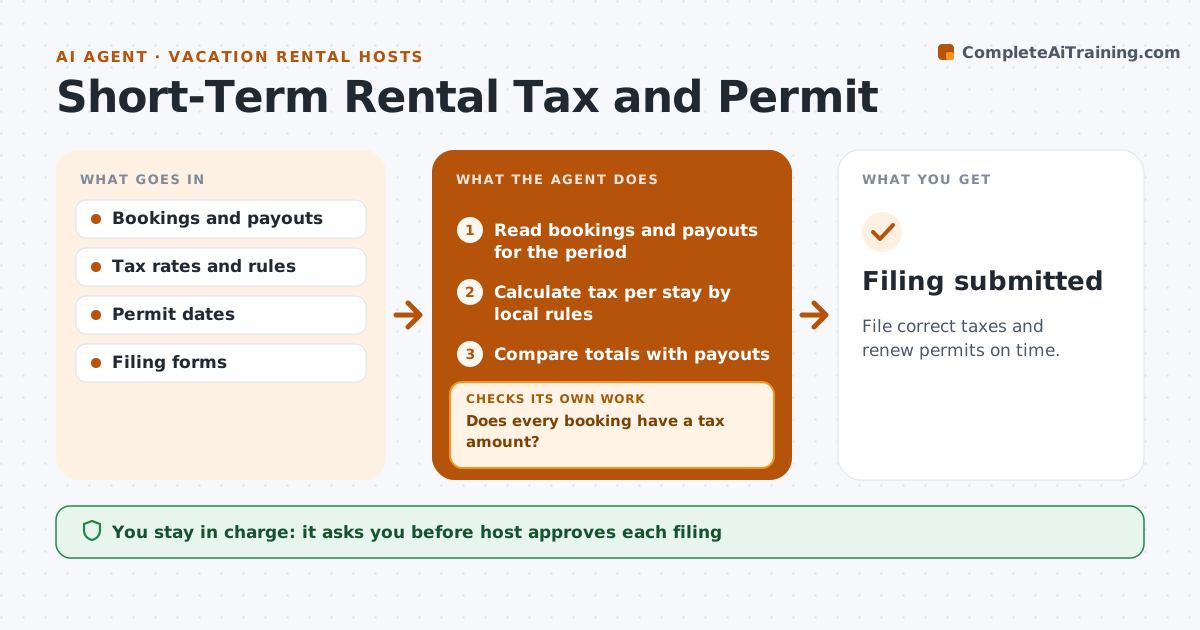
Occupancy taxes and permits come with different rules and deadlines in every city. This agent tallies bookings by period and place, calculates the taxes due, checks permit renewal dates and prepares the filings. If a booking is missing a tax amount, it recalculates and rechecks the total before filing. The host approves filing. It keeps a record for each place of the rate used, the stays counted and the date the filing was made, so a later audit can be answered quickly. Permit renewals are added to the host's calendar with the form and fee ready. Edge case: a booking for stays longer than the exempt number of nights is treated by that city's rule.
How it works
Follow the arrows from top to bottom. The orange dashed arrow is the loop: when a check fails, the agent goes back and tries again.
Read the steps as a list
- Filing period closes
- Read bookings and payouts for the period
- Calculate tax per stay by local rules
- Does every booking have a tax amount?If not: Recalculate and fill the missing amounts. Back to step 3.
- Compare totals with payouts
- Does the tax total match the payout reports?If not: Find and correct the difference. Back to step 3.
- Check permit renewal dates
- Prepare the filing forms
- Host approves filingThe agent waits here for your OK.
- Filing submitted
How it decides
It calculates tax from each stay by the local rules and checks that the total matches the payouts.
- Use the rate in force on the stay date
- Apply exemptions only as local rules say
- Alert 60 days before a permit expires
- Keep copies of every filing
Make it yours
Every agent is a starting point. You choose these settings for your own situation.
- Cities and rates
- Filing frequency
- Permit alert days (default 60)
- Exemption rules
What keeps you in control
It always asks you first
- Host approves each filing
Hard limits
- Never file without approval
- Never guess a tax rule
It stops when
- Done: filing is approved and submitted
- Stop: a rule is unclear and the host asks the city
Set it up
We guide you through the set-up, step by step
Members get the full set-up guide for this agent. No technical skills needed: you copy, paste and upload.
- One set of instructions to paste into your AI, with the clicks for ChatGPT, Claude, Microsoft 365 Copilot, Gemini and Grok
- The agent then walks you through connecting your own data, one source at a time
- A downloadable copy with the flow chart, the rules and the full guide