AI agent for tax advisors
Multi-State Income Allocation Agent
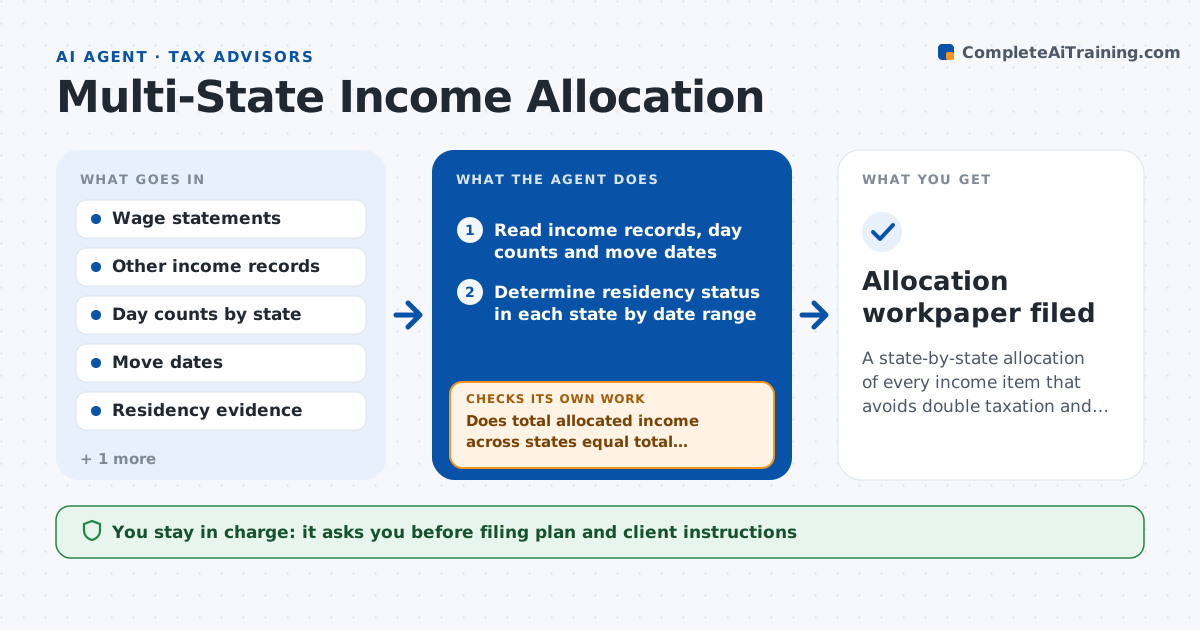
A state-by-state allocation of every income item that avoids double taxation and shows required filings
What it does
A client moves in June, works remotely for an employer in a third state and has rental income in a fourth. Each state has its own residency tests, sourcing rules and credits for tax paid elsewhere, and a wrong split means overpaid tax or a notice later. This agent reads the client's income sources, the days worked in each state, the dates of moves and the documents that show residency, such as leases and driver licenses. For each state it applies the residency and sourcing rules to allocate every income item, then computes the tax and the credit for taxes paid to other states. It compares the states against each other to catch income taxed twice or not at all. When a new document arrives, it reruns the allocation. The advisor approves the filing plan. Edge case: a state taxes by where the employer is, not where the work was done.
How it works
Follow the arrows from top to bottom. The orange dashed arrow is the loop: when a check fails, the agent goes back and tries again.
Read the steps as a list
- Client documents for the year are complete
- Read income records, day counts and move dates
- Determine residency status in each state by date range
- Apply each state's sourcing rule to each income item
- Does total allocated income across states equal total income?If not: find the item taxed twice or missed and reallocate. Back to step 4.
- Compute state tax and credit for taxes paid to other states
- Do credits stay within tax paid and the state's limits?If not: recompute the credit using the state's limit rule. Back to step 6.
- List required filings and conflicts between states
- Draft the filing plan and questions for the client
- Advisor approves the filing planThe agent waits here for your OK.
- Allocation workpaper filed
How it decides
It applies each state's residency test and sourcing rule to each income item, then tests that the total allocated across states equals total income and that credits do not exceed tax paid.
- Count a day worked in a state when the client was physically there
- Treat 183 days as a residency flag and check each state's own test
- Allocate rental income to the state of the property
- Flag any state that taxes by employer location
Make it yours
Every agent is a starting point. You choose these settings for your own situation.
- States covered
- Day count method
- Credit rules by state
- Client question format
What keeps you in control
It always asks you first
- Filing plan and client instructions
Hard limits
- Does not file returns itself
- Does not decide on legal domicile, only tests the facts
- Marks facts it assumed
It stops when
- Done: allocation ties and the filing plan is approved
- Stop: day counts or move dates are missing
Set it up
We guide you through the set-up, step by step
Members get the full set-up guide for this agent. No technical skills needed: you copy, paste and upload.
- One set of instructions to paste into your AI, with the clicks for ChatGPT, Claude, Microsoft 365 Copilot, Gemini and Grok
- The agent then walks you through connecting your own data, one source at a time
- A downloadable copy with the flow chart, the rules and the full guide