AI agent for payroll administrators
Multi-State Withholding Setup Agent
Every multi-state employee has the correct state and local withholding setup, confirmed on a live payroll run
What it does
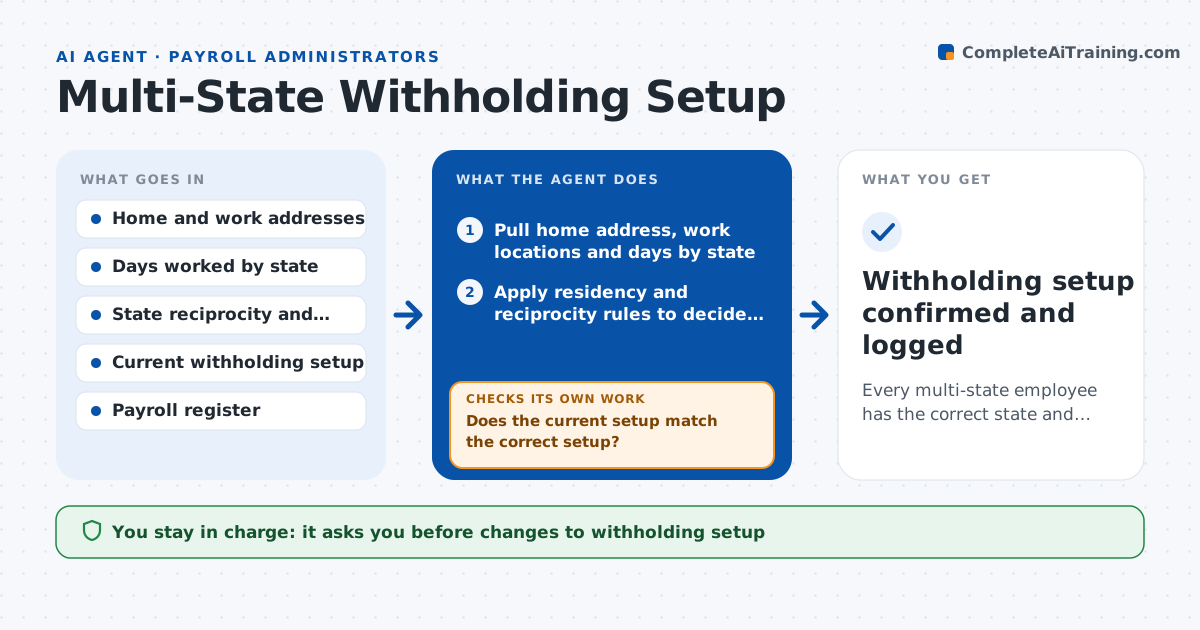
Remote workers and employees who cross state lines often have tax withheld for the wrong state, or none for the state where they live. The error shows up at year end in corrected forms and angry employees. This agent reads each flagged employee's home address, work locations and days worked per state. It applies reciprocity agreements, residency rules and local taxes, then compares the correct setup with the current withholding. It lists mismatches and drafts the change request for the payroll system with effective dates. After the next payroll run, it checks the resulting withholding on the register and reruns the test if the amounts do not match its calculation. Payroll approves setup changes. Edge case: a new reciprocity agreement takes effect mid-year, and the agent splits the year.
How it works
Follow the arrows from top to bottom. The orange dashed arrow is the loop: when a check fails, the agent goes back and tries again.
Read the steps as a list
- A location change is entered, or the quarterly review runs
- Pull home address, work locations and days by state
- Apply residency and reciprocity rules to decide each state's tax
- Read the current withholding setup in the payroll system
- Does the current setup match the correct setup?If not: list each mismatch and recalculate the correct setup after checking the rules again. Back to step 2.
- Draft the setup changes with effective dates and any employee forms needed
- Payroll approves the setup changesThe agent waits here for your OK.
- Apply the approved changes and wait for the next payroll run
- Read the next register for the employee
- Does the withholding on the register match the calculation?If not: find the setup field that differs and correct it, then check the next run. Back to step 3.
- Withholding setup confirmed and logged
How it decides
It applies the state of residence and the state of work rules together, with reciprocity, and calls a setup correct only when the calculated withholding matches the register.
- Apply reciprocity when both states have an agreement and the employee files the exemption form
- Withhold for the state of work when no agreement exists
- Review all remote workers every quarter
- Flag differences above $10 per pay period
Make it yours
Every agent is a starting point. You choose these settings for your own situation.
- States and localities covered
- Review frequency (default quarterly)
- Difference that triggers a flag (default $10)
- Who receives employee notices
What keeps you in control
It always asks you first
- Changes to withholding setup
- Employee notices about corrections
Hard limits
- Never changes setup without approval
- Does not give tax advice to employees
- Keeps a record of the rules used
It stops when
- Done: setup matches the rules and the register
- Stop: address or work location data is missing
Set it up
We guide you through the set-up, step by step
Members get the full set-up guide for this agent. No technical skills needed: you copy, paste and upload.
- One set of instructions to paste into your AI, with the clicks for ChatGPT, Claude, Microsoft 365 Copilot, Gemini and Grok
- The agent then walks you through connecting your own data, one source at a time
- A downloadable copy with the flow chart, the rules and the full guide