AI agent for filmmakers
Music License Clearance Agent
All non-original music cleared for the planned uses before delivery
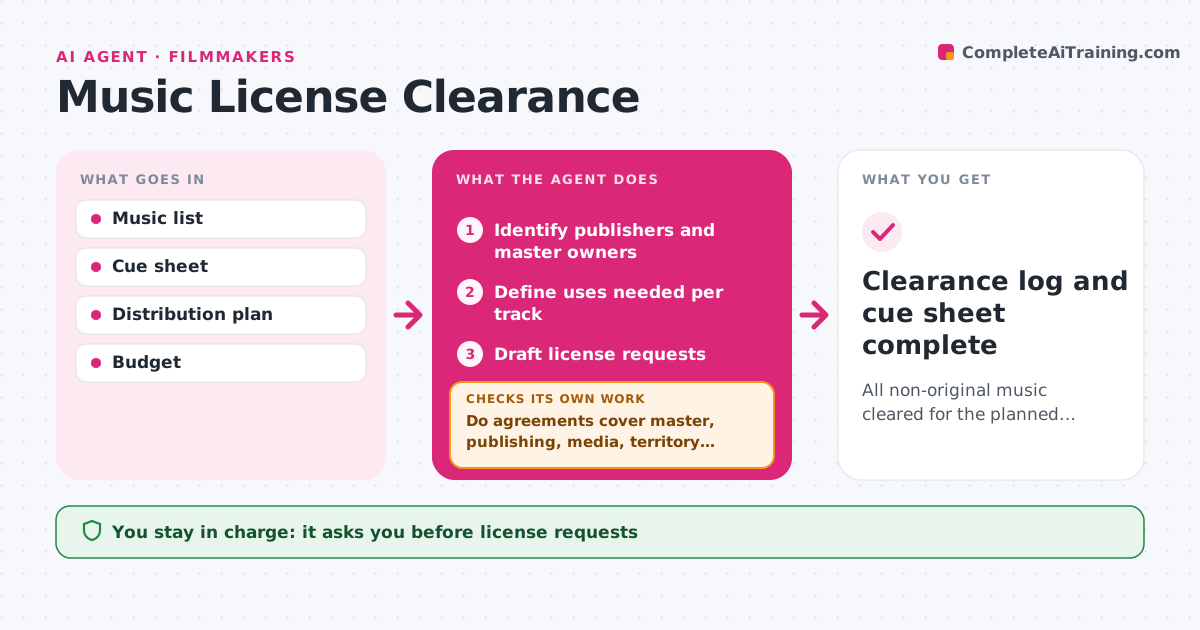
What it does
Uncleared music can block a film from festivals or streaming, and licenses often miss a right or a territory. This agent lists every piece of music in the film or score that is not original: songs, library tracks and samples. For each it finds the publisher and the master owner, the uses needed, such as festival, streaming or worldwide, and the term. It drafts license requests. As quotes and agreements come back, it checks they cover both master and publishing, the right media, territory and term. Gaps lead to follow-ups or a suggestion to replace the track. It keeps a clearance log and cue sheet. The filmmaker or composer approves requests and any signed deal. Edge case: a sample inside an original cue is cleared like a song.
How it works
Follow the arrows from top to bottom. The orange dashed arrow is the loop: when a check fails, the agent goes back and tries again.
Read the steps as a list
- Music list set
- Identify publishers and master owners
- Define uses needed per track
- Draft license requests
- Filmmaker approves sending requestsThe agent waits here for your OK.
- Do agreements cover master, publishing, media, territory and term?If not: follow up or suggest replacing the track. Back to step 4.
- Filmmaker approves signing agreementsThe agent waits here for your OK.
- Clearance log and cue sheet complete
How it decides
A track is cleared only when master and publishing licenses both cover the planned media, territory and term.
- Both master and publishing are required
- Festival-only licenses are flagged before distribution
- Replace tracks that exceed budget
Make it yours
Every agent is a starting point. You choose these settings for your own situation.
- Media and territory needed
- Budget per track
- Follow-up timing
- Log format
What keeps you in control
It always asks you first
- License requests
- Signing agreements
- Fees
Hard limits
- Never signs agreements
- Never pays fees
It stops when
- Done: all tracks cleared
- Stop: budget exhausted, decide replacements
Set it up
We guide you through the set-up, step by step
Members get the full set-up guide for this agent. No technical skills needed: you copy, paste and upload.
- One set of instructions to paste into your AI, with the clicks for ChatGPT, Claude, Microsoft 365 Copilot, Gemini and Grok
- The agent then walks you through connecting your own data, one source at a time
- A downloadable copy with the flow chart, the rules and the full guide